GitHub
Hey there, tech enthusiasts! Today, we're diving into the world of GitHub, the platform that's become a household name in the developer community. Whether you're a seasoned coder or just starting out, GitHub has something for everyone. So, grab a cup of coffee and let's explore this revolutionary app together!
Getting Started with GitHub
First things first, let's talk about what makes GitHub so special. At its core, GitHub is a web-based platform used for version control using Git. It's a place where developers can store their code, collaborate with others, and manage projects. The beauty of GitHub is that it brings together the power of open-source development with social networking features, making it a hub for innovation and collaboration.
Features that Stand Out
Now, let's dive into some of the features that make GitHub a must-have tool for developers:
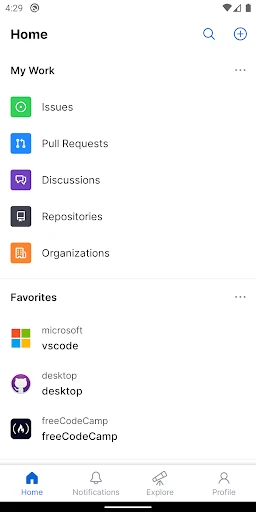
Repositories: Think of a repository as your project folder. It's where all your files, histories, and updates are stored. You can make them public for the world to see or keep them private for your eyes only.
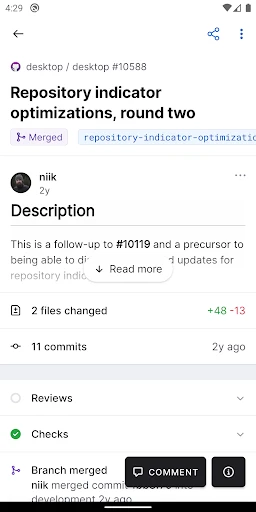
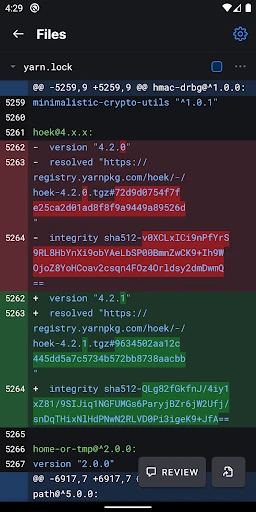
Pull Requests: This feature is a game changer! Pull requests allow you to propose changes to a project. It's a great way to collaborate with other developers and improve the quality of the code.
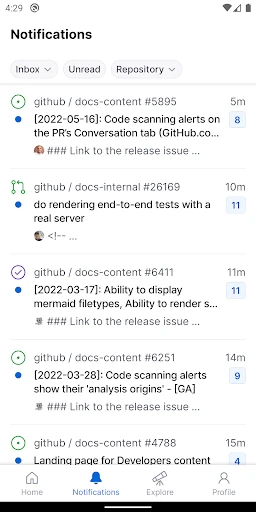
Social Coding: GitHub isn't just about code; it's about community. You can follow other developers, star repositories, and engage in discussions. It's like social media, but for geeks!
GitHub Pages: Ever wanted to create a website but didn’t know where to start? With GitHub Pages, you can host your own static sites directly from a repository. It's super easy and kind of magical!
Why I Love GitHub
As someone who's been in the coding game for a while, I can't stress enough how much I adore GitHub. It's not just a tool; it's a community. The open-source aspect allows anyone to contribute, learn, and grow. Plus, the seamless integration with other platforms and tools makes it an indispensable part of any developer's toolkit.
Another reason it's a winner in my book is the way it empowers new developers. With countless projects to explore and contribute to, beginners can gain practical experience and build their portfolios. It's like having a never-ending internship with the best mentors at your fingertips!
The Final Word
In conclusion, if you haven't jumped on the GitHub bandwagon yet, now's the time! It's a platform that not only boosts productivity but also fosters a sense of community and learning. Whether you're working on personal projects or collaborating on groundbreaking open-source software, GitHub is where the magic happens. So, what are you waiting for? Go ahead and explore the endless possibilities that await!
- Developer
- GitHub
- Version
- 1.210.0
- Installs
- 10,000,000+
- Android Version
- 8.0
- Content Rating
- Everyone
- Price
- Free
- Free access to open-source repositories.
- Robust community support and collaboration.
- Integrates with various development tools.
- Offers version control and branching.
- Supports numerous programming languages.
- Steep learning curve for beginners.
- Requires internet for most features.
- Limited private repositories on free tier.
- Can be overwhelming for small projects.
- UI can be complex for new users.