BeFriend: make friends nearby
Ever find yourself in a new city or just looking to expand your social circle? Well, let me introduce you to an app that might just become your new best friend—BeFriend. It’s all about connecting you with folks in your vicinity who share similar interests. Ready to dive into how it works and what makes it tick? Let’s go!
Getting Started with BeFriend
First things first, downloading and setting up BeFriend is a breeze. Available on both Android and iOS, it’s just a quick trip to your app store and you’re good to go. Signing up is pretty straightforward too. You can opt to use your email or just link your Facebook account for a speedier setup. I went with the Facebook option and was pleasantly surprised at how seamlessly it integrated, pulling in my interests and favorite activities to help tailor my connections.
Features that Stand Out
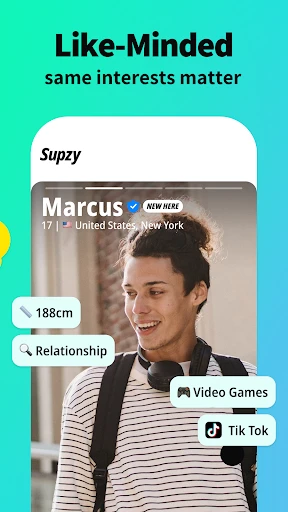
What sets BeFriend apart from other social networking apps? For starters, the geo-location feature is a game-changer. Imagine being notified when someone with similar interests is just around the corner. It’s like the universe’s way of nudging you to say hello. I also love the interest-based matching. Whether you’re into hiking, coffee shop hopping, or board games, BeFriend ensures you meet people who are down for the same kind of fun.
Another cool addition is the event creation tool. Ever wanted to throw a casual meet-up or join a local book club? You can easily create or join events, making it super simple to meet up with multiple people at once. I hosted a small weekend hike and got to meet some truly awesome folks, all thanks to this nifty feature.
My Personal Experience
So, what’s it like actually using BeFriend? Honestly, it’s been a blast. The app’s interface is user-friendly and intuitive. I didn’t find myself stumbling through options or overloaded with unnecessary features. Everything is neatly organized, which makes navigation a breeze.
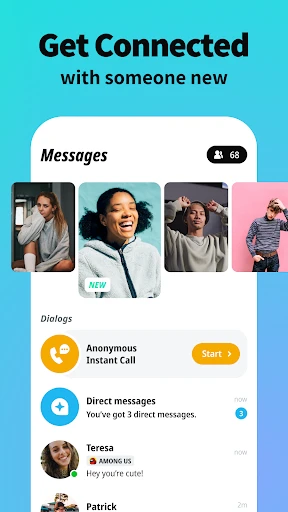
One of my favorite aspects was the real-time chat feature. It’s quick, responsive, and perfect for making plans on the fly. I’ve had some genuinely interesting conversations that eventually led to in-person meet-ups. It’s been great for turning online connections into real-world friendships.
Security and Privacy
Of course, meeting new people comes with its set of concerns, and BeFriend seems to have thought this through. The app includes privacy controls that let you decide how much information you want to share. Plus, their verification system adds an extra layer of safety, ensuring that you’re meeting real people, not just bots or fake profiles.
Final Thoughts
In a world where digital connections often overshadow real ones, BeFriend offers a refreshing change. It bridges the gap between online interactions and face-to-face friendships, all while keeping things fun and safe. Whether you’re new in town or just looking to expand your circle, this app has got you covered.
So, if you’re ready to step out and meet some new faces, give BeFriend a shot. Who knows? Your next best friend might just be a swipe away!



- Developer
- ORBITECH PTE. LTD.
- Version
- 10.7.0
- Installs
- 1,000,000+
- Android Version
- 8.0
- Content Rating
- Teen
- Price
- Free
- User-friendly interface makes navigation easy
- Connects you with people nearby quickly
- Customizable profiles for better matching
- Secure and private chat options
- Free to download and use with optional in-app purchases
- Limited features in free version
- In-app purchases can be costly
- Requires location access for functionality
- Occasional bugs in chat feature
- Ads can be intrusive in free version