Microsoft Excel: Spreadsheets
Hey there, spreadsheet warriors! So, I finally got around to diving into the world of Microsoft Excel: Spreadsheets on mobile, and boy, do I have some thoughts to share with you. Whether you’re a numbers nerd or just someone trying to make sense of your chaotic life, Excel has got you covered. Let me take you through my experience with the app.
Getting Started: Easier Than You Think!
Alright, let's talk about the setup. I know, I know, Excel might sound daunting if you’re not a spreadsheet aficionado, but installing and getting started on the mobile app is surprisingly straightforward. Just hop onto your app store, hit download, and you’re in business. The app itself is pretty lightweight, so it won’t hog your phone’s storage, which is always a win in my book.
Interface and Usability
First impressions? The interface is clean and intuitive. I mean, who doesn’t love a good, clutter-free workspace? You’ve got your usual suspects like the toolbar and ribbon, but they’re neatly tucked away until you need them. This keeps the screen from looking like a hot mess of options, especially on smaller screens. It's like having all the power of Excel, but in a pocket-sized form.
One of my favorite features is the touch-friendly controls. Swiping, pinching, and tapping your way around spreadsheets feels natural, and I didn’t find myself missing the precision of a mouse. Plus, the app supports various file formats, so whether you're opening .xlsx or .csv files, it's a breeze. Talk about versatility!
Features That Stand Out
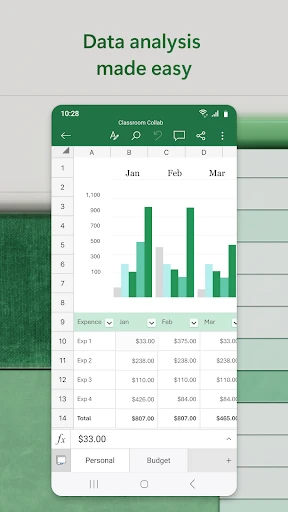
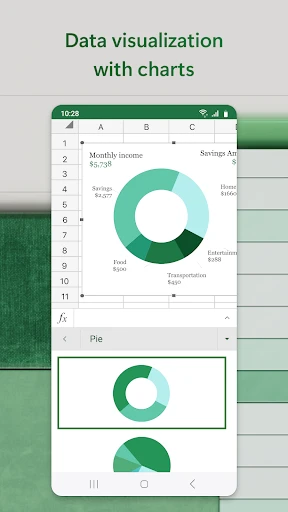
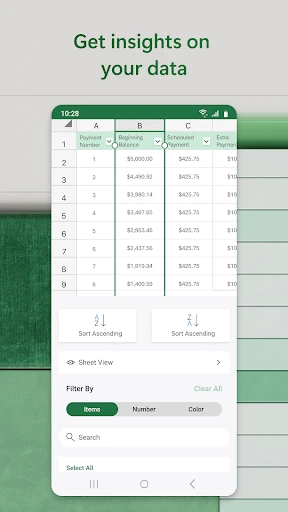
Now, let’s dive into the features. Excel on mobile doesn’t skimp on the goodies. We’re talking formulas, charts, tables, and even pivot tables! Yes, pivot tables on your phone. Mind-blowing, right? The app also offers real-time collaboration, which is perfect for those group projects or when you need to crunch numbers with your team on the fly.
Another nifty feature is the templates. Whether you’re budgeting, planning a project, or tracking your fitness goals, there’s a template for that. These templates are a lifesaver when you don’t have the time (or patience) to build a spreadsheet from scratch.
Performance and Reliability
Performance-wise, the app runs smoothly for the most part. I didn’t encounter any major lag, even with larger files. It’s reliable, which is crucial when you’re presenting data or making critical decisions based on your spreadsheets. However, like any app, it’s always a good idea to save your work frequently, just in case your phone decides to take an unexpected nap.
Wrap-Up: Is It Worth It?
So, is Microsoft Excel: Spreadsheets on mobile worth your time? Absolutely, especially if you’re someone who relies on spreadsheets regularly. It’s powerful, user-friendly, and offers a seamless transition from its desktop counterpart. Whether you’re managing finances, organizing data, or collaborating with colleagues, Excel has your back. Give it a whirl and see how it can transform your data game!


- Developer
- Microsoft Corporation
- Version
- Varies With Device
- Installs
- 1,000,000,000+
- Android Version
- Varies With Device
- Content Rating
- Everyone
- Price
- Free
- Seamless integration with Microsoft 365.
- Extensive formula and functions library.
- Real-time collaboration feature.
- User-friendly interface for beginners.
- Supports large datasets efficiently.
- Steep learning curve for advanced features.
- Some features require a Microsoft account.
- Mobile version lacks some desktop features.
- Can be resource-intensive on older devices.
- Subscription required for full features.