

OtterAI Transcribe Voice Notes
Have you ever been in a situation where you wished you could effortlessly jot down every word from a critical meeting or lecture without missing a beat? Enter OtterAI Transcribe Voice Notes, your handy assistant for turning spoken words into text magic. Let me tell you, this app is a game-changer for anyone who deals with heaps of verbal information daily.
What Makes It Tick?
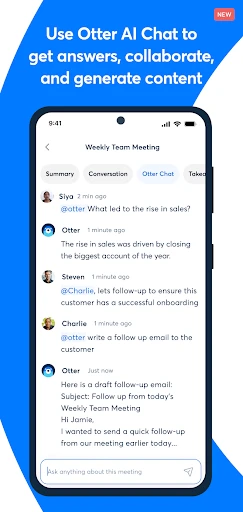
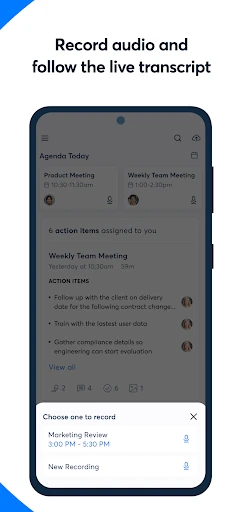
OtterAI Transcribe Voice Notes is not your average transcription app. It's like having an AI-powered note-taking assistant tucked right in your pocket. This app can record conversations and transcribe them in real-time. Yes, you heard that right—real-time transcription! This feature is a lifesaver when you're swamped with information and need to focus on the speaker rather than frantically scribbling notes.
Easy Peasy Setup
Getting started with OtterAI is as smooth as butter. The interface is super intuitive, so you won't need a degree in rocket science to navigate it. Simply hit the record button, and you're off. The app works its magic, converting speech into text with impressive accuracy. Plus, it's available on both Android and iOS, so you can use it on the go, no matter your device.
Smart Features Galore
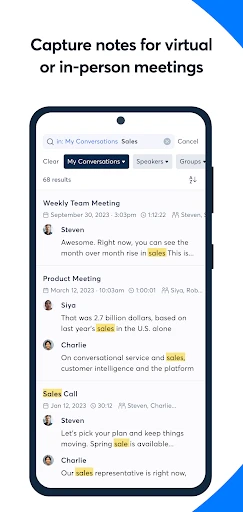
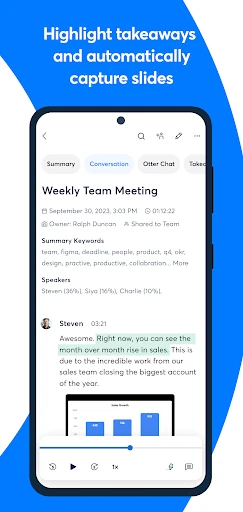
One of the standout features of this app is its ability to identify speakers. Imagine having a transcript where you can tell who said what without breaking a sweat. It's like having a meeting assistant who remembers every detail. OtterAI also allows you to highlight key points and add photos, making your notes more comprehensive. And let's not forget the search functionality—finding specific information in your transcripts is a breeze.
Now, you might be thinking, "Does it work in noisy environments?" Well, the app does a commendable job filtering out background noise, so you get a clear transcript even in less-than-ideal conditions.
Seamless Integration
Another feather in OtterAI's cap is its ability to integrate with other tools. Whether it's syncing with your calendar to automatically start recording meetings or exporting transcripts to your favorite cloud service, this app plays well with others. It’s all about making your life easier and more organized.
Privacy is a big deal, especially when dealing with sensitive information. OtterAI takes this seriously by offering secure storage and strict privacy controls, so your data remains safe and sound. It's nice to know your notes are protected.
Wrapping It Up
In a nutshell, OtterAI Transcribe Voice Notes is a must-have for anyone who values efficiency and accuracy in capturing spoken content. It's like having a personal assistant who never misses a word and organizes everything neatly for you. Whether you're a student, journalist, or business professional, this app will undoubtedly lighten your load. Give it a whirl, and you might find yourself wondering how you ever managed without it!
- Developer
- Otter.ai
- Version
- 3.75.0-3087
- Installs
- 1,000,000+
- Android Version
- 6.0
- Content Rating
- Everyone
- Price
- Free
- Accurate transcription of voice notes.
- Supports multiple languages for transcriptions.
- Easy integration with other apps.
- User-friendly interface with intuitive design.
- Offers a free basic plan with essential features.
- Limited features in the free version.
- Requires stable internet for best performance.
- Occasional lags in real-time transcription.
- Privacy concerns over data handling.
- Subscription can be pricey for premium features.


