Twitch: Live Streaming
Getting Started with Twitch: Live Streaming
Alright folks, let’s dive right into Twitch, the buzzing hub of live streaming that’s been making waves in the gaming community and beyond. If you’ve ever wondered where to catch your favorite gamers, musicians, or even artists in action, Twitch is the place to be. It’s like a massive digital hangout where you can watch, chat, and even broadcast your own content.
What is Twitch All About?
At its core, Twitch is a live streaming platform primarily geared towards gamers, but it doesn’t stop there. Whether you’re into cooking, music, or just want to chill with some live art, Twitch has a space for you. The app is available on both Android and iOS, making it super accessible for anyone with a smartphone.
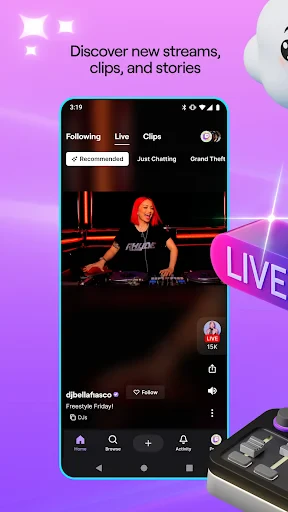
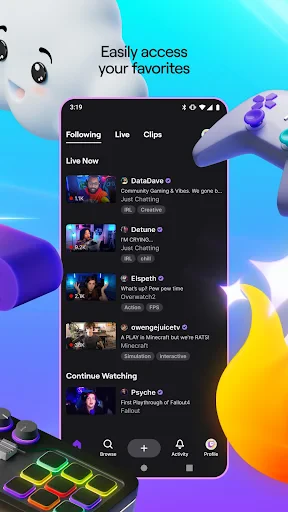
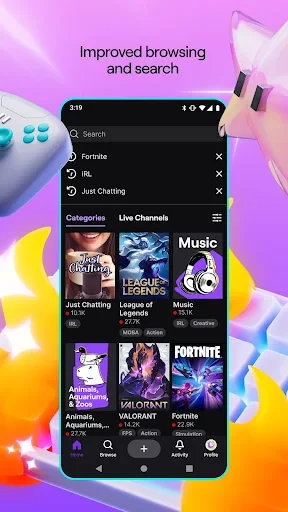
The interface is pretty intuitive. You’ve got your main feed filled with streams from channels you follow, and discovering new content is just a swipe away. Plus, the chat feature is a nifty way to engage with streamers and other viewers. It’s like being part of an online community that never sleeps.
The Streaming Experience
Jumping into a live stream on Twitch is seamless. The video quality is top-notch, and you can toggle between different resolutions depending on your internet speed. And let me tell you, there’s something thrilling about catching a live stream in action. It’s raw, unedited, and you never know what’s going to happen next.
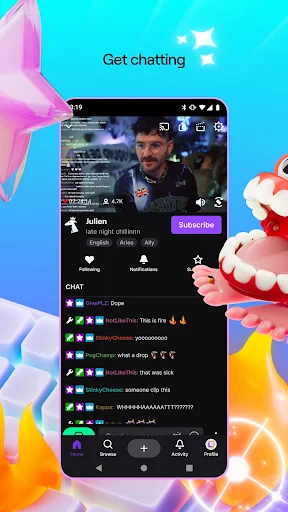
For those of you who love interacting, the chat feature is your best friend. It’s live, it’s vibrant, and it’s where most of the fun happens. Streamers often engage with their audience in real-time, which adds a personal touch to the whole experience. You can send messages, use emotes, and even cheer for your favorite streamers with bits.
Creating Your Own Space
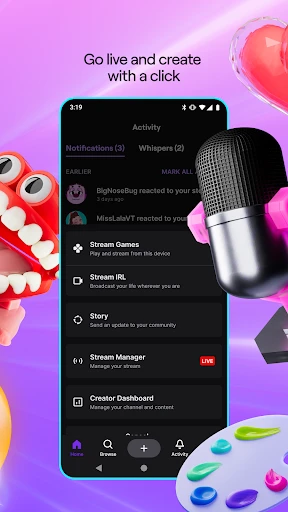
Feeling inspired? Twitch makes it easy for you to start your own live stream. All you need is a decent camera, a mic, and you’re good to go. The app guides you through the setup process, ensuring you’re live in no time. Plus, with options to monetize your content, you might even turn your hobby into a lucrative gig!
The customization options are a bonus. You can personalize your channel with panels, overlays, and alerts to give it a unique vibe. And if you’re serious about growing your audience, Twitch’s analytics tools are super handy. They provide insights into your viewer demographics, peak times, and more.
Final Thoughts on Twitch
So, is Twitch worth your time? Absolutely. Whether you’re a viewer or a streamer, the platform offers a dynamic and engaging experience. It’s a melting pot of creativity, community, and entertainment. Plus, with its easy accessibility on mobile devices, you can take your favorite streams wherever you go.
In conclusion, Twitch is more than just a streaming app; it’s a digital playground where you can discover, interact, and create. So why not give it a shot? You might just find your new favorite pastime.
Happy streaming!
- Developer
- Twitch Interactive, Inc.
- Version
- Varies With Device
- Installs
- 100,000,000+
- Android Version
- 5.0
- Content Rating
- Teen
- Price
- Free
- Wide variety of content to suit all interests.
- Interactive chat feature enhances user experience.
- Available on multiple platforms for accessibility.
- Supports content creators through subscriptions.
- High-quality streaming with minimal lag.
- Ad-heavy experience without subscription.
- Mobile app can be data-intensive.
- Limited parental controls for younger users.
- Occasional technical glitches during streams.
- Complex interface for new users.