TV Cast Pro for Samsung TV
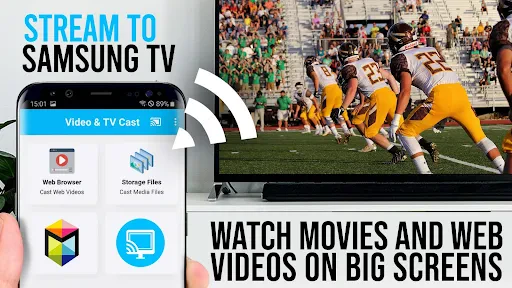
Hey there! So, I recently got my hands on the TV Cast Pro for Samsung TV, and let me tell you, it’s been quite the journey. If you’re like me and love streaming everything from your phone to the big screen, you might want to stick around for this one.
First Impressions
When I first downloaded the app, I wasn’t entirely sure what to expect. I mean, there are tons of casting apps out there, right? But what caught my eye about TV Cast Pro was its promise of a seamless connection without the usual hiccups. The installation was straightforward, and within minutes, I had it set up on my Samsung TV. The interface is pretty intuitive, so even if you’re not the most tech-savvy person, you should have no trouble navigating through it.
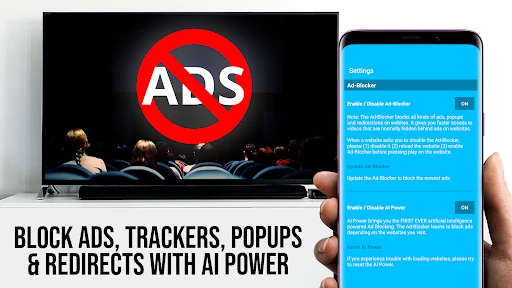
One thing I noticed right off the bat was the absence of ads. Hallelujah! If you’ve used casting apps before, you know how annoying those pop-ups can get. TV Cast Pro spares you from this headache, letting you enjoy your content without interruptions.
Features That Stand Out
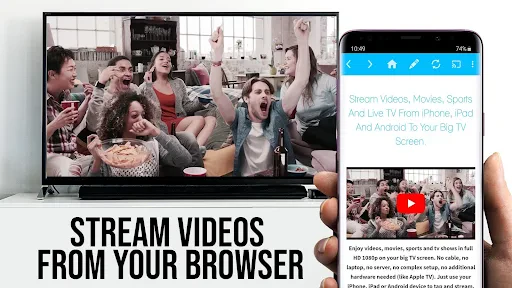
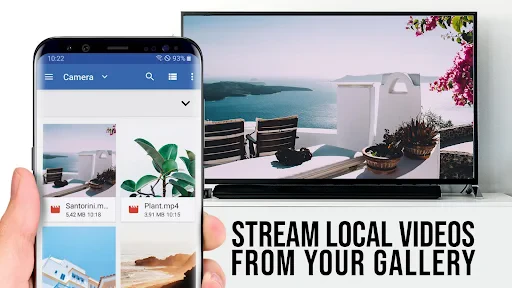
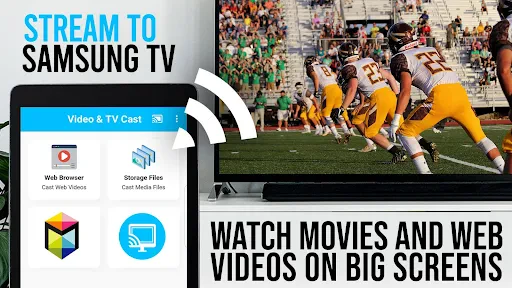
Now, let’s talk features. TV Cast Pro doesn’t just limit you to casting videos from your gallery. You can stream from a variety of sources, including web videos. Yep, you heard that right! Just punch in the URL, and you’re good to go. It supports a wide range of formats, so compatibility isn’t an issue.
Another feature I found super handy is the ability to bookmark your favorite websites. This means you can quickly access them the next time you want to binge-watch those funny cat videos or catch up on the latest series without having to search for the links all over again. Plus, the app allows you to create playlists, so your movie nights are always on point.
Performance and Reliability
In terms of performance, I’ve got to say, TV Cast Pro holds up pretty well. The streaming quality is top-notch, offering up to 1080p resolution, which is a blessing for those of us who despise pixelated images. There’s minimal buffering, provided your Wi-Fi connection is stable. I’ve used it for a few weeks now, and it hasn’t let me down yet. The app updates regularly, ensuring you always have the best streaming experience.
However, it’s worth mentioning that there can be a slight delay when casting live streams. It’s not a deal-breaker for me, but it’s something to keep in mind if you’re a live sports enthusiast.
Final Thoughts
Overall, I’d say TV Cast Pro for Samsung TV is a solid choice for anyone looking to enhance their streaming game. It’s user-friendly, feature-rich, and reliable. While it isn’t perfect, it certainly makes life a lot easier for those of us who can’t get enough of our TV screens. If you’re willing to overlook the minor delay in live streaming, this app could be a game-changer for your home entertainment setup.
So, if you’re still on the fence, I’d suggest giving it a go. After all, who doesn’t love the convenience of casting directly from your phone to your TV without a hitch? Happy streaming!
- Developer
- 2kit consulting
- Version
- 2.59
- Installs
- 50,000+
- Android Version
- 5.0
- Content Rating
- Everyone
- Price
- $6.99
- Supports multiple video formats.
- Ad-free streaming experience.
- Easy to connect and use.
- High-quality casting resolution.
- Works with various Samsung models.
- Requires paid version for full features.
- Occasional connection drops.
- Limited support for older TVs.
- No screen mirroring option.
- Needs stable Wi-Fi connection.