Microsoft Authenticator
Ever had those moments where you can't remember which of your umpteen passwords you used for a particular account? Yeah, me too. That's where Microsoft Authenticator swoops in like a digital superhero. And let me tell you, after giving it a whirl, I'm pretty impressed.
First Impressions: A Smooth Setup
Getting started with Microsoft Authenticator is a breeze. I downloaded it from the App Store (it's available on both Android and iOS), and within minutes, I was up and running. The app walks you through the setup process with clear instructions, which is a relief for those of us who aren't exactly tech-savvy. You just scan a QR code from your Microsoft account, and boom, you're in!
Two-Factor Authentication: The Security We All Need
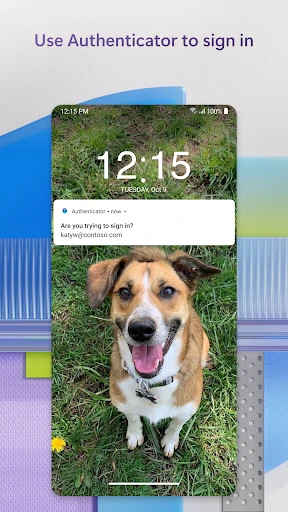
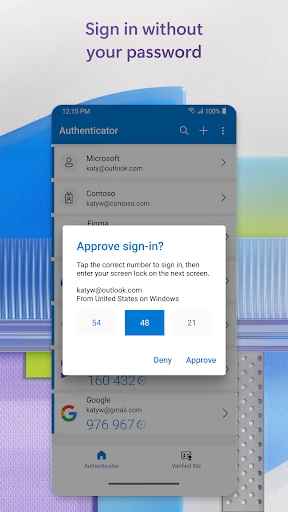
Let's talk about the real star of the show: two-factor authentication (2FA). In this age of cyber threats, having an extra layer of security is like having that extra lock on your front door. Microsoft Authenticator makes this super easy. Once set up, you receive a notification on your phone to approve any login attempt. It's as simple as tapping "approve." No more juggling text messages or emails to get those pesky verification codes.
Beyond Microsoft: An All-in-One Solution
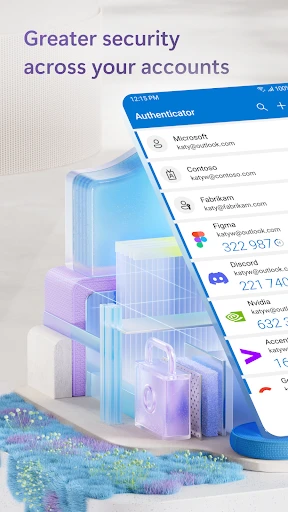
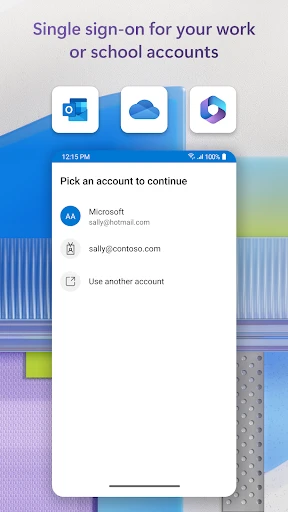
While it's called Microsoft Authenticator, don't let the name fool you. It doesn't just work with Microsoft accounts. I added my Google, Facebook, and even my Amazon accounts. It’s like having a universal key that fits multiple locks. This app supports multi-account use, which is a lifesaver for someone like me who seems to have an account for everything under the sun.
User-Friendly Interface: Clean and Intuitive
The design of the app is sleek and intuitive. I love how everything is neatly organized, making navigation a piece of cake. The user interface is minimalistic, which means there’s no clutter. Even if you're not a tech aficionado, you'll find it straightforward to use.
Backup and Sync: Keeping Your Data Safe
One of the features that really stood out to me is the backup and sync option. Losing your phone doesn't have to mean losing all your authentication data. With this feature, your accounts are backed up to the cloud, and you can easily sync them to a new device. It's like having a safety net for your digital life.
Final Thoughts: A Must-Have App for Enhanced Security
In conclusion, Microsoft Authenticator is like that trusty friend who always has your back. It's dependable, versatile, and an absolute must-have if you're serious about protecting your online presence. Whether you’re a tech pro or just someone who wants to keep things secure without the hassle, this app is worth the download. So go ahead, give it a try, and breathe a little easier knowing your accounts are more secure.

- Developer
- Microsoft Corporation
- Version
- 6.2505.3089
- Installs
- 100,000,000+
- Android Version
- 8.0
- Content Rating
- Everyone
- Price
- Free
- Easy setup and intuitive interface.
- Supports multi-factor authentication seamlessly.
- Integrates well with Microsoft services.
- Quick access to passwords and accounts.
- Strong security measures in place.
- Limited offline capabilities.
- Occasional sync issues reported.
- Requires Microsoft account for full features.
- No customization for notifications.
- Can be overwhelming for new users.