Protection 360™
Protection 360™ is a robust mobile security app that offers an all-encompassing suite of features designed to keep your smartphone safe from various threats. Available on both Android and iOS, this app promises to provide comprehensive protection against malware, viruses, and other cyber threats, while also offering additional features like device tracking and data backup. But does it live up to the hype? Let’s dive in and explore what Protection 360™ has to offer.
Security Features That Stand Out
When it comes to securing your device, Protection 360™ pulls no punches. The app is equipped with a powerful antivirus engine that scans your device in real-time, ensuring that no malicious software can infiltrate your personal data. I was particularly impressed with how seamless and quick the scanning process was. You can continue using your phone without any noticeable lag or interruption, which is a huge plus in my book.
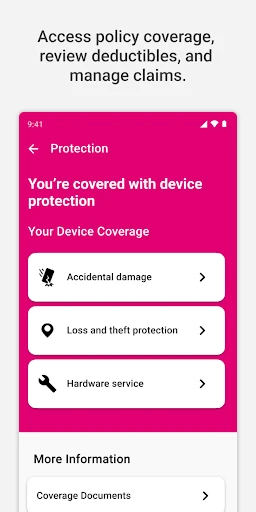
Another standout feature is the app’s anti-theft capabilities. With a simple setup, you can track your device’s location if it’s ever lost or stolen. The app even allows you to remotely lock your device or wipe its data, adding an extra layer of security. It’s reassuring to know that even if my phone goes missing, I have a fighting chance of recovering it or at least safeguarding my sensitive information.
Backup and Restore: A Lifesaver
In addition to top-notch security features, Protection 360™ offers a reliable backup and restore function. You can back up your contacts, photos, and other important data with just a few taps. The process is straightforward, and restoring data is just as easy. It’s like having a safety net that ensures you won’t lose precious memories or important contacts, even if disaster strikes.
During my testing, I found the backup process to be incredibly intuitive. The app guides you through each step, making it accessible even for those who might not be tech-savvy. It’s a feature I didn’t know I needed until I used it, and now I can’t imagine life without it.
User-Friendly Interface
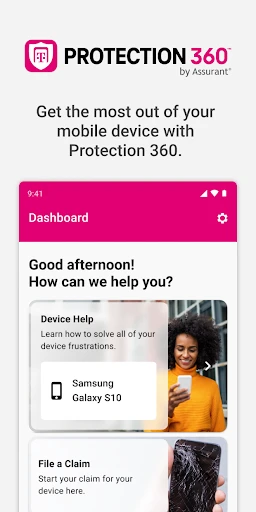
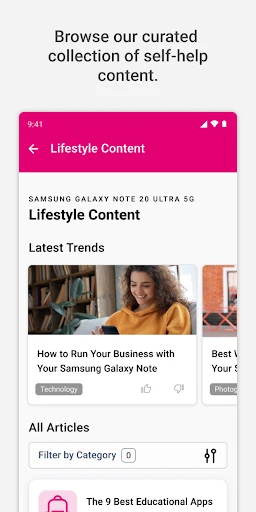
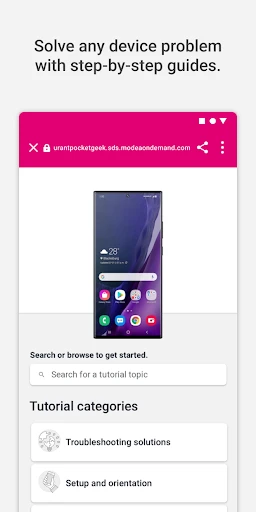
One of the first things you’ll notice about Protection 360™ is its user-friendly interface. The app is well-organized, with a clean and modern design that makes navigation a breeze. All the features are clearly labeled, and the app provides helpful tips to guide you through its various functions. Whether you’re a tech enthusiast or a casual user, you’ll find the interface intuitive and easy to use.
I also appreciate the app’s customization options. You can tailor the settings to suit your needs, whether you want to schedule regular scans or adjust notification preferences. It’s all about giving you control over your device’s security, which I find incredibly empowering.
Final Thoughts: Is Protection 360™ Worth It?
After spending some quality time with Protection 360™, I can confidently say that it’s a standout app for anyone looking to enhance their mobile security. Its comprehensive suite of features, from real-time virus scanning to anti-theft measures and data backup, makes it a formidable ally in the fight against cyber threats.
The app’s intuitive design and user-friendly interface make it accessible to everyone, regardless of technical expertise. While no security solution is perfect, Protection 360™ offers peace of mind and a solid line of defense for your smartphone.
If you’re serious about protecting your device and data, I highly recommend giving Protection 360™ a try. It’s an investment in security that you won’t regret.
- Developer
- T-Mobile USA
- Version
- 3.424.0
- Installs
- 1,000,000+
- Android Version
- 11
- Content Rating
- Everyone
- Price
- Free
- Comprehensive device protection.
- Includes anti-theft features.
- Offers data backup services.
- Covers multiple devices.
- User-friendly interface.
- Requires subscription.
- Limited free features.
- May slow down device.
- Complex setup process.
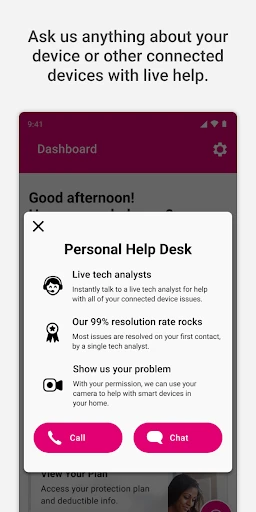
- Customer support issues.