
Adobe Scan AI PDF Scanner, OCR
Adobe Scan: PDF Scanner, OCR is a game changer for anyone who frequently works with documents on the go. Whether you're a student drowning in paperwork, a busy professional who needs to digitize everything, or just someone who appreciates the convenience of having a portable scanner in your pocket, this app is definitely worth a look.
Transforming Your Smartphone into a Powerful Scanner
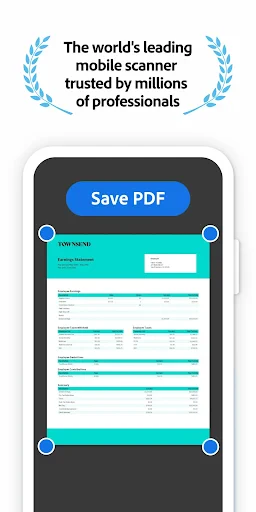
When I first downloaded Adobe Scan, I was a bit skeptical. I mean, how good could a mobile scanner really be? But let me tell you, this app blew my expectations out of the water. The scanning process is incredibly intuitive. Just fire up the app, point your camera at the document, and boom! The app automatically detects the edges, captures the image, and enhances it to perfection. It’s like having a mini scanner in your pocket that’s ready to go whenever you need it.
Seamless OCR Technology
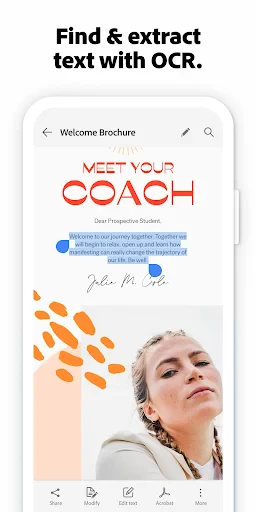
One of the standout features of Adobe Scan is its OCR (Optical Character Recognition) capability. This nifty feature allows you to convert scanned documents into editable PDFs. This means you can easily extract text from images, a lifesaver for anyone who needs to work with physical documents regularly. Imagine snapping a picture of a printed page and being able to search, copy, and edit the text just like you would with a digital document. It's like magic!
Integration with Adobe Ecosystem
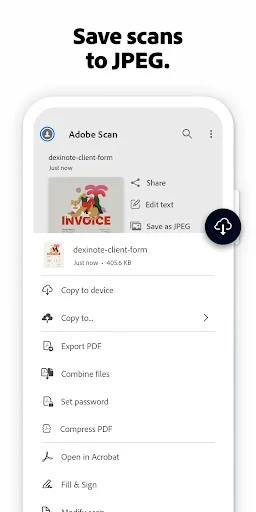
Another huge plus for Adobe Scan is its seamless integration with other Adobe products. If you're already using Adobe Acrobat or Adobe Document Cloud, this app fits right into your workflow. You can save your scans directly to Adobe Document Cloud, making it super easy to access your documents from any device. Plus, with Adobe’s reliable security features, you can rest assured that your documents are safe and sound.
User-Friendly Interface
I’ve used a few scanner apps in the past, and one thing I’ve learned is that a clean, user-friendly interface makes a world of difference. Adobe Scan excels in this area. The app is straightforward and intuitive, with a sleek design that makes scanning, saving, and sharing documents a breeze. You don’t need to be a tech wizard to figure it out, which is a huge relief for folks who just want to get things done without fuss.
Perfect for Personal and Professional Use
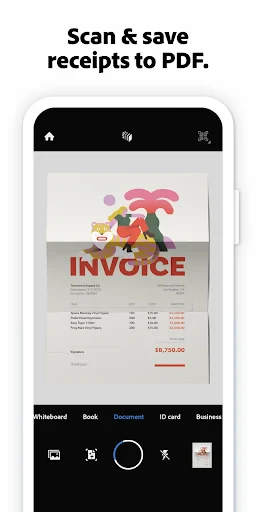
Whether you need to scan receipts, business cards, or multi-page documents, Adobe Scan handles it all with ease. I've used it for everything from digitizing old family photos to archiving work-related documents, and it hasn’t let me down yet. The app works flawlessly, and the quality of the scans is consistently top-notch.
Final Thoughts
In conclusion, Adobe Scan: PDF Scanner, OCR is a must-have app for anyone who values convenience and efficiency. It turns your smartphone into a powerful document scanner, complete with OCR capabilities and seamless integration with the Adobe ecosystem. It’s perfect for both personal and professional use, and the user-friendly interface makes it accessible to everyone. So, if you’re tired of lugging around a bulky scanner or dealing with subpar scans, give Adobe Scan a try. You won’t be disappointed!
- Developer
- Adobe
- Version
- Varies With Device
- Installs
- 100,000,000+
- Android Version
- Varies With Device
- Content Rating
- Everyone
- Price
- Free
- High-quality scans with excellent clarity
- Easy-to-use interface for quick scanning
- Supports multiple document formats
- Integrates seamlessly with Adobe Cloud
- Offers text recognition with OCR
- Requires Adobe account for full features
- Occasional slow processing of large files
- Limited editing tools compared to competitors
- Advertisements in free version
- Needs internet for some functionalities