
iVerify Basic
So, I recently got my hands on iVerify Basic, an app that promises to be your personal security consultant for your phone. You know how we all worry about our smartphone security these days, right? Well, iVerify Basic takes a proactive approach to help you identify potential security issues. Let me walk you through my experience with it.
First Impressions: A User-Friendly Interface
Once you install iVerify Basic, the first thing you'll notice is its clean and straightforward interface. It’s like having a tech-savvy friend who speaks in layman's terms. The app is designed to guide you through the security audit process without overwhelming you with jargon. As someone who’s not a tech guru, I found this particularly refreshing.
Features That Stand Out
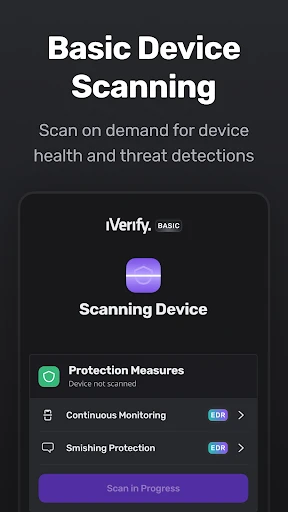
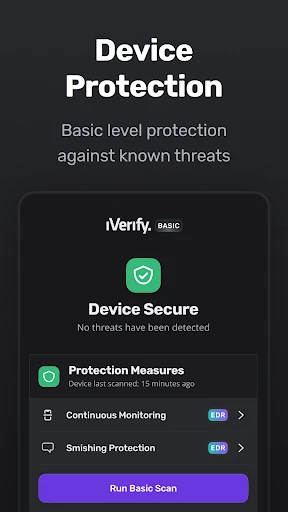
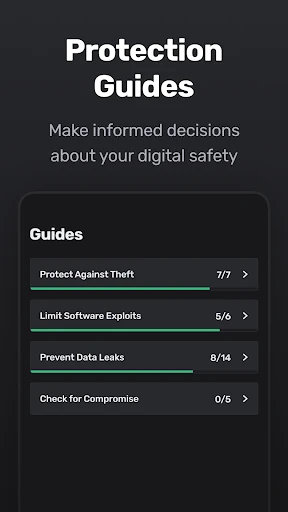
iVerify Basic offers a plethora of features aimed at securing your device. It runs a comprehensive check on your phone’s settings and apps, looking for vulnerabilities. The app then provides you with step-by-step instructions on how to fix any issues it finds. It's like having a security expert in your pocket, and it’s surprisingly thorough.
One feature I found incredibly useful is the detailed risk report. The app doesn’t just tell you what’s wrong; it explains why it’s an issue and how it could potentially affect your privacy. It even gives you a risk score, which is a neat way to quantify your phone’s security status.
Performance and Usability
In terms of performance, iVerify Basic runs smoothly without any noticeable lag. It doesn’t drain your battery, which is a huge plus for an app that you might want to run regularly. The instructions are clear and easy to follow, making the process of fixing security flaws a breeze. However, I did notice that some advanced features are locked behind a paywall, which might be a bummer for those looking for a completely free solution.
Who Should Use iVerify Basic?
If you’re someone who cares about privacy and wants to ensure your phone is secure from potential threats, iVerify Basic is definitely worth checking out. It's perfect for both tech novices and more experienced users who want a quick way to audit their device’s security. Just keep in mind that while the basic features are free, you might need to shell out a bit for the premium features if you want the full experience.
Overall, iVerify Basic is a solid app that does a great job of simplifying the complex world of smartphone security. It’s like having a personal security consultant who’s always on call to help you out. So, if you haven’t already, give it a try—you might just sleep a little better knowing your phone is safe and sound.

- Developer
- iVerify
- Version
- 16.5
- Installs
- 1,000+
- Android Version
- 9
- Content Rating
- Everyone
- Price
- $0.99
- User-friendly interface for easy navigation.
- Comprehensive security scanning features.
- Regular updates ensure latest security.
- Detailed reports on vulnerabilities.
- Great customer support for help.
- Limited features in the free version.
- Occasional false positives.
- Some features require technical know-how.
- No offline scanning option.
- Requires constant internet connection.