Dictionary.com: English Words
When it comes to language apps, Dictionary.com: English Words is like that reliable friend who’s always there when you need them. I’ve been using it for a while now, and let me tell you, it’s been nothing short of a lifesaver for my vocabulary and writing needs. Whether you’re a student, a writer, or just someone who loves to play with words, this app is worth checking out.
Features That Stand Out
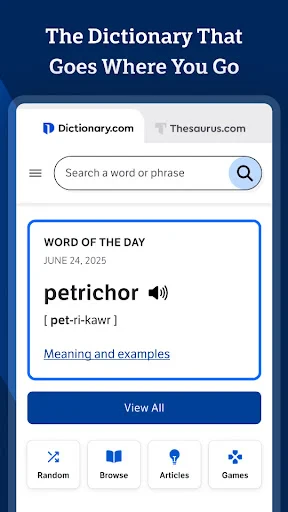
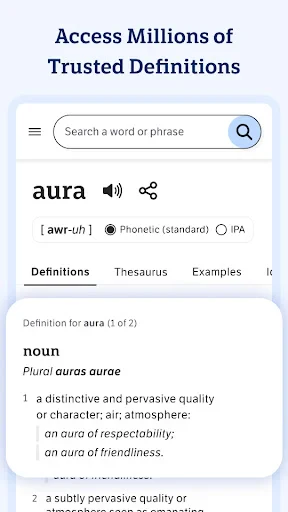
First things first, the Dictionary.com: English Words app is packed with features that cater to every word enthusiast’s dream. What I love the most is the vast database of words it offers. With over two million definitions, synonyms, and antonyms, it’s like having a massive library in your pocket. You can search for any word, and bam, there it is with all the details you could ever want.
Another feature that deserves a shout-out is the audio pronunciation. No more embarrassing moments when you mispronounce a word in front of your friends or colleagues. Just tap on the speaker icon, and the app will guide you through the correct pronunciation. It’s a game-changer for non-native speakers, too!
Daily Word Fun
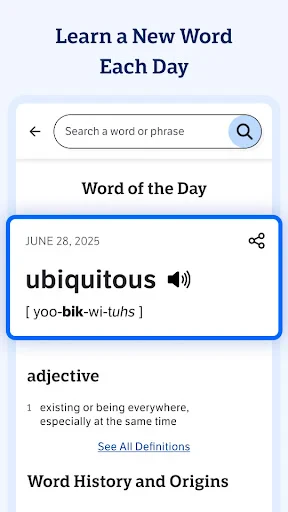
Now, let’s talk about the Word of the Day feature. It’s like a little surprise gift every morning. You open the app, and there’s a new word waiting for you to explore. It’s a fantastic way to expand your vocabulary without even realizing it. Plus, you can impress people with your newfound words in conversations. Trust me, it’s a great conversation starter!
Offline Access
One of the things I find incredibly useful is the offline access. We’ve all been in situations where the internet isn’t available, and you desperately need to look up a word. With this app, you can download the dictionary offline, and it’s like having a safety net for those tricky situations. It’s perfect for travelers or people with limited data plans.
Thesaurus and More
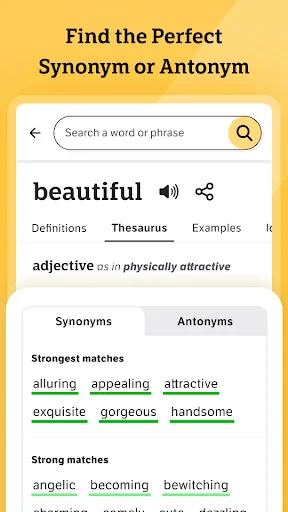
Let’s not forget the thesaurus feature. Sometimes you just can’t find the right word, and that’s where the thesaurus comes in handy. It offers a plethora of synonyms and antonyms, making it easier to express yourself precisely. Additionally, the app includes word origins, usage examples, and even a translator if you’re dealing with foreign languages.
In conclusion, Dictionary.com: English Words is more than just a dictionary app. It’s a complete language tool that’s helpful for anyone looking to improve their language skills. Whether you’re writing an essay, preparing for a speech, or just curious about the origin of a word, this app has got you covered. Give it a try, and you might just find yourself falling in love with words all over again.
- Developer
- Dictionary LLC
- Version
- 12.0.2
- Installs
- 10,000,000+
- Android Version
- 8.0
- Content Rating
- Everyone
- Price
- Free
- Extensive word database with detailed definitions.
- User-friendly interface makes navigation easy.
- Offline mode available for on-the-go usage.
- Daily word feature enhances vocabulary.
- Audio pronunciations improve language learning.
- Contains ads in the free version.
- Premium features require a subscription.
- Limited non-English language support.
- Occasional app crashes reported by users.
- Updates may require significant storage.