When I Work Team Scheduling
Hey there! So, let me spill the beans about this nifty app called When I Work Team Scheduling. It's been quite the talk among those of us juggling work schedules and trying to keep everything in sync. As someone who’s always on the lookout for apps that make life easier, I decided to give this one a whirl. Here’s my take on it.
Getting Started with When I Work
First off, diving into When I Work is like a breath of fresh air. The app's user interface is super intuitive. You don’t have to be a tech wizard to figure things out, which is always a plus in my book. After downloading it from the app store, setting up my team schedules was a breeze. The app guides you through the initial setup with handy prompts that make it feel like you have a personal assistant right there with you.
Features that Stand Out
Now, let’s talk features. When I Work isn’t just about scheduling; it's about managing your entire team effectively. You can create, manage, and modify schedules with just a few taps. There’s a sweet clock-in and clock-out feature that ensures everyone is on time, and it even uses GPS to confirm that they’re clocking in from the right location. How cool is that?
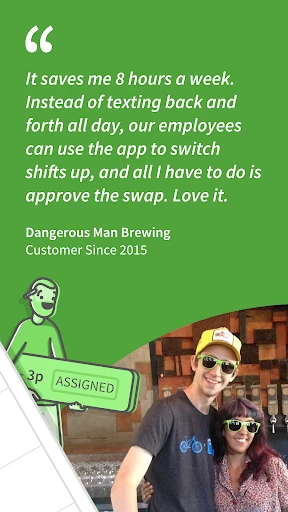
Another feature that I absolutely love is the shift swapping and drop requests. Team members can handle these on their own without having to go through the manager every time. It makes the whole process smoother and less time-consuming.
Communication is Key
Communication can make or break a team, and When I Work gets this. The in-app messaging system is a game changer. It allows you to send updates, changes, or any important notices directly to your team. No more endless email chains or lost messages. It’s all there in one place, and everyone is kept in the loop effectively.
My Personal Experience
Using When I Work has genuinely made scheduling a part of my routine that I don’t dread anymore. It’s reliable and efficient, cutting down the time I spend on these tasks significantly. The app runs smoothly without any annoying glitches or crashes, which is a huge relief.
The only hiccup I experienced was during my initial setup where I had to tweak some settings to fit my specific needs, but that’s pretty standard with any app that offers a ton of customization options.
Final Thoughts
All in all, When I Work Team Scheduling is a solid app that’s worth checking out if you’re managing a team or just need a reliable scheduling app. It’s packed with features that cater to both managers and team members, making everyone’s life a tad easier. Whether you’re a small business owner or part of a larger organization, this app is designed to adapt to your needs and streamline your scheduling process.
So there you have it, my take on When I Work. Give it a shot and see how it fits into your workflow. Happy scheduling!




- Developer
- When I Work, Inc.
- Version
- 13.4-1524
- Installs
- 1,000,000+
- Android Version
- 11
- Content Rating
- Everyone
- Price
- Free
- Intuitive user interface
- Seamless integration with calendars
- Real-time shift updates
- Efficient communication tools
- Customizable scheduling options
- Limited offline functionality
- Occasional sync issues
- Steep learning curve for new users
- Limited free version features
- Notifications can be overwhelming