
Samsung Email
When it comes to managing emails on your Samsung device, Samsung Email is often the unsung hero. If you’re like me and constantly bombarded with an influx of emails, a reliable email client is essential. I’ve been using Samsung Email for a while now, and I must say, it’s been quite the experience.
Seamless Integration and User-Friendly Interface
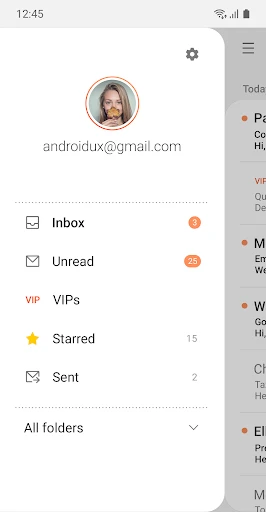
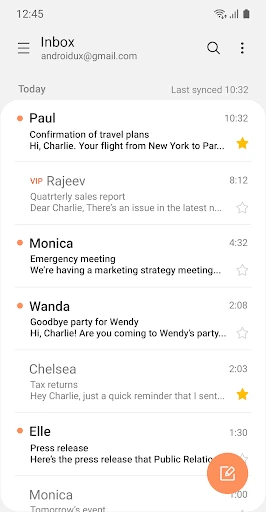
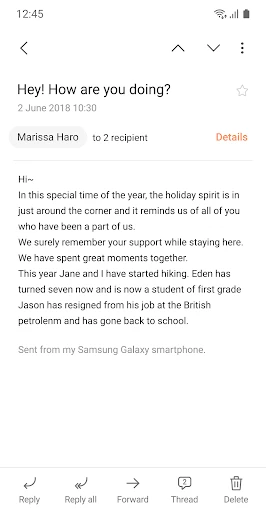
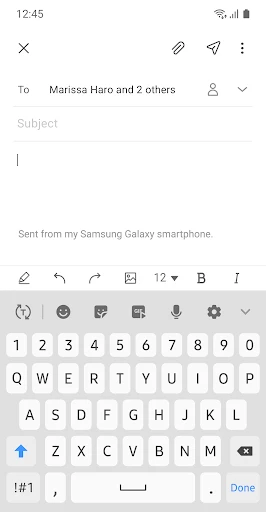
The first thing you’ll notice about Samsung Email is its seamless integration with Samsung devices. It’s like it was tailor-made for Galaxy users, which makes sense, right? The app runs smoothly without any hiccups, and the interface is clean and easy to navigate. I appreciate how everything is laid out intuitively, making the email management process a breeze.
Customizable Settings
One of the features that stand out is the level of customization available. Whether it’s adjusting the sync settings or organizing your inbox with folders, Samsung Email gives you the flexibility to tailor your email experience. You can prioritize important emails and even set up notifications according to your preference. It’s all about making your life easier.
Security and Privacy
In today’s digital age, security is paramount, and Samsung Email doesn’t skimp on this aspect. It offers robust security features, ensuring your emails are safe from prying eyes. With encryption protocols in place, you can rest easy knowing your information is secure. Plus, the app supports multiple email platforms, so you can manage all your email accounts in one place without compromising on security.
Another nifty feature is the app’s ability to block spam and phishing emails effectively. Samsung Email does a stellar job at filtering unwanted emails, so your inbox remains clutter-free. It’s like having your own personal email bouncer.
Performance and Functionality
Performance-wise, Samsung Email is top-notch. It handles multiple accounts effortlessly, and I’ve never experienced any lags or crashes. The app supports a variety of email protocols like POP3, IMAP, and Exchange ActiveSync, which is fantastic for those who juggle between different email providers.
The search functionality is also worth mentioning. It’s quick and efficient, helping you find emails in a jiffy. Whether you’re searching for an old email from months ago or trying to track down a specific attachment, Samsung Email's search tool gets the job done.
In conclusion, Samsung Email is a robust email client that provides everything you need to manage your emails efficiently. Its user-friendly interface, coupled with strong security features and customizable settings, make it a top choice for Samsung users. If you haven’t given it a go yet, I’d highly recommend checking it out. It’s more than just an email app; it’s a comprehensive tool designed to enhance your productivity and keep your digital correspondence in check.
- Developer
- Samsung Electronics Co., Ltd.
- Version
- 6.2.01.1
- Installs
- 1,000,000,000+
- Android Version
- 9
- Content Rating
- Everyone
- Price
- Free
- Seamless integration with Samsung devices
- Multiple account support
- Advanced email filtering options
- User-friendly interface
- Secure data encryption
- Limited customization options
- Occasional sync issues
- Heavy battery usage
- Not available on all Android devices
- No dark mode option