MiXplorer Silver File Manager
Ah, file managers. Not the most glamorous of apps, but absolutely essential for anyone who wants to keep their digital life organized. Let me introduce you to MiXplorer Silver File Manager, a hidden gem in the world of Android file management. This app isn’t just your run-of-the-mill file explorer; it’s a full-fledged powerhouse that combines functionality, customization, and an intuitive interface, all in one neat package. Let’s dive in!
Getting Started with MiXplorer Silver
First things first, installing MiXplorer Silver is a breeze. You can find it on the Google Play Store, and once downloaded, you’re greeted with a clean, minimalistic interface. It might not look like much at first glance, but don’t let that fool you. The real magic lies in the app’s customizability. You can tweak almost every aspect of MiXplorer to suit your personal style and preferences.
Features Galore
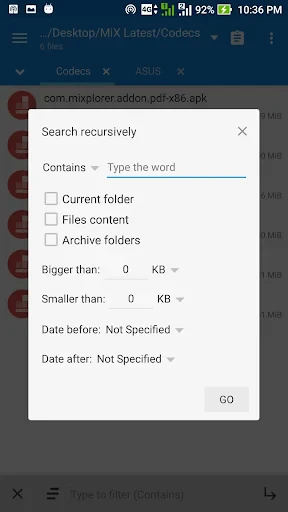
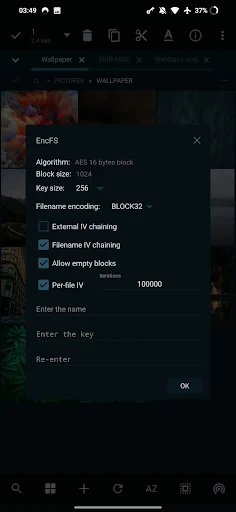
One of the standout features of MiXplorer Silver is its comprehensive support for a wide array of file types. Whether you’re dealing with traditional text files, images, or even compressed formats like ZIP and RAR, MiXplorer handles them all with ease. And if you’re someone who likes to keep things in the cloud, you’re in luck! MiXplorer supports a variety of cloud storage services, including Google Drive, Dropbox, and OneDrive, allowing for seamless integration and easy file transfers.
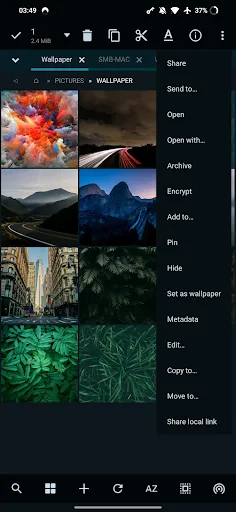
But wait, there’s more! The app also comes with a built-in media player, image viewer, and text editor. This means you can view, edit, or play your files without needing to switch apps constantly. It’s like having a Swiss Army knife for all your file management needs.
User Experience
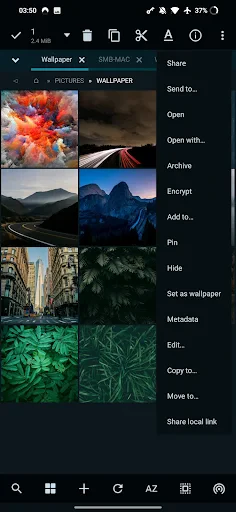
Now, let’s talk about the user experience. MiXplorer Silver is designed with user-friendliness in mind. Navigating through files and folders is intuitive, thanks to its straightforward layout. Plus, the app supports tabbed browsing, which is incredibly handy when you need to move files around or compare contents between folders.
For those who love to personalize, MiXplorer offers a range of themes and icon sets to choose from. You can make your file manager look as colorful or as professional as you want. And if you’re a fan of gestures, you’ll appreciate the app’s support for various swipe and tap gestures to quickly perform common actions.
Performance and Reliability
Performance-wise, MiXplorer Silver is a beast. It runs smoothly, even when handling large files or multiple operations simultaneously. The app is also remarkably reliable; crashes and bugs are a rare sight, which is always a plus in my book.
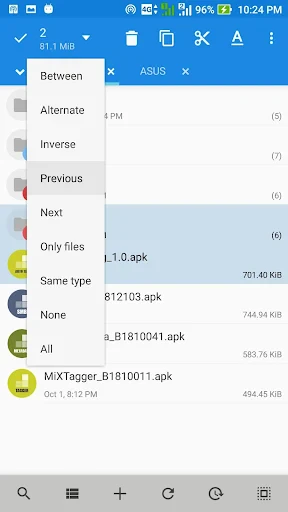
One nifty feature worth mentioning is the app’s batch operation capability. Whether you want to move, copy, or delete multiple files at once, MiXplorer makes it a cinch. This is particularly useful for power users who often find themselves dealing with large volumes of data.
Final Thoughts
So, is MiXplorer Silver File Manager worth your time and money? Absolutely! Whether you’re a casual user who just wants a reliable way to manage files, or a power user looking for advanced features and customization, MiXplorer delivers on all fronts. It’s like having a trusty sidekick that helps you keep your digital world in order.
In a world full of file managers, MiXplorer Silver stands out as a top contender. With its rich feature set, ease of use, and impeccable performance, it’s a must-have for Android users. So why not give it a try? You might just find it’s the file manager you’ve been searching for all along.
- Developer
- Hootan Parsa
- Version
- 6.68.4-Silver
- Installs
- 50,000+
- Android Version
- 5.0
- Content Rating
- Everyone
- Price
- $5.99
- Highly customizable interface
- Supports a wide range of file formats
- Built-in media player
- No ads
- clean experience
- Complex for new users
- Paid app with no trial version
- Limited community support
- Some features need root access
- Not available on Google Play Store