Grammarly-AI Writing Assistant
If you've ever faced writer's block or struggled to find the right words, Grammarly's AI Writing Assistant is like having a personal editor in your pocket. This nifty app is your go-to tool for crafting clear, mistake-free writing, whether you're drafting emails, essays, or social media posts. Let me take you through my experience with it.
Getting Started with Grammarly
Setting up Grammarly is a breeze. You can easily download it from your app store, and it's compatible with both Android and iOS devices. Once you've installed it, creating an account is straightforward. You can sign up using your email or connect through Google or Facebook. The free version offers basic grammar and spelling checks, but the premium version takes it up a notch with advanced suggestions.
Features that Impress
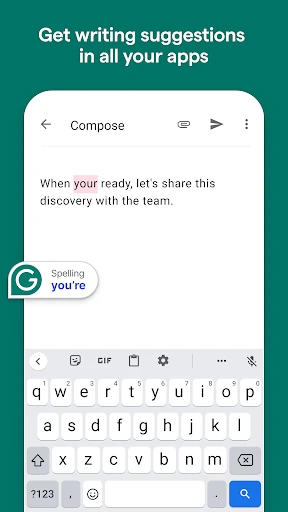
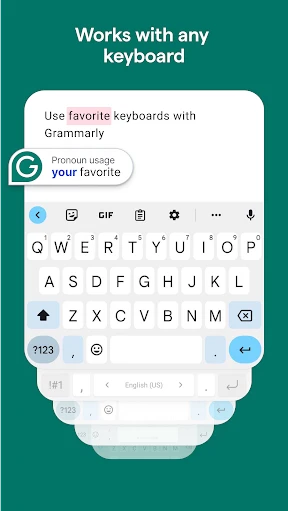
Grammarly's interface is sleek and user-friendly. The app scans your text for grammatical errors, spelling mistakes, and even points out awkward phrasing. What I love most is the real-time feedback. As you type, Grammarly underlines potential issues and offers suggestions to improve your writing. It's like having a grammar guru over your shoulder.
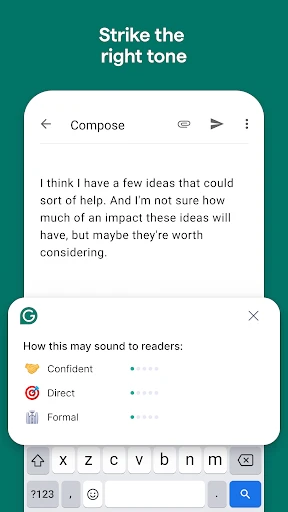
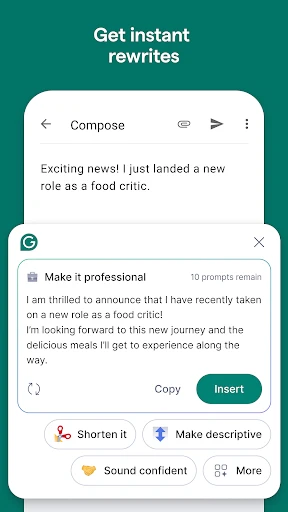
For those who write professionally or are in academia, Grammarly's tone detector is a game-changer. It analyzes your text and suggests adjustments to match the intended tone, whether it's formal, informal, or somewhere in between. This feature alone has saved me from sending out emails that might have otherwise come across as too casual.
Seamless Integration
One of the coolest things about Grammarly is its ability to integrate with other apps. It works smoothly with platforms like Gmail, Slack, and even your web browser through extensions. This means you can ensure your writing is polished, no matter where you're typing. It's like having a universal quality check for all your written communication.
Room for Improvement
While Grammarly is pretty impressive, it's not without its quirks. Occasionally, the app can be a tad overzealous, suggesting changes that might not fit the context. It's important to remember that while AI is smart, it's not perfect. I always give my text a once-over to ensure the suggestions align with my intent.
Additionally, the premium version, though packed with features, might be a bit pricey for casual users. However, if you're someone who writes regularly, it's a worthwhile investment.
Final Thoughts
In a nutshell, Grammarly's AI Writing Assistant is a must-have tool for anyone who values clear and effective communication. It's like having a personal proofreader who's available 24/7. Whether you're a student, a professional writer, or just someone who wants to improve their writing skills, Grammarly is an app that can help you achieve your goals. Give it a try and see how it transforms your writing!
- Developer
- Grammarly, Inc.
- Version
- 2.82.52041
- Installs
- 50,000,000+
- Android Version
- 9
- Content Rating
- Everyone
- Price
- Free
- Enhances writing clarity effectively.
- Integrates seamlessly with browsers.
- Supports multiple document types.
- Offers real-time grammar checking.
- Provides style improvement suggestions.
- Premium version is costly.
- Requires internet for full features.
- Can be overly prescriptive.
- Free version is limited.
- Occasional inaccuracies in suggestions.