Easy Voice Recorder
An App That Speaks Volumes: Easy Voice Recorder
Ever found yourself in a situation where jotting down notes just doesn't cut it? Perhaps you're a student wanting to record lectures, or maybe a musician trying to capture that fleeting melody. Well, I’ve got the perfect solution for you: Easy Voice Recorder. This app has been my trusty sidekick for all things audio, and I’m here to spill the beans on why it might just be the recorder app you never knew you needed.
Why I Love Easy Voice Recorder
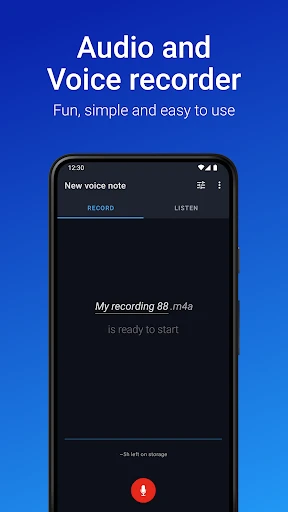
First off, let me just say that this app is seriously user-friendly. Right from the get-go, the interface is clean and intuitive, making it a breeze to navigate. You don’t need a degree in tech to get started. Just open the app, hit the big red record button, and you’re off. Whether you’re using Android or iOS, it’s as simple as pie.
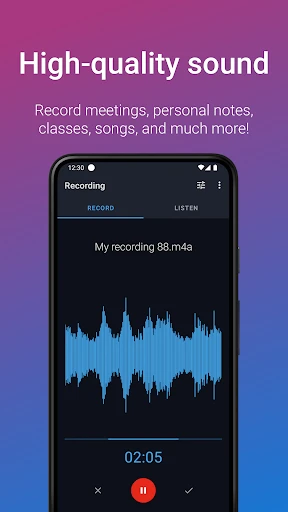
One feature that stands out is the ability to choose between different audio quality settings. Whether you want to save space with compact formats or need crystal-clear audio, Easy Voice Recorder has got you covered. I often use the high-quality setting for recording meetings, and the sound clarity is just top-notch.
Recording and Beyond
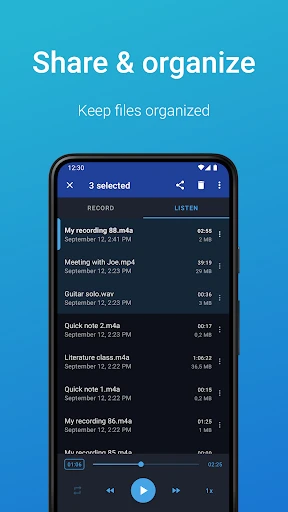
Now, let’s get into the nitty-gritty. What can you actually do with your recordings? Well, Easy Voice Recorder makes it super simple to organize and share your files. You can easily upload them to your favorite cloud storage or share them directly via email or messaging apps. It’s perfect for those of us who are always on the go and need to access our recordings from different devices.
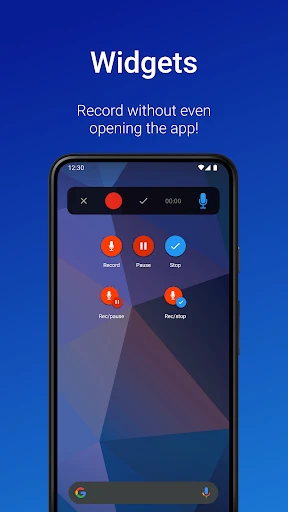
Another nifty feature is the ability to continue recording while your device is in sleep mode. This has saved me countless times during long lectures or when I forget to plug in my phone. Plus, for all the widget lovers out there, you can add a widget to your home screen for even quicker access.
What Makes It Stand Out
Sure, there are a ton of voice recording apps out there, but what makes Easy Voice Recorder shine is its reliability and simplicity. It doesn’t bombard you with ads or unnecessary features. It just does what it’s supposed to do, and it does it well. Plus, the app offers a handy transcription feature for those times when you need a quick text version of your audio.
For professionals, students, and creatives alike, this app provides a seamless experience that makes recording audio easy and accessible. It’s not just about capturing sound; it’s about capturing moments, ideas, and inspiration without fuss.
Final Thoughts
In a world where apps often overpromise and underdeliver, Easy Voice Recorder is a breath of fresh air. It’s straightforward, efficient, and genuinely helpful. So, if you’re in the market for a voice recording app that won’t let you down, give Easy Voice Recorder a shot. Trust me, once you start using it, you’ll wonder how you ever managed without it.
So, there you have it, folks. My take on Easy Voice Recorder. Whether you’re a seasoned pro or just dipping your toes into the world of audio recording, this app is definitely worth checking out. Happy recording!

- Developer
- Digipom
- Version
- Varies With Device
- Installs
- 50,000,000+
- Android Version
- 9
- Content Rating
- Everyone
- Price
- Free
- High-quality audio recordings.
- User-friendly interface.
- Supports multiple file formats.
- Background recording feature.
- Easy file sharing options.
- Limited editing features.
- Ads in free version.
- No cloud backup integration.
- Requires in-app purchases.
- Occasional app crashes.