Notepad - simple notes
Have you ever found yourself in need of jotting down a quick note, only to be bogged down by overly complicated note-taking apps? Enter Notepad - simple notes, the app that's here to save the day with its minimalistic approach. Let's dive into why this app might just become your new best friend for managing notes.
Keeping It Simple
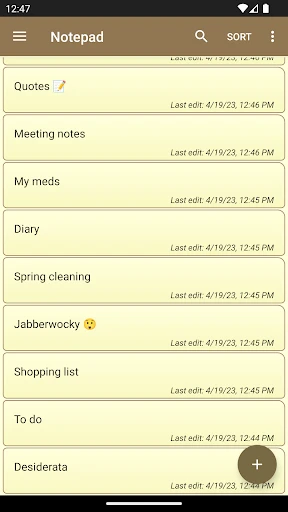
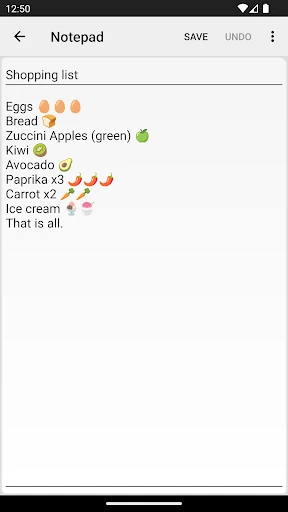
One of the main attractions of Notepad - simple notes is, as the name suggests, its simplicity. From the moment you open the app, you're greeted with a clean and straightforward interface. No frills, no unnecessary features crowding your screen, just a plain canvas ready for your thoughts. Whether you're making a grocery list or jotting down a quick reminder, this app ensures you can do so swiftly and without distraction.
Features That Matter
While the app prides itself on simplicity, it doesn’t skimp on essential features. You can easily create, edit, and delete notes with just a few taps. Organize your thoughts with the ability to categorize notes, making it easier to find what you need when you need it. Plus, with its auto-save feature, you never have to worry about losing important information – a lifesaver for those of us who tend to forget to hit 'save'!
Another notable feature is its search function. If you're anything like me, you probably have a ton of notes and scrolling through them can be a hassle. With the search feature, you can quickly find what you're looking for by typing in keywords, saving you time and effort.
Customization and User Experience
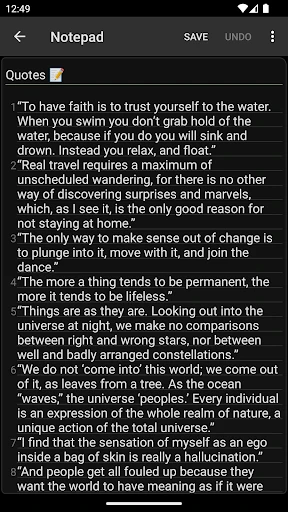
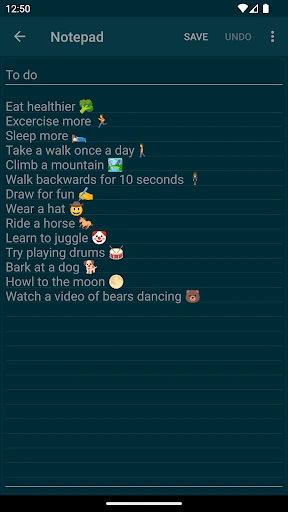
Although Notepad - simple notes is straightforward, it doesn't mean it's boring. The app offers a few customization options to make your note-taking experience more personal. You can change the theme to suit your mood or preference, which is a nice touch if you spend a lot of time writing notes.
The user experience is smooth and intuitive. Even if you’re new to using smartphones, you’ll find navigating through this app a breeze. The developers have done a great job ensuring that every feature is accessible and easy to use, which I appreciate immensely.
Final Thoughts
In a world where apps are becoming increasingly complex, Notepad - simple notes stands out by keeping things refreshingly simple. It's perfect for those who need a reliable and efficient way to manage their notes without the extra bells and whistles. Whether you’re a student, professional, or just someone who loves staying organized, this app is worth checking out.
If you're tired of cumbersome note-taking apps and want something that focuses on what truly matters, give Notepad - simple notes a try. It’s proof that sometimes, less really is more.

- Developer
- atomczak
- Version
- 1.38.0
- Installs
- 10,000,000+
- Android Version
- 5.0
- Content Rating
- Everyone
- Price
- Free
- User-friendly interface
- Fast performance
- Offline accessibility
- Customizable themes
- No ads
- Lacks advanced features
- No cloud sync
- Limited export options
- Basic text formatting
- No collaboration tools