YouTube Kids
A Fun and Safe Space for Little Explorers: YouTube Kids
Hey parents, we all know the struggle of finding safe and engaging content for our little ones in the vast ocean that is the internet. Enter YouTube Kids, an app designed with kids in mind, offering a plethora of videos that are not only fun but also educational. As someone who has dived deep into this app, I’m here to share my thoughts and experiences with you.
Kid-Friendly Design and Interface
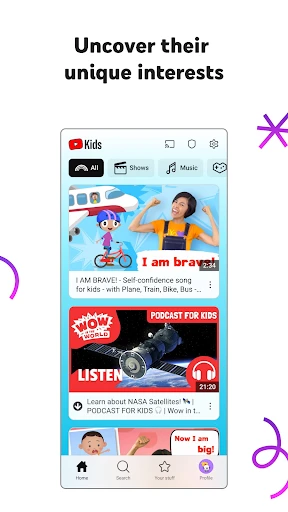
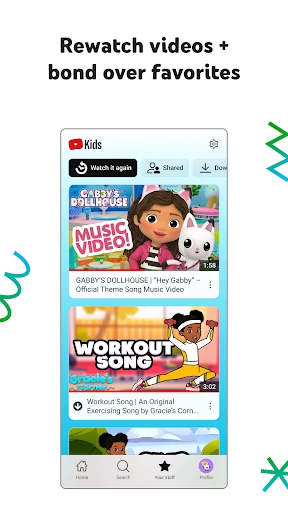
First off, let’s talk about the interface. YouTube Kids sports a vibrant and intuitive design that immediately catches the eye. It’s incredibly easy for young users to navigate, thanks to its large icons and minimal text. This means even pre-readers can get around without much fuss. The home screen is divided into popular categories like Shows, Music, Learning, and Explore, making it easy to find content that suits your child’s interests.
Content Variety and Safety
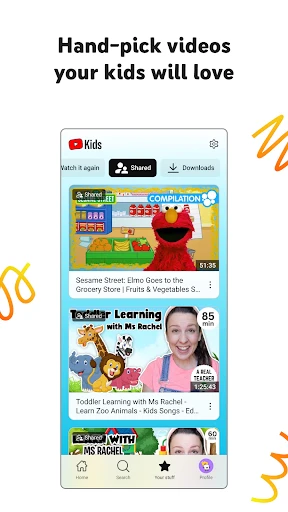
One of the standout features of YouTube Kids is the variety of content available. From cartoons and music videos to DIY crafts and educational shows, there’s something for every curious mind. The app pulls content from trusted channels, ensuring that your kids are watching videos that are both safe and appropriate.
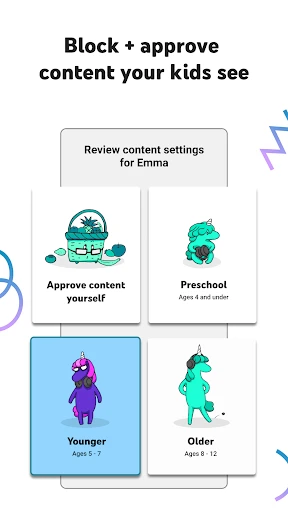
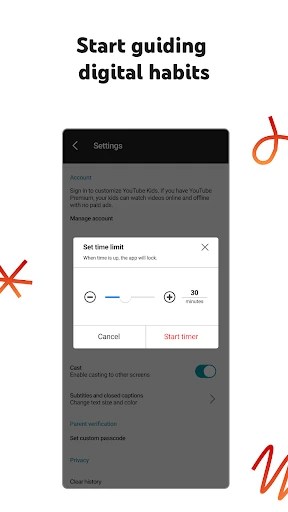
But it’s not just about the content itself; it’s about the control you have over it. YouTube Kids offers parental controls that let you customize your child’s viewing experience. You can set up a timer to limit screen time or even block certain content you feel isn’t suitable. Plus, the app allows you to create individual profiles, so if you have more than one child, each can have their own tailored experience. This level of customization is a huge plus in my book!
Educational Benefits
Beyond the entertainment factor, YouTube Kids offers numerous educational benefits. The Learning tab, for instance, is packed with content that ranges from basic math and science to more advanced topics like history and art. Whether your child is a budding scientist or an aspiring artist, they’ll find videos that spark their curiosity and encourage learning through play.
Moreover, the app frequently updates its library with new content, so there’s always something fresh and exciting to discover. This keeps the experience engaging and prevents it from becoming stale.
Final Thoughts
In a nutshell, YouTube Kids is a fantastic app for parents looking to offer their children a safe and enriching online experience. With its user-friendly design, extensive content library, and robust parental controls, it strikes a great balance between fun and learning. It’s like having a virtual playground where kids can explore and learn at their own pace.
So, if you’re in search of an app that will keep your kids entertained while also supporting their educational journey, give YouTube Kids a try. It’s a win-win for both parents and kids!
- Developer
- Google LLC
- Version
- Varies With Device
- Installs
- 500,000,000+
- Android Version
- Varies With Device
- Content Rating
- Everyone
- Price
- Free
- Kid-friendly content only
- Parental controls available
- Easy-to-use interface
- Offline viewing option
- Diverse educational videos
- Limited content for older kids
- Ads may still be present
- Requires internet for updates
- Limited customization options
- Occasional content inaccuracies