Type Machine
Have you ever experienced that heart-sinking moment when you accidentally delete a text message or lose an important note? Well, if you’re nodding your head, then Type Machine might just be the app to save your day. I’ve been tinkering around with it and let me tell you, it’s like having a time machine for your keyboard inputs. Here’s how my journey with Type Machine went down.
What is Type Machine?
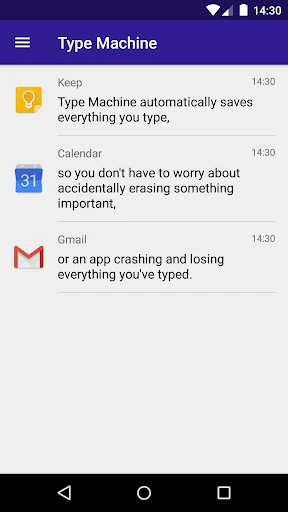
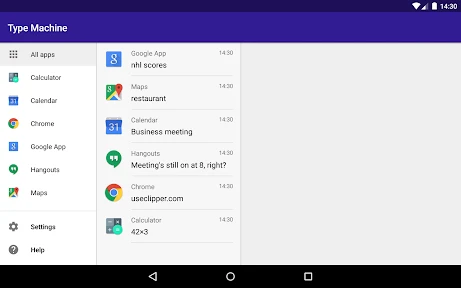
Imagine an app that quietly works in the background, recording everything you type across all your apps. That’s essentially what Type Machine does. It’s a simple yet genius idea designed for Android users, giving you peace of mind that your typed text is safe and sound. Whether it's a lengthy email, a spontaneous note, or a text message, Type Machine keeps a history of your inputs, which you can revisit whenever you need.
Setting It Up
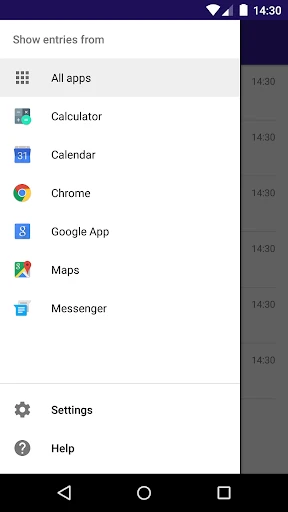
Setting up Type Machine was a breeze. I downloaded it from the Play Store, and within minutes, I had it up and running. The app does require some permissions to access your text input, but rest assured, it’s all to ensure it captures your keyboard activity seamlessly. Privacy is a big deal, and Type Machine handles it with grace by allowing you to exclude certain apps from being recorded, which I found super thoughtful.
User Experience
The user interface is straightforward, which is a breath of fresh air in a world of cluttered screens. Navigating through my text history was as easy as pie. You can filter your entries by app or search for specific text, making it incredibly user-friendly. I personally enjoyed how it doesn’t bombard you with unnecessary features; it sticks to what it does best—capturing text history.
Why You Might Need It
Type Machine isn’t just for the forgetful folks like me. It’s perfect for anyone who frequently switches between apps or drafts important messages and emails on the go. Remember that time you wrote a killer paragraph only for it to vanish due to a sudden app crash? With Type Machine, those worries are a thing of the past.
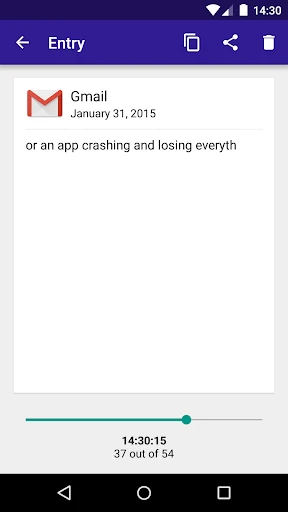
Another neat feature is the app’s ability to recover text after accidental deletions. I tested this by deleting a few lines of text while texting, and sure enough, I could retrieve them without a hitch. It’s like having a safety net for all your digital words.
Final Thoughts
All in all, Type Machine is a nifty tool for anyone looking to safeguard their typed text. It delivers exactly what it promises with minimal fuss and maximum efficiency. If you’re an Android user, this app could very well be your new best friend. While it isn’t available for iOS, Android users can revel in the peace of mind it offers.
So, if you’re tired of losing important text and want a reliable backup that works quietly in the background, give Type Machine a whirl. You might just wonder how you ever lived without it!
- Developer
- rojekti
- Version
- 2.1.1
- Installs
- 10,000+
- Android Version
- 6.0
- Content Rating
- Everyone
- Price
- $2.49
- Automatically saves typed text.
- Supports various apps seamlessly.
- Easy to retrieve lost text.
- Minimal battery consumption.
- User-friendly interface.
- Lacks cloud backup option.
- No support for images or media.
- Limited to text input only.
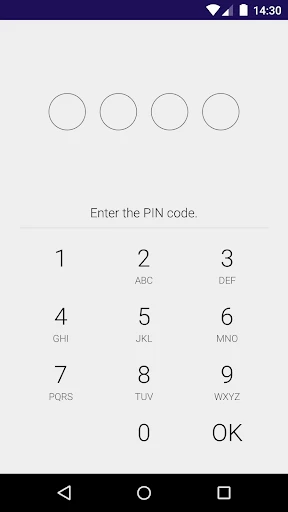
- No password protection feature.
- Occasional sync issues.