Adobe Premiere Rush
So, let's dive right into it! I've been tinkering around with Adobe Premiere Rush for a while now, and I must say, it's quite the nifty app for video editing on the go. If you're someone who's always on the move but loves to capture and edit videos, this might just be the app for you.
Getting Started with Adobe Premiere Rush
The first thing you'll notice about Adobe Premiere Rush is its super intuitive interface. It's designed to be user-friendly, which is a huge plus if you're not a professional video editor. You can easily navigate through the app, and the learning curve is pretty gentle.
Features that Stand Out
One of the standout features of this app is the seamless integration with other Adobe products, especially if you're already in the Adobe ecosystem. You can start a project on your mobile device and finish it on your desktop without any hassle. How cool is that?
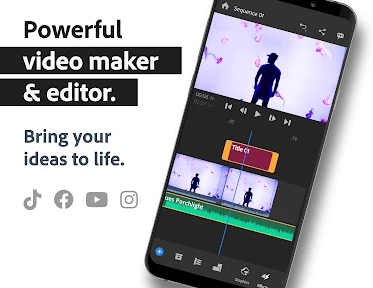
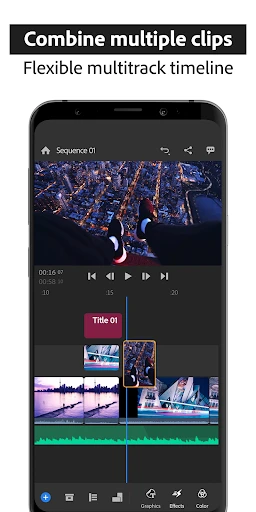
Another thing I love is the built-in camera functionality. It allows you to capture professional-quality videos right from the app. The app offers multiple video tracks, which is a game changer for layering videos and audio. Plus, the preset templates make it easy to start editing quickly.
Editing on the Go Made Easy
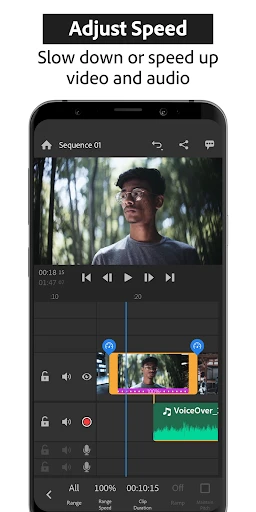
Editing videos on a mobile device has never been easier. Adobe Premiere Rush offers a range of editing tools that are not only powerful but also incredibly easy to use. You can trim, drag, and drop video clips just like you would on a desktop editor. The colour correction tools are pretty solid too, letting you add that extra pop to your videos.
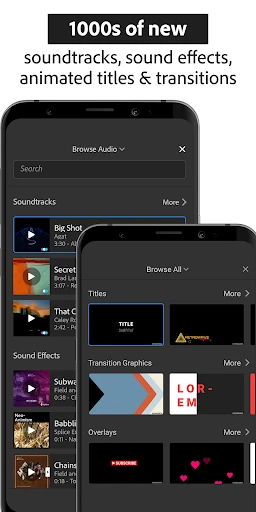
The app also allows you to add titles, transitions, and voiceovers. This is perfect for creating those snazzy YouTube videos or Instagram stories that stand out in the feed. The direct sharing feature to various social media platforms is just the cherry on top!
Final Thoughts
In conclusion, Adobe Premiere Rush is a fantastic tool for both novice and experienced video editors who need to work on the fly. Its integration with Adobe’s Creative Cloud is seamless, making your workflow much smoother. Although it might not have all the advanced features of Adobe Premiere Pro, it certainly packs a punch for mobile editing.
If you're looking for a reliable, easy-to-use, and powerful video editing app, give Adobe Premiere Rush a try. It’s not just an app; it's a companion for your creative journey. Happy editing!

- Developer
- Adobe
- Version
- 2.11.0.14
- Installs
- 5,000,000+
- Android Version
- 9
- Content Rating
- Everyone
- Price
- Free
- User-friendly interface for beginners
- Cross-platform functionality
- Rich media editing tools
- Seamless Adobe Creative Cloud integration
- Fast rendering and exporting
- Limited advanced editing features
- Requires Adobe subscription for full features
- Occasional performance issues on low-end devices
- Lacks collaboration tools
- Limited free music library