Mirror Link Car Display
Have you ever wished you could magically mirror your phone’s screen onto your car’s display? Well, folks, wish no more! The MirrorLink Car Display app is here to turn that dream into a reality. Buckle up as we dive into the world of seamless connectivity and discover how this app can transform your driving experience.
The Magic of MirrorLink
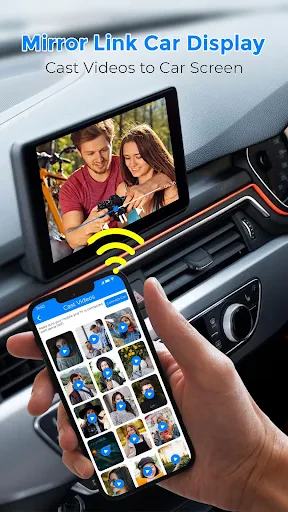
MirrorLink is like having a tech-savvy co-pilot without the extra seat. It allows you to connect your smartphone to your car’s infotainment system, enabling you to access a plethora of apps directly on your car’s screen. Imagine having your navigation, music, and messages all within a touch of your steering wheel. It’s like having your phone and car fall head over heels for each other!
Setup Made Easy
Setting up MirrorLink is as easy as pie. All you need is a compatible smartphone and a car that supports MirrorLink. A quick plug-in and, voilà, your phone is mirrored onto your car’s display. The interface is intuitive, ensuring you don’t have to fumble around with settings while driving. Trust me, if I can do it, anyone can!
Driving with a Smarter Screen
Once you’re all set up, the world of apps is at your fingertips—or rather, at the tips of your steering wheel controls. Whether you’re navigating through the bustling city streets or cruising down open highways, apps like Google Maps or Waze become your best friends. You’ll never have to worry about missing a turn again, and you can keep your eyes where they belong—on the road.
Not just navigation, though. Imagine controlling your favorite playlists without reaching for your phone. Spotify, Apple Music, or whatever tunes you fancy are just a tap away. Plus, if your car’s sound system is anything to write home about, get ready for a concert on wheels.
Stay Connected, Stay Safe
Now, I know what you’re thinking: “Isn’t fiddling with apps while driving dangerous?” Well, MirrorLink has got that covered. The app is designed to minimize distractions, offering voice control options and steering wheel integration. So, you can take calls, send messages, or even dictate a quick note without taking your hands off the wheel. Safety first, always.
Compatibility and Limitations
While MirrorLink is a fantastic tool, it’s not without its quirks. Not all apps are MirrorLink compatible, and it’s primarily available on Android devices. iOS users might feel a bit left out unless they’re willing to switch teams. Additionally, not all car models support MirrorLink, so make sure to check compatibility before diving in.
The Verdict
In conclusion, MirrorLink Car Display is a game-changer for those who crave connectivity on the go. It simplifies our tech-laden lives by bringing our most-used apps right to our car’s dashboard. While there are some limitations in terms of app compatibility and device support, the benefits it offers for Android users with compatible cars are immense.
So, if you’re ready to merge your phone with your car’s infotainment system and want a smoother, safer, and more connected driving experience, give MirrorLink a spin. It might just become your new favorite travel companion.




- Developer
- Facelover
- Version
- 1.0.2
- Installs
- 10,000+
- Android Version
- 8.0
- Content Rating
- Everyone
- Price
- Free
- Seamless phone mirroring
- User-friendly interface
- Supports multiple apps
- Voice control integration
- Enhances driving experience
- Limited compatibility
- May drain phone battery
- Requires stable internet
- Subscription fees
- Potential data privacy issues