Home Assistant
Have you ever dreamt of having a personal assistant that caters to your every whim, making your home smarter, more efficient, and ultimately, a more enjoyable place to live? Well, that's where Home Assistant comes into play. This app takes the concept of a smart home to a whole new level, providing a comprehensive platform to manage and control your smart devices seamlessly.
Getting Started with Home Assistant
First things first, what exactly is Home Assistant? Imagine having all your smart devices—lights, thermostats, security cameras, and more—under one roof, controlled by a single application. Setting up Home Assistant is quite the adventure. The app is open-source, which means it's constantly being improved by a community of enthusiastic developers. You can run it locally on a Raspberry Pi, a server, or even on your computer. Don’t worry if you’re not tech-savvy; the setup process is pretty straightforward, thanks to the detailed guides and a supportive community ready to help at every step.
Features that Make Home Assistant Stand Out
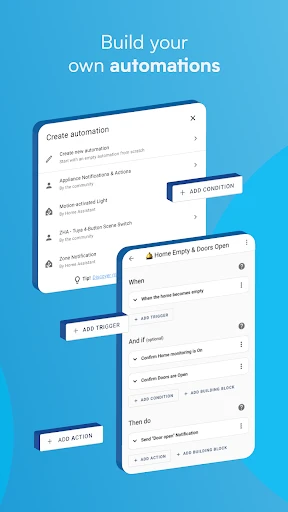
One of the highlights of Home Assistant is its ability to integrate with a staggering number of devices. Whether you’re a fan of Google, Amazon, or Apple, this app has you covered. It supports thousands of integrations, from Philips Hue lights to Sonos speakers, and even obscure, lesser-known gadgets. With Home Assistant, you can create automations that make your life easier. Imagine having your coffee machine start brewing the moment your morning alarm goes off, or your lights dimming automatically when it’s movie time. The possibilities are endless, and the app's flexibility allows for a personalized smart home experience like no other.
Customizations Galore
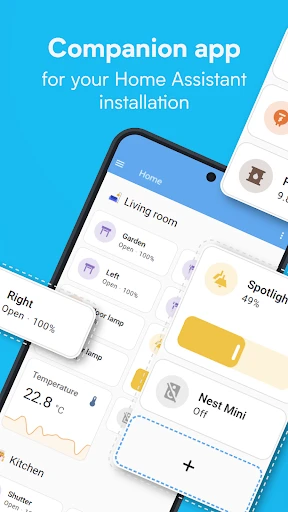
Now, let’s talk about customizations because this is where Home Assistant truly shines. The app offers a user interface that is not only sleek but also highly customizable. You can tailor dashboards to show exactly what you want, where you want it. If you’re someone who loves tinkering, the YAML-based configuration will be your playground. But don’t fret if that sounds complicated; there are plenty of user-friendly options for beginners too.
Security and Privacy: A Top Priority
In a world where our lives are increasingly digital, security and privacy have become paramount. Home Assistant respects that. Since everything runs locally, your data stays in your home. You’re not sending your personal information to some mysterious server in the cloud. This local control ensures that your smart home remains secure and private, giving you peace of mind.
Wrapping Up: Is Home Assistant Worth It?
So, is Home Assistant worth diving into? Absolutely, especially if you're someone who wants to take control of your smart home ecosystem. While it may have a steeper learning curve compared to other platforms, the rewards are immensely satisfying. You get a robust, customizable, and privacy-focused system that evolves with your needs. Whether you're a tech enthusiast or someone just looking to simplify home management, Home Assistant is a fantastic choice. Give it a try, and you might just find yourself wondering how you ever lived without it.
- Developer
- Home Assistant
- Version
- Varies With Device
- Installs
- 1,000,000+
- Android Version
- Varies With Device
- Content Rating
- Everyone
- Price
- Free
- Highly customizable interface
- Supports wide range of devices
- Local control for privacy
- Strong community support
- Open-source and free
- Steep learning curve
- Complex setup for beginners
- Limited official documentation
- Requires technical knowledge
- Can be resource-intensive