Remote for Apple TV
So, you've just got your hands on an Apple TV, and you're wondering how to make the most of it without constantly fumbling for that elusive remote control. Well, let me introduce you to the "Remote for Apple TV" app, a handy solution that promises to transform your iPhone or iPad into a seamless remote control. Let's dive into what this app is all about and see if it lives up to the hype.
Setting Up: Easy Peasy or a Tech Headache?
First things first, let's talk about setting up this app. Now, I've been around the block with my fair share of apps, and I must say, "Remote for Apple TV" is pretty straightforward. You just download the app, make sure your Apple TV and iPhone/iPad are on the same Wi-Fi network, and bingo! You're in. No need to fiddle with syncing or pairing codes; it’s almost like magic.
The app even guides you through the setup process with on-screen instructions, which, trust me, is a lifesaver for those who aren’t exactly tech-savvy. It's the kind of setup that makes you go, "Is that it?" Yes, my friend, that’s it.
Interface and Usability: Smooth Sailing or Rocky Waters?
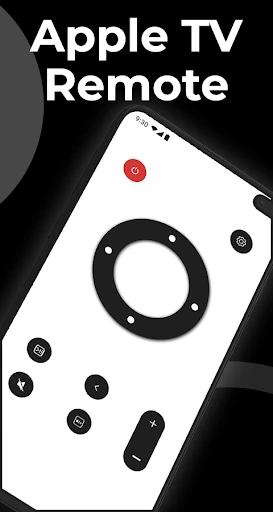
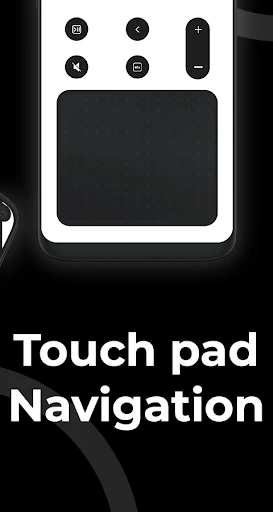
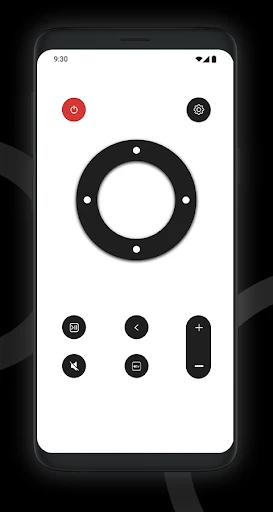
Now, onto the interface. The app is designed to mimic the actual Apple TV remote, which is both a blessing and a slight curse. Why a curse, you ask? Because the physical remote's touchpad can be a bit finicky at times, and the app replicates this feature. However, once you get the hang of it, navigating through your Apple TV becomes a breeze.
Scrolling through apps, typing in search fields, and adjusting settings are all done with a swipe and a tap. The app even includes a keyboard feature, which is a godsend when logging into apps or searching for your favorite shows. No more painstakingly selecting each letter with the remote!
Performance: Reliable or Temperamental?
Performance-wise, "Remote for Apple TV" is quite impressive. The response time is almost instantaneous, which is crucial when you’re trying to pause a show during an intense scene or skip those pesky intros. I did notice a slight lag when the Wi-Fi connection was spotty, but that’s more of a network issue than an app flaw.
One standout feature is the ability to control the volume of your TV through your device’s volume buttons. It’s these little touches that make the app not just a replacement, but an upgrade from the physical remote.
Final Thoughts: A Must-Have or Just Another App?
So, is "Remote for Apple TV" worth downloading? In my humble opinion, absolutely. It’s convenient, easy to use, and adds a layer of functionality that you didn’t know you needed until you had it. Whether you’ve lost your physical remote in the abyss of your couch cushions or simply prefer the feel of your iPhone in your hand, this app is a game changer.
In conclusion, if you're an Apple TV owner and you haven’t yet tried "Remote for Apple TV," do yourself a favor and check it out. It might just save you from those frustrating moments when you can’t find the remote, and honestly, who doesn’t want that?

- Developer
- Shadow soft
- Version
- 5.0
- Installs
- 1,000+
- Android Version
- 8.0
- Content Rating
- Everyone
- Price
- Free
- Easy setup process
- user-friendly interface.
- Compatible with various Apple TV models.
- Quick response time for commands.
- Supports voice control for easier navigation.
- Requires iOS device
- no Android support.
- Limited functionality compared to physical remote.
- Occasional connectivity issues reported.
- Ads in free version can be intrusive.