minimalist phone: Launcher
Ever felt like your smartphone is more of a distraction than a tool? Enter Minimalist Phone: Launcher. This app is a game-changer for anyone looking to simplify their phone usage and focus on what truly matters.
First Impressions Matter
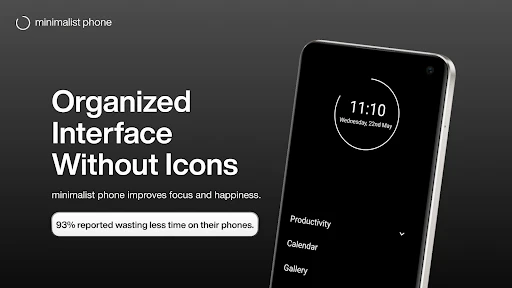
When I first downloaded the Minimalist Phone: Launcher, I was immediately drawn to its clean and intuitive interface. Gone are the days of cluttered screens and overwhelming notifications. Instead, I was greeted with a serene home screen that encouraged productivity and mindfulness.
The installation process was seamless. Within minutes, I was up and running, customizing my home screen to reflect only the apps I genuinely need. It felt refreshing to see just the essentials, and it surprisingly boosted my focus throughout the day.
Features That Stand Out
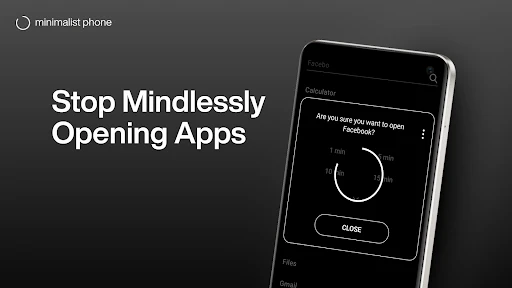
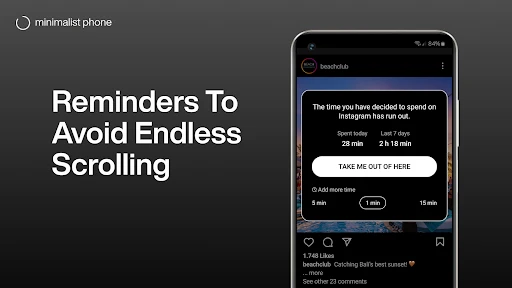
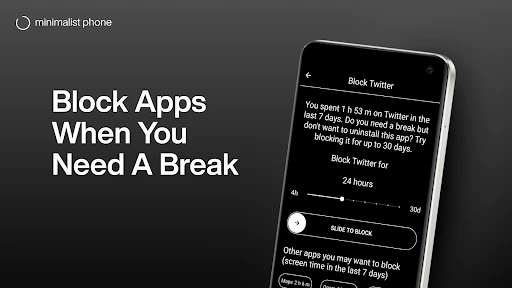
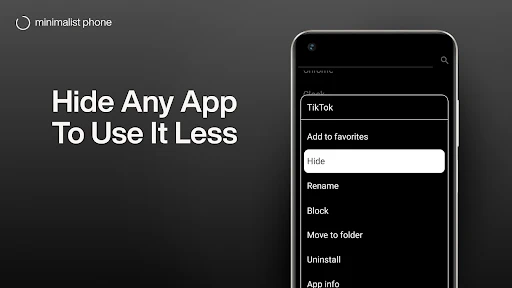
One of the standout features of this launcher is its ability to prioritize apps based on your usage. If you find yourself frequently checking social media, the launcher gently nudges these apps out of sight, allowing you to concentrate on more important tasks. It’s like having a digital minimalist guru right in your pocket!
Another feature I found particularly useful was the monochrome mode. By desaturating the colors on my screen, it reduced the visual allure of app icons, making it easier to resist the urge to tap mindlessly. It’s a brilliant touch for those of us trying to reduce screen time.
Customization at Its Best
While the launcher emphasizes simplicity, it doesn’t skimp on customization. You can tweak everything from font sizes to icon shapes, ensuring your phone reflects your personal style without compromising on functionality. It’s like having a personal assistant that knows exactly what you need, even before you do.
And let’s not forget about the widgets. The app offers a variety of minimalist widgets that blend seamlessly with the overall aesthetic. Whether it’s a simple clock or a weather update, everything is designed to keep your focus sharp and your mind uncluttered.
The Final Verdict
In a world where our phones are constantly vying for our attention, Minimalist Phone: Launcher is a breath of fresh air. It’s perfect for anyone looking to declutter their digital life and regain control over their smartphone usage. While it may take a bit of adjustment, especially if you’re used to a more traditional launcher, the benefits far outweigh any initial hiccups.
If you’re ready to transform your smartphone into a tool for productivity rather than distraction, give this app a try. Who knows? It might just be the change you’ve been searching for.
- Developer
- Focus Experts
- Version
- 1.16.5v205
- Installs
- 5,000,000+
- Android Version
- 6.0
- Content Rating
- Everyone
- Price
- Free
- Simple and clean user interface.
- Low resource consumption for better performance.
- Highly customizable themes and icons.
- Quick access to essential apps and tools.
- Improves productivity with minimal distractions.
- Limited features compared to advanced launchers.
- May not support all widgets.
- Lack of frequent updates.
- Some users may find it too basic.
- No backup option for settings and layout.