Minecraft Education
Discovering the World of Minecraft Education
If you've ever had a hankering for a game that combines creativity, learning, and a dash of adventure, then Minecraft Education might just be your next favorite app. I must admit, when I first heard about it, I was a bit skeptical. I mean, turning a game known for its blocky graphics and free-for-all sandbox nature into something educational? But boy, was I proven wrong!
Getting Started with Minecraft Education
First things first, downloading and setting up Minecraft Education is as easy as pie. Available for both Android and iOS, you can find it on their respective app stores. Once installed, you sign in with your school account and—voilà!—you’re ready to dive into a world where learning meets fun.
The app is designed to be user-friendly. Even if you’re not tech-savvy, navigating through its interface is a breeze. The moment you step into the game, you’re greeted with various lesson plans and activities that are just waiting to be explored.
A Blend of Fun and Learning
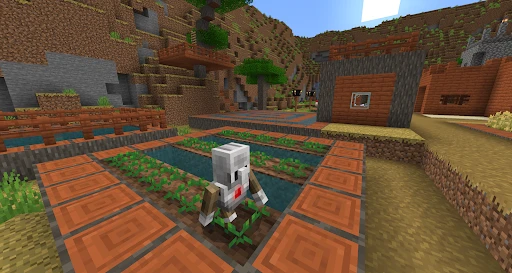
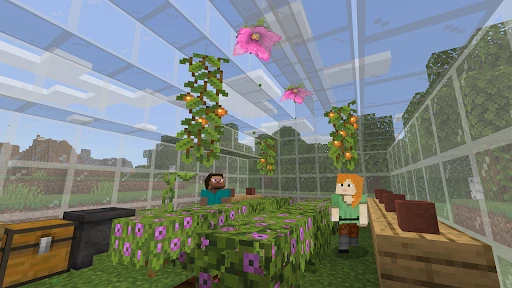
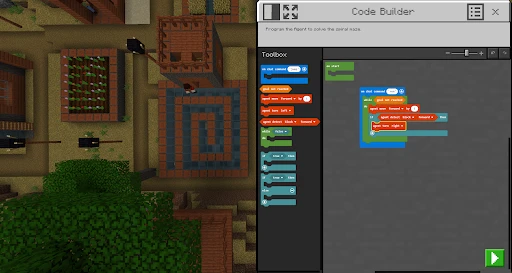
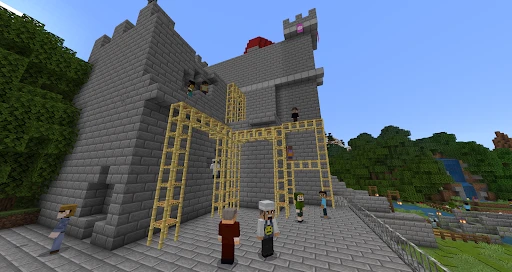
What really sets Minecraft Education apart is its unique ability to transform traditional learning into an interactive experience. Whether it's history, science, or even computer programming, the app offers a plethora of resources. I was particularly fascinated by the chemistry lessons. Imagine being able to build your own lab and conduct experiments right from your screen!
And let me tell you, the collaborative features are nothing short of amazing. Students can work together on projects, just like in a real classroom setting. It’s all about building, learning, and bonding. The world within Minecraft is your oyster, and there's no limit to what you can create or learn.
Challenges and Adventures
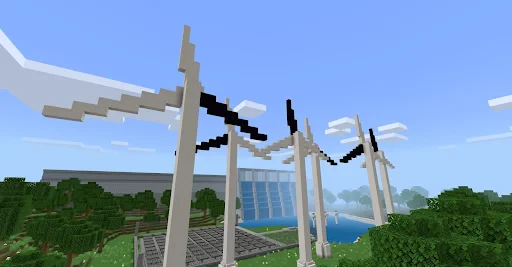
Of course, no game is complete without a bit of adventure. Minecraft Education doesn’t fall short in this aspect. Apart from the educational value, there are plenty of challenges and quests to keep the excitement alive. I found myself engrossed in a treasure hunt that required solving puzzles and applying what I'd learned in class. Who knew education could be this thrilling?
The in-game challenges are designed to reinforce learning objectives, so while you're having a blast, you're also absorbing knowledge. It’s a win-win!
Final Thoughts
In conclusion, Minecraft Education is an app that brilliantly merges the realms of gaming and education. It’s perfect for students who want to learn in a more dynamic and engaging way, as well as for teachers looking to diversify their teaching methods.
So, if you're on the fence about trying it out, I'd say go for it. Whether you're a student, a teacher, or just someone curious about learning new things, Minecraft Education offers something for everyone. Dive in and let your creativity and knowledge grow block by block!
- Developer
- Mojang
- Version
- 1.21.10.0
- Installs
- 10,000,000+
- Android Version
- 8.0
- Content Rating
- Everyone 10+
- Price
- Free
- Engages students with interactive learning.
- Supports creative problem-solving skills.
- Promotes collaboration among peers.
- Offers a vast library of educational content.
- Cross-platform compatibility enhances accessibility.
- Requires a stable internet connection.
- Limited free features in basic version.
- Steep learning curve for beginners.
- Some devices may experience lag.
- Subscription costs can be high for schools.