ibis Paint
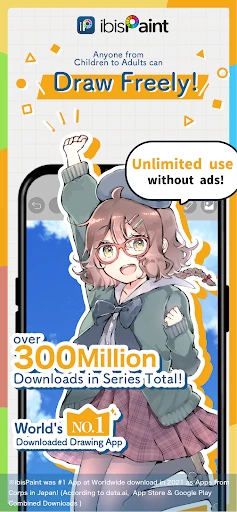
Have you ever found yourself doodling on the corner of a notebook, wishing you could bring your creations to life with a splash of color and professional touch? Well, let me introduce you to ibis Paint, an app that’s making waves in the digital drawing community. I’ve taken it for a spin, and here’s how it went down.
Getting Started with ibis Paint
First off, downloading and setting up ibis Paint is as smooth as butter. Available on both Android and iOS, the app is just a quick search and tap away from becoming your new favorite drawing companion. Once installed, I was greeted with a user-friendly interface that didn’t require a rocket science degree to navigate. It’s all pretty intuitive, which is a blessing when you’re itching to get those creative juices flowing without a hitch.
Features That Stand Out
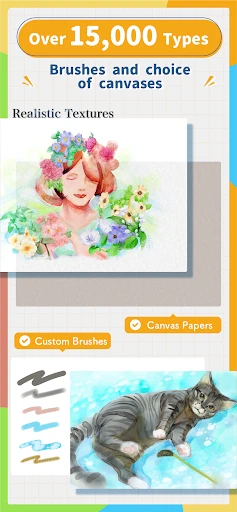
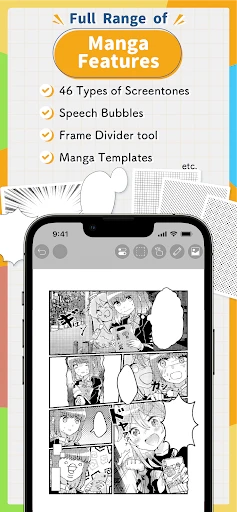
Now, what’s a drawing app without a few bells and whistles to play with? ibis Paint doesn’t disappoint. It’s packed with over 300 brushes, each customizable to suit your artistic needs. From smooth pen strokes to watercolor effects, it’s like having a mini art studio in your pocket! I experimented with a few brushes, and the level of control it offers is just perfect for both detailed sketches and bold illustrations.
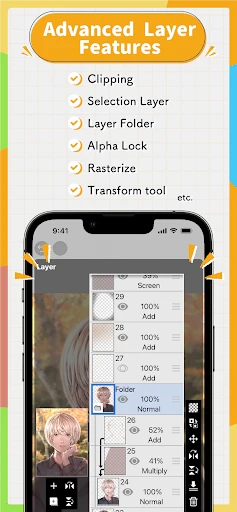
Layers are another game-changer here. With ibis Paint, you can add as many layers as you need, which is fantastic when you’re trying to create depth in your artwork. Plus, the app supports up to 60 frames for creating simple animations. Yes, you heard that right! You can make your artwork move, which I found to be an exciting feature for those who like to dabble in animations.
Time Lapse Recording
If you’re anything like me, you love sharing your creative process with others. Ibis Paint offers a time-lapse recording feature that captures every stroke of your creation journey. It’s super cool to watch your art come to life in fast motion, and it makes for an engaging way to share your skills on social media platforms.
Community and Support
One of the highlights of using ibis Paint is its vibrant community. The app is integrated with a social platform where you can share your masterpieces, get feedback, and even learn from other artists. It’s like having a 24/7 art class where you can grow and connect with fellow art enthusiasts. Plus, there’s a plethora of tutorials to help you master the app’s features, making it suitable for both beginners and seasoned pros.
Final Thoughts
All in all, ibis Paint is a powerhouse of a drawing app that caters to a wide range of artistic needs. Whether you’re a hobbyist looking to casually sketch or a professional artist aiming to create intricate designs, this app has got you covered. It’s easy to use, packed with features, and supported by a thriving community that inspires creativity. If you haven’t tried it yet, I highly recommend giving it a whirl. You might just find your new favorite art tool right on your smartphone!
- Developer
- ibis inc.
- Version
- 12.2.11
- Installs
- 100,000+
- Android Version
- 5.0
- Content Rating
- Everyone
- Price
- $14.99
- Wide range of brushes and tools.
- User-friendly interface.
- High customizability.
- Frequent updates.
- Supports large canvas sizes.
- Ads in free version.
- Steep learning curve.
- In-app purchases.
- Occasional lag on older devices.
- Limited text editing features.