Clip Studio Paint icon

Clip Studio Paint

Art & Design

Related searches

Clip Studio Paint is a versatile digital art application that caters to artists of all levels. Originally popular among manga and comic artists, it has become a staple for illustrators, animators, and designers due to its robust features and user-friendly interface. Let's dive into what makes this app a must-have for digital creators.

Getting Started with Clip Studio Paint

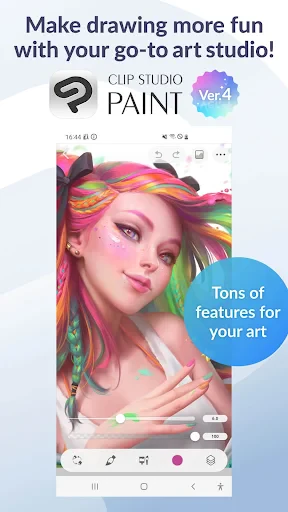
First off, let's talk about the interface. If you're new to digital art, Clip Studio Paint might seem a bit overwhelming at first glance, but trust me, it's a breeze once you get the hang of it. The app offers a customizable workspace, so you can set up your tools and panels just the way you like. Whether you’re working on an iPad or desktop, the transition is seamless, making it perfect for artists on the go.

Features Galore

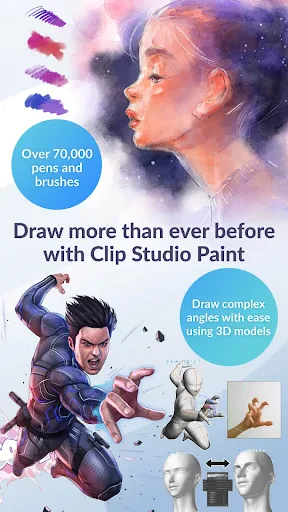
One of the standout features of Clip Studio Paint is its extensive brush library. From pencils to watercolors, and even specialty brushes for textures, the options are practically endless. You can even create and share your custom brushes, which is a game-changer for artists looking to personalize their work. And let’s not forget the vector tools – perfect for clean lines and scalable art.

For comic artists, the app offers built-in tools like panel templates, speech bubbles, and screen tones, which streamline the creation process. Animation features have also been beefed up, allowing for frame-by-frame animation that's surprisingly intuitive. Even if you're not a professional animator, it's fun to play around with and see your characters come to life.

Community and Resources

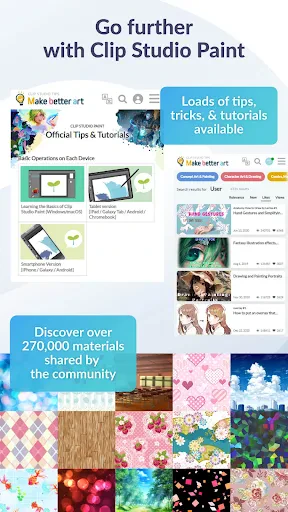
Clip Studio Paint boasts a vibrant online community. The Clip Studio Assets platform is a treasure trove of user-created content, including brushes, 3D models, and background materials. It's a fantastic resource for finding new tools and getting inspiration from fellow artists. Plus, the app supports sharing your work directly to social media platforms, making it easy to showcase your art to the world.

Final Thoughts

In conclusion, Clip Studio Paint is more than just an app; it’s a comprehensive digital art suite that’s worth every penny. Whether you're a seasoned artist or just starting, it offers everything you need to bring your ideas to life. The learning curve might be a bit steep for beginners, but with so many tutorials and community support, you'll be creating masterpieces in no time. So, if you're looking to up your digital art game, Clip Studio Paint should definitely be on your radar. Happy creating!
Clip Studio Paint screenshot Clip Studio Paint screenshot Clip Studio Paint screenshot Clip Studio Paint screenshot Clip Studio Paint screenshot
Developer
CELSYS,Inc.
Version
4.0.3
Installs
10,000,000+
Android Version
12
Content Rating
Everyone
Price
Free
Pros
  • Versatile drawing tools for all styles.
  • Cross-platform support for seamless use.
  • Regular updates with new features.
  • Vibrant community and resource sharing.
  • Highly customizable user interface.
Cons
  • Complex interface for beginners.
  • Requires a subscription for full features.
  • Performance issues on low-end devices.
  • Limited free trial period.
  • Occasional crashes reported by users.

Ratings

3.3

Similar Apps

AI Art Generator: Photo, Draw

AI Art Generator: Photo, Draw

4.1
Get
Magic Diamond Painting-Gem Art

Magic Diamond Painting-Gem Art

4.8
Get
Cross Stitch Thread Organizer

Cross Stitch Thread Organizer

4.6
Get
Birthday Invitation Card Maker

Birthday Invitation Card Maker

4.7
Get
Hicut:Face Swap AI Video App

Hicut:Face Swap AI Video App

3.2
Get
Coloring games: speed drawing

Coloring games: speed drawing

3.6
Get
Draw Animation - Anim Creator

Draw Animation - Anim Creator

4.3
Get
Photo App - AI Photo Enhancer

Photo App - AI Photo Enhancer

4.6
Get
Passport Photo: ID Photo Print

Passport Photo: ID Photo Print

4.8
Get
Remodel AI - Home Renovation

Remodel AI - Home Renovation

4.5
Get
AI Image Generator: ImagineArt

AI Image Generator: ImagineArt

4.4
Get
Inky - Run Inkscape on Android

Inky - Run Inkscape on Android

3.2
Get

Frequently Asked Questions

What platforms is Clip Studio Paint available on?

Clip Studio Paint is a versatile art application that is available on multiple platforms, including Windows, macOS, iOS, Android, and Chromebook. This cross-platform availability ensures that artists can work seamlessly across different devices. Users should check the system requirements for each platform to ensure compatibility before downloading.

Is Clip Studio Paint a one-time purchase or subscription-based?

Clip Studio Paint offers both one-time purchase and subscription-based plans. The one-time purchase is available for desktop versions, while subscription plans are available for both desktop and mobile versions. This flexibility allows users to choose a payment plan that best suits their needs and budget. Be sure to review the pricing details on their official website.

Does Clip Studio Paint support pressure-sensitive stylus?

Yes, Clip Studio Paint supports pressure-sensitive stylus input, making it ideal for digital artists who require precision and control in their work. The software is compatible with a variety of styluses, including those from Wacom and Apple Pencil, providing a natural drawing experience. Users should ensure their device and stylus are compatible.

What features does Clip Studio Paint offer for comic and manga artists?

Clip Studio Paint is renowned for its robust features tailored for comic and manga artists. It includes tools like frame borders, speech bubbles, and a library of materials and 3D models that simplify the creation process. Additionally, the app offers specialized brushes and effects to enhance the artistic workflow, making it a favorite among comic creators.

Can I use Clip Studio Paint offline?

Yes, Clip Studio Paint can be used offline, which is beneficial for artists who may not always have internet access. However, an internet connection is required for certain features such as cloud storage and updates. It's advisable to periodically connect to the internet to ensure the software is up-to-date and to access additional resources.