

Sketchbook
As an artist, I’m always on the lookout for tools that can seamlessly blend creativity with technology. Sketchbook is one of those apps that has caught my attention, and let me tell you, it’s quite the digital canvas. Available on both Android and iOS, Sketchbook is designed to cater to everyone from doodlers to professional artists, providing a comprehensive suite of features that will make your art journey exciting and fulfilling.
Unleashing Creativity with Ease
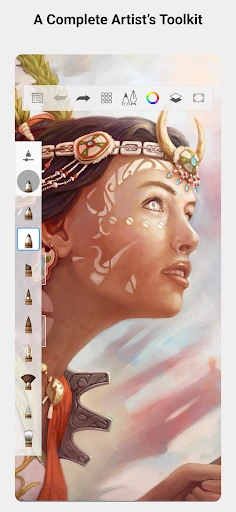
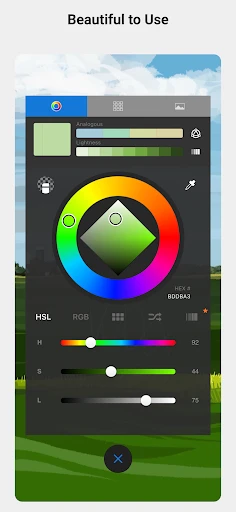
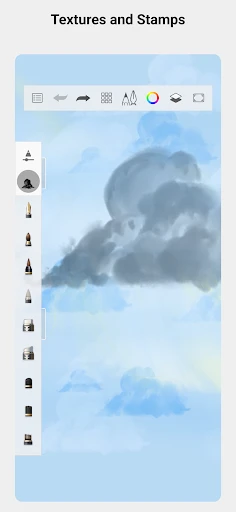
The first thing that struck me about Sketchbook is its intuitive user interface. The app is designed in such a way that it doesn’t overwhelm you with tools and options. Instead, it feels like a natural extension of your thoughts, allowing you to focus solely on your art. The toolbar is sleek and minimalistic, giving you easy access to essential tools without cluttering your workspace.
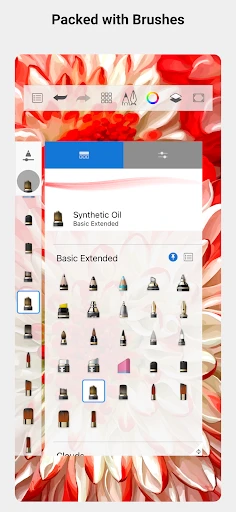
One of the coolest features is the customizable brushes. Whether you want to mimic the texture of oil paints, the precision of a pencil, or the fluidity of watercolor, Sketchbook offers a plethora of options. You can even create your own brushes, adjusting settings like opacity, flow, and size to suit your needs. It’s like having an entire art studio in your pocket!
Powerful Tools for Professional Artists
For those of you who take your art seriously, Sketchbook doesn’t disappoint with its array of professional-grade tools. The app supports layers, which is a game-changer for creating complex pieces. You can easily add, delete, and merge layers, and the blending modes offer a depth of control that’s comparable to some desktop applications.
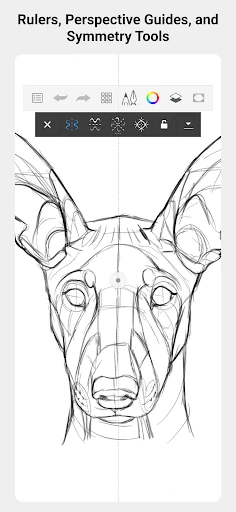
The symmetry tool is another standout feature, perfect for creating mandalas or any art that requires precision and balance. Plus, the perspective guides are super handy if you’re into architectural or landscape drawings, helping you maintain perfect angles and proportions.
Cross-Platform Flexibility
One of the best things about Sketchbook is its cross-platform flexibility. You can start a project on your tablet and continue it on your smartphone or desktop, thanks to its seamless cloud integration. This feature is fantastic for artists on the go, ensuring you can capture inspiration whenever it strikes.
Additionally, Sketchbook offers a free version with a robust set of tools, but if you’re looking for the full suite of features, the pro version is definitely worth the investment. It unlocks more advanced tools and customization options, providing an even richer experience.
The Verdict
In a world where digital art is becoming more prevalent, Sketchbook stands out as a versatile and user-friendly app that caters to both hobbyists and professionals alike. Its combination of powerful tools and ease of use makes it a must-have for any artist looking to explore the digital realm.
Whether you’re sketching on the subway or painting intricate digital masterpieces in your studio, Sketchbook provides a platform that enhances creativity without constraints. So, if you haven’t already, give Sketchbook a try. Who knows? It might just become your new favorite artistic companion!
- Developer
- Sketchbook
- Version
- Varies With Device
- Installs
- 100,000,000+
- Android Version
- Varies With Device
- Content Rating
- Everyone
- Price
- Free
- Intuitive user interface for easy navigation.
- Wide variety of brushes and tools.
- Supports high-resolution canvases.
- Seamless layer management.
- Customizable workspace to suit user needs.
- Limited free version features.
- Occasional app lag on older devices.
- No text tool for adding captions.
- Subscription required for full access.
- Lacks advanced photo-editing features.


![[KNA003] SHADOW](https://appnexuszone.com/wp-content/uploads/2025/11/image7262447909916311573.webp)


