AI Video Editor - VivaCut
Unleashing Creativity with VivaCut: A Video Editor App That Stands Out
Hey there, video enthusiasts! 🎥 If you're anything like me, you're always on the lookout for the next big thing in video editing apps. Let me introduce you to VivaCut, a video editor that has been turning heads for all the right reasons. Whether you're a budding YouTuber, a TikTok star in the making, or just someone who loves tinkering with videos, VivaCut might just become your new best friend.
The First Impressions: Sleek and User-Friendly
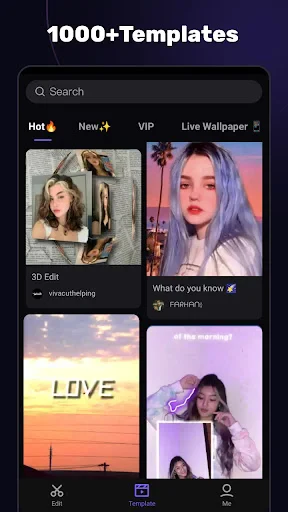
From the moment I downloaded VivaCut, I was impressed by its sleek interface. It's got that modern feel without overwhelming you with too many buttons or options. The developers have done a stellar job in ensuring that even newbies can navigate through the app with ease. It's available on both Android and iOS, which is a big plus for those of us who like to switch between devices.
Features That Make VivaCut a Game-Changer
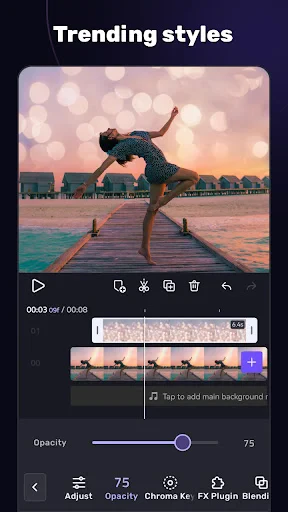
Now, let's dive into what makes VivaCut stand out in the crowded world of video editing apps. First off, the app offers a multi-layer timeline, which is a godsend for anyone serious about video editing. It allows you to stack multiple clips, images, and audio tracks, giving you the freedom to create complex projects right from your phone.
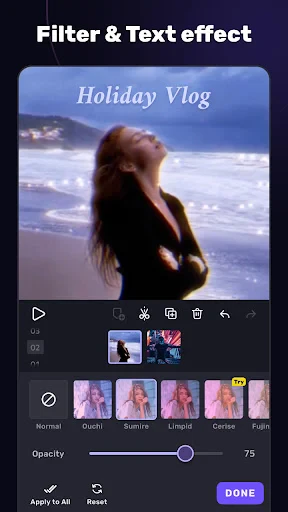
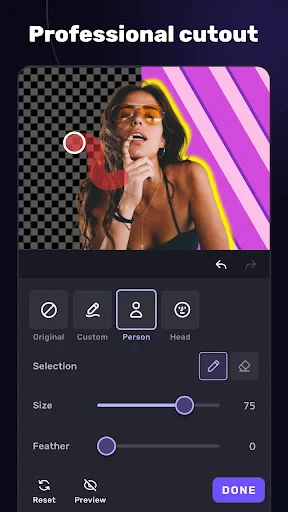
Another feature that caught my eye is the chroma key capability. If you've ever wanted to play around with green screen effects, VivaCut has got you covered. It's surprisingly easy to use, and the results are pretty impressive. Plus, the app offers a variety of filters and effects that can add a professional touch to your videos.
Text and Stickers: Adding text and fun stickers to your videos is a breeze, and they’ve got a huge library to choose from.
Music and Sound: The app allows you to add your own music or choose from a selection of free tracks.
Aspect Ratio Customization: Perfect for tailoring your videos to different social media platforms.
Performance and Usability
One of the things I love about VivaCut is how smoothly it runs. I’ve used apps in the past that tend to lag, especially when working on larger projects, but VivaCut handles everything like a champ. The rendering time is quick, and the quality of the final output is top-notch.
The app does offer a free version, but if you’re serious about video editing, you might want to consider the premium version. It unlocks a host of additional features that take your editing game to the next level.
My Final Thoughts
So, is VivaCut worth downloading? Absolutely! It’s a robust video editing app that caters to both beginners and seasoned editors. With its range of features, intuitive interface, and high-quality output, it’s no surprise that it’s gaining popularity among content creators.
If you’re ready to unleash your creativity and produce some stunning videos, give VivaCut a try. You might just find that it’s the video editing companion you’ve been searching for. Happy editing! 🎬

- Developer
- VivaCut professional video editor
- Version
- 4.1.9
- Installs
- 100,000,000+
- Android Version
- 5.0
- Content Rating
- Everyone
- Price
- Free
- User-friendly interface for easy editing
- Supports multi-layer editing
- High-quality video export options
- Wide range of filters and effects
- Advanced tools for professional editing
- Watermark in free version
- Occasional app crashes
- Limited features in free version
- Requires a high-performance device
- Subscription is relatively expensive