VLC for Android
Let’s Talk About VLC for Android
Hey there, fellow media enthusiasts! If you’re on the hunt for a versatile, reliable, and totally free media player for your Android device, look no further than VLC for Android. This app is like the Swiss Army knife of media players, and today, I'm gonna share my experience with it. Buckle up!
The First Impressions
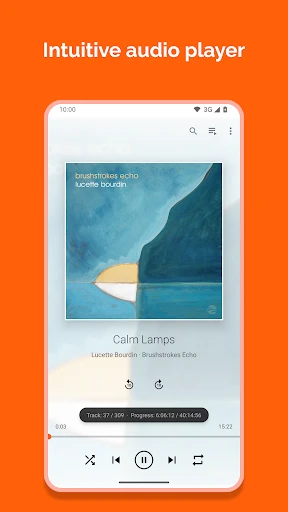
Downloading VLC was a breeze. It’s available on the Google Play Store, and let me tell you, it has over 100 million downloads, which already speaks volumes about its popularity. Once installed, the first thing you'll notice is the simple and clean interface. It’s not cluttered with unnecessary features, just the essentials for a smooth media play experience.
The app is quite lightweight, so it doesn’t hog your phone’s resources. I found that even on older devices, VLC runs without a hitch. It’s like that friend who shows up to your party and just vibes without causing any drama.
Features That Stand Out
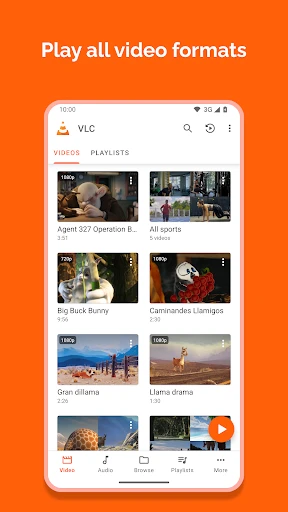
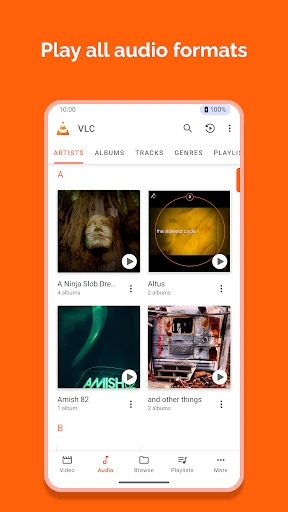
VLC for Android supports a wide range of media formats. Whether it's MP4, MKV, AVI, or even FLAC for audio lovers, VLC has got you covered. I’ve tossed just about every file type at it, and it plays them all without a hitch. It’s like having a universal remote for all your media needs.
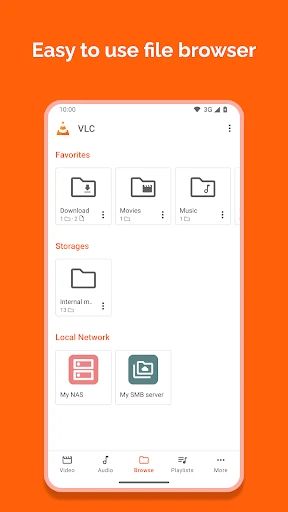
Another feature that I personally love is the network streaming capability. You can stream from your home network or even from online sources. I’ve used it to watch movies stored on my home server while lounging on the couch—it’s like magic!
Oh, and did I mention the subtitle support? For those who love foreign films or need subtitles, VLC makes it easy to download and adjust subtitles to sync perfectly with your video. It’s those little details that make a huge difference.
Personal Experience
Using VLC on my Android phone has been a game-changer. I’m someone who loves listening to podcasts and watching movies on the go, and having an app that doesn’t discriminate against any file type is a blessing. I once tried to play a video that my friend sent from his iPhone, and while other apps stumbled, VLC breezed through it like a pro.
Moreover, the gesture controls are just fabulous. Swiping up and down to adjust volume and brightness while watching a movie feels so intuitive and user-friendly. It's like VLC knows exactly what you need, and it delivers every single time.
Wrapping It Up
In conclusion, VLC for Android is the real MVP in the world of media players. It’s user-friendly, supports a plethora of file formats, and offers features that enhance your media viewing experience. If you haven’t tried it yet, I highly recommend giving it a shot. It’s a solid app that’s earned a permanent spot on my home screen, and I bet it will find a place in your heart too.
So, go ahead, download VLC for Android, and let it handle all your media playback needs. Trust me, you won’t regret it!
- Developer
- Videolabs
- Version
- Varies With Device
- Installs
- 100,000,000+
- Android Version
- Varies With Device
- Content Rating
- Everyone
- Price
- Free
- Supports all video formats effortlessly.
- User-friendly interface with no ads.
- Offers subtitle synchronization feature.
- Allows network streaming and media sharing.
- Free and open-source application.
- Occasional lag with large files.
- Limited library management features.
- Interface may feel outdated to some users.
- Subtitle download options are limited.
- Chromecast support can be unstable.