Moises: The Musician's AI App
Hey there, fellow music enthusiasts! Today, I'm diving into an app that's been making waves in the musician community – Moises: The Musician's AI. If you've ever dreamt of having a personal music assistant to help you practice, remix, or even compose, then Moises might just be your new best friend. So, grab your headphones, and let's explore what this app has to offer!
Meet Moises: Your AI-Powered Music Companion
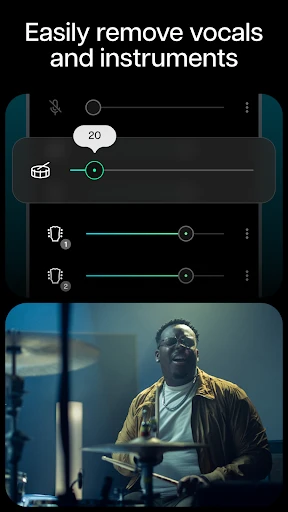
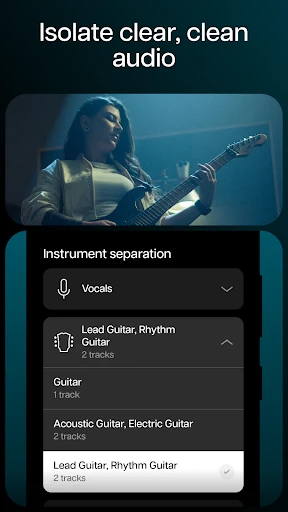
Moises is not just another music app; it's like having a tech-savvy bandmate with you at all times. Designed with musicians in mind, this app uses cutting-edge AI technology to separate vocals and instruments from any song. Yes, you heard that right! You can isolate the guitar, bass, drums, and even the vocals to focus on the parts that matter most to you. Whether you're a budding musician or a seasoned pro, this feature is a total game-changer.
Easy-to-Use Interface
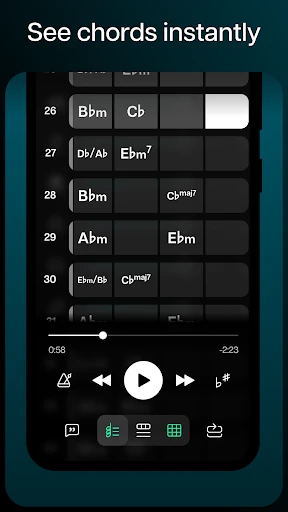
One of the first things I noticed about Moises is its sleek and intuitive interface. Even if you're not the most tech-savvy person, navigating through the app is a breeze. You start by uploading a track from your library or even a URL link, and in just a few taps, you can break it down into its core components. The app's design is clearly aimed at making the user's experience as seamless as possible.
Practice Like a Pro
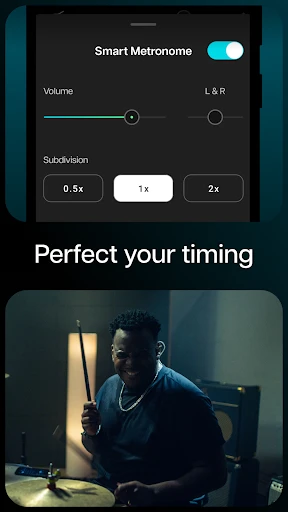
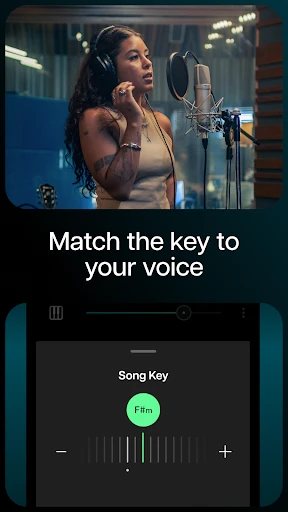
Imagine being able to mute the vocals of your favorite song and jumping in as the lead singer. Or perhaps you want to focus on the drum patterns of a complex track. Moises allows you to do just that. The app's ability to slow down or speed up tracks without affecting the pitch is a fantastic tool for practicing tricky sections. It's like having a personal music teacher who works on your schedule.
Remix and Create
Beyond practicing, Moises opens up a world of creativity. With the power to remix tracks, you can adjust volumes, change tempos, and even modify pitch to create your unique versions of songs. This feature is perfect for DJs or anyone looking to put a personal spin on their favorite tunes. The AI does a commendable job of maintaining audio quality, ensuring that your remixes sound professional.
Collaboration Features
Moises also makes collaboration easier than ever. You can share your projects with bandmates or fellow musicians, making it a breeze to work on group projects remotely. This feature is particularly useful in today's world, where virtual collaboration is becoming increasingly common. It's like having a virtual studio at your fingertips.
In conclusion, Moises: The Musician's AI is a must-have tool for anyone serious about music. Its innovative features and user-friendly design make it a standout in the sea of music apps available today. Whether you're practicing, remixing, or collaborating, Moises offers a plethora of features to enhance your musical journey. So, why not give it a try and see what musical magic you can create?
- Developer
- Moises Systems
- Version
- 2.88.0
- Installs
- 10,000,000+
- Android Version
- 9
- Content Rating
- Everyone
- Price
- Free
- Intuitive interface for easy navigation.
- High-quality audio separation.
- Real-time pitch and speed control.
- Supports multiple audio formats.
- Cloud storage integration.
- Requires premium for full features.
- Occasional lag in processing.
- Limited free version capabilities.
- Internet required for best performance.
- Ads in free version can be intrusive.