USB Camera
If you're like me and love dabbling with tech gadgets, then you've probably encountered the need for a versatile camera app at some point. Enter the USB Camera app – a nifty little tool that promises to turn your Android device into a high-functioning camera hub. But does it live up to the hype? Let’s dive in and see what it’s all about.
Getting Started with USB Camera
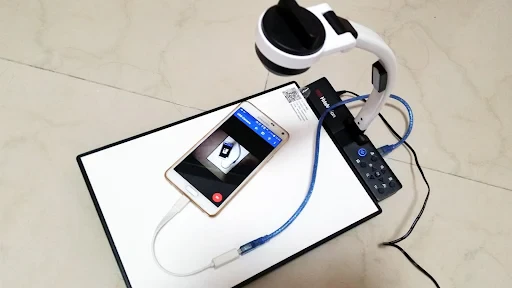
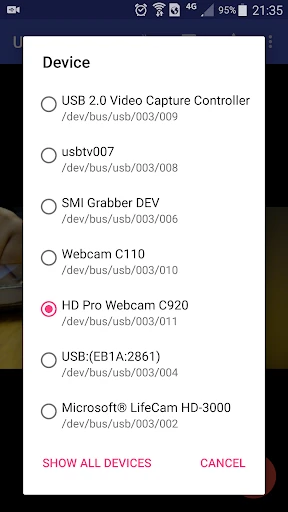
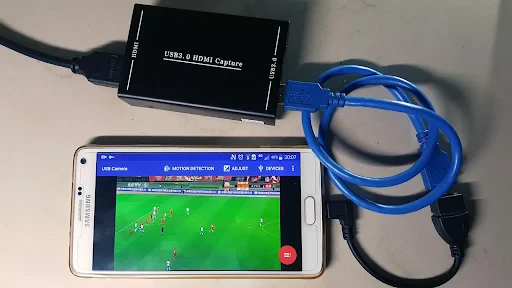
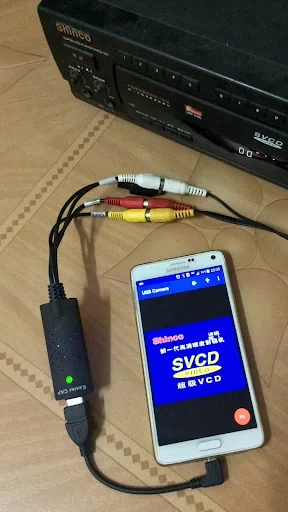
Setting up the USB Camera is surprisingly easy. All you need is an OTG cable, connect your USB camera to your phone, and voila! The app supports a wide range of USB cameras, making it a handy choice for those who don’t want to invest in expensive equipment. What I found really cool is that it instantly recognizes the camera hardware and gets things rolling without any fuss. No more fiddling with drivers and settings – it's as plug-and-play as it gets.
Features That Stand Out
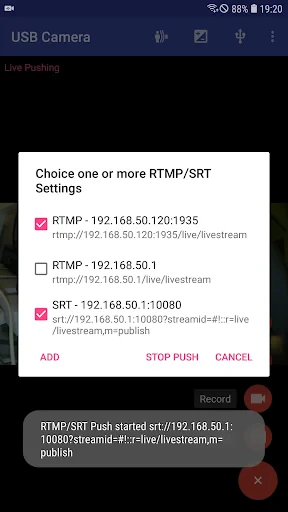
Now, let’s talk about the features. The app brings a host of options that are sure to please any tech enthusiast. From live streaming to video recording, and even timelapse, there’s no shortage of functionality here. What I loved the most was the ability to adjust settings like exposure, focus, and white balance. It gives you a level of control that you don’t typically get with standard smartphone cameras.
Another feature worth mentioning is the real-time filters. Whether you’re into vintage vibes or a crisp modern look, the selection of filters can help you achieve the desired aesthetic with ease. Plus, the app’s interface is intuitive, making it easy to switch between different modes and settings without breaking a sweat.
Performance and User Experience
Performance-wise, the app is pretty solid. I didn’t experience any lags or crashes during my testing, which is a huge plus. The video quality is commendable, offering sharp and clear visuals that are perfect for both professional and personal use.
One thing to keep in mind, though, is that the app might drain your battery quicker than usual, especially when streaming or recording for extended periods. But hey, that’s a small trade-off for such a robust feature set.
Oh, and did I mention that the app supports multiple resolutions? Whether you’re shooting in 720p or 1080p, the USB Camera app has got you covered. This flexibility is a boon for those who require different video quality levels for various projects.
Final Thoughts
In conclusion, the USB Camera app is a game-changer for anyone looking to elevate their photography and videography game without breaking the bank. It’s user-friendly, packed with features, and most importantly, it delivers on its promises. Whether you're a professional videographer or just someone who loves experimenting with tech, this app is definitely worth checking out. So, grab your USB camera, download the app, and get ready to explore a whole new world of creative possibilities!
- Developer
- 沈垚 / ShenYao China
- Version
- Varies With Device
- Installs
- 5,000,000+
- Android Version
- Varies With Device
- Content Rating
- Everyone
- Price
- Free
- Easy to connect with various USB cameras.
- Supports high-definition video streaming.
- User-friendly interface for quick setup.
- Compatible with both Android and iOS.
- Offers real-time video recording features.
- Requires external USB OTG adapter.
- Limited support for older devices.
- May experience lag on low-end phones.
- Consumes significant battery power.
- App updates can be infrequent.