
Xbox Family Settings
When it comes to managing screen time and ensuring that kids have a safe and enjoyable gaming experience, the Xbox Family Settings app is a game changer. If you’re a parent like me, you probably understand the challenges of balancing gaming time and other activities for your kids. Let’s dive into what makes this app a must-have for any parent with young gamers at home.
Setting Up for Success
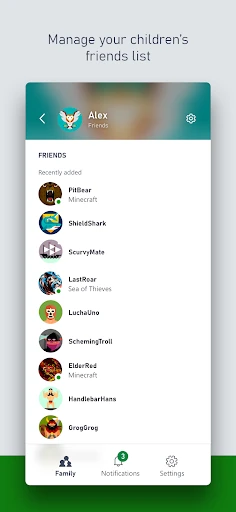
First things first, setting up the Xbox Family Settings app is a breeze. You’ll need to have an Xbox account, but once that’s sorted, the app guides you through the rest. I was genuinely surprised by how intuitive the setup was. The app allows you to add family members, and the integration with your Xbox console is seamless. It takes just a couple of taps to get everything in place.
Features That Matter
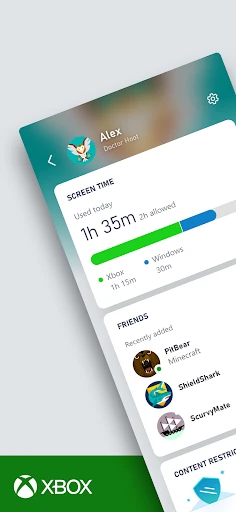
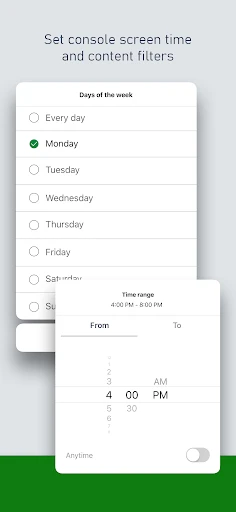
The app offers a plethora of features designed to give parents control over their children's gaming activities. You can set screen time limits, which is super handy if you’ve got little ones who could game from dawn till dusk if left unchecked. There’s also the option to block specific games or set content filters based on age ratings. This is perfect when you want to ensure that your kids are only accessing age-appropriate content.
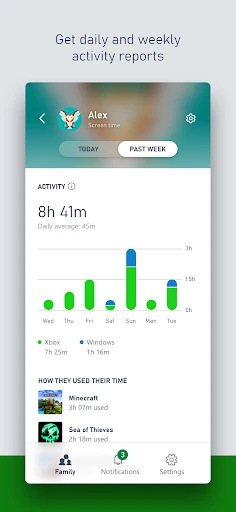
One feature I particularly love is the ability to receive activity reports. These reports give you a detailed look at what games your child is playing and for how long. It’s a great way to keep tabs without hovering over their shoulders constantly.
Real-Time Adjustments
Life happens, and sometimes plans change. With the Xbox Family Settings app, you can make real-time adjustments to screen time limits and restrictions directly from your phone. Imagine your kid has finished their homework early, and as a reward, you decide to give them an extra hour of game time. You can easily tweak the settings on the fly without needing to log into the console itself.
The app even allows for notifications when your child requests to purchase a game or extend their playtime. This way, you can make informed decisions instantly, ensuring that you’re always in control.
Ending Thoughts
In a world where digital entertainment is a significant part of our kids' lives, having a tool like the Xbox Family Settings app is invaluable. It not only helps in managing screen time but also ensures that gaming remains a fun, safe, and educational experience. If you’re looking for an effective way to balance gaming with other activities, this app should be your go-to.
Overall, the Xbox Family Settings app offers peace of mind to parents and guardians. It’s like having a digital guardian angel that keeps an eye on your kids’ gaming habits while letting them enjoy their favorite pastime. Now, you can relax knowing that your family’s gaming environment is both secure and enjoyable.
- Developer
- Microsoft Corporation
- Version
- 20241211.241211.2
- Installs
- 1,000,000+
- Android Version
- 8.0
- Content Rating
- Everyone
- Price
- Free
- Easy to set up and navigate controls.
- Allows customization of screen time.
- Provides real-time activity reports.
- Supports multiple child accounts.
- Free with no in-app purchases.
- Limited to Xbox consoles only.
- Requires Microsoft account.
- No remote shutdown feature.
- No location tracking available.
- Occasional sync issues reported.