Google Voice
Unveiling Google Voice: A Seamless Communication Experience
Let me just start by saying, Google Voice is like that friend who always has your back, no matter what. It's the app that makes communication as smooth as butter, and if you haven't tried it yet, you're in for a treat. Whether you're juggling multiple phone numbers or just want a reliable voicemail service, Google Voice has got your back.
First Impressions
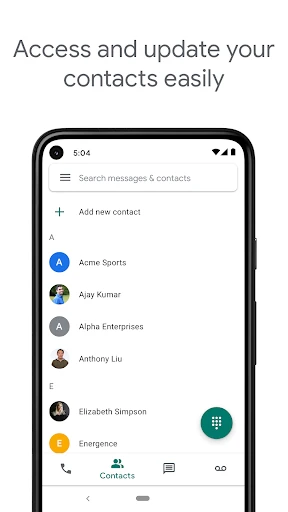
When I first downloaded Google Voice, I was curious about how it would fit into my daily life. The installation was a breeze, and setting it up was pretty straightforward. As soon as you open the app, you're greeted with a clean and intuitive interface. It's not cluttered, which is a relief because, let's face it, nobody likes a messy app!
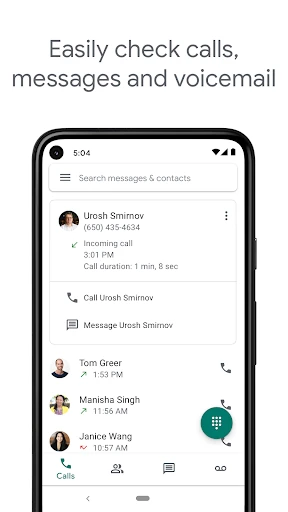
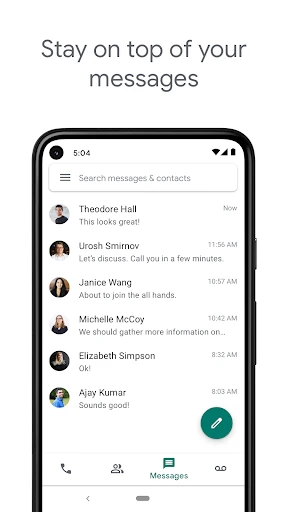
The app primarily offers you a free phone number that you can use for calls, texts, and voicemails. This is particularly handy if you're someone like me, who likes to keep personal and work communications separate without carrying multiple phones. Not to mention, the ability to customize voicemail greetings is super cool. I mean, who doesn’t love a personal touch?
Features That Stand Out
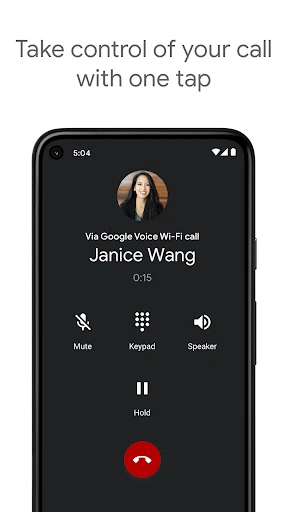
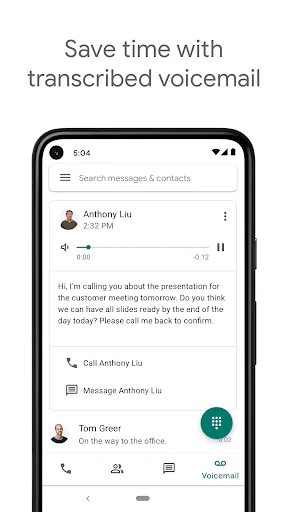
One of the features I found really useful is the voicemail transcription. Imagine being in a meeting and receiving a voicemail; you can just read the transcription instead of listening to it. Pretty neat, right? The call forwarding feature is another gem. You can link multiple phones to your Google Voice number and choose where your calls get forwarded. It's like having your own personal call center!
International Calling: If you have friends or family abroad, Google Voice offers competitive rates for international calls. It's a cost-effective way to stay connected without breaking the bank.
Do Not Disturb: This feature allows you to control when you’re available for calls. You can set it to automatically send calls to voicemail during certain times. Perfect for when you need some "me" time.
Integration with Other Google Services: Being a Google product, it seamlessly integrates with other Google services, which is a big plus if you're already living in the Google ecosystem.
Room for Improvement
No app is perfect, and Google Voice has its quirks. The app sometimes struggles with call quality, especially if your internet connection isn’t strong. This might be a dealbreaker for some, but in my experience, it's not a frequent issue. Also, while the app supports multiple numbers, it doesn't allow you to send media files via text, which is a bit of a letdown in today's emoji and meme-driven world.
Final Thoughts
All things considered, Google Voice is a solid app for anyone looking to streamline their communication channels. Its user-friendly interface, combined with a versatile set of features, makes it a great choice for both personal and professional use. Sure, it has its minor flaws, but don't we all? At the end of the day, Google Voice is like that trusty sidekick that might not be perfect but sure knows how to get the job done.
If you're curious and want to give it a whirl, just head over to your app store, download it, and start exploring. Who knows, it might just become your new favorite communication tool!
- Developer
- Google LLC
- Version
- 2025.05.11.757514662
- Installs
- 10,000,000+
- Android Version
- 8.0
- Content Rating
- Everyone
- Price
- Free
- Free calls and texts within the U.S.
- Voicemail transcription feature
- Integration with Google services
- Compatible with Android and iOS
- Customizable voicemail greetings
- Limited international calling options
- Requires data or Wi-Fi connection
- No end-to-end encryption
- Occasional call quality issues
- Limited customer support