FordPass™
Revving Up with FordPass™: A Digital Companion for Your Drive
So, you’ve got yourself a Ford, or maybe you're just curious about what this FordPass™ app is all about? Let me take you through the ins and outs, and why it might just be the perfect co-pilot for your driving adventures.
Getting Started with FordPass™
First things first, downloading FordPass™ is a breeze. Available on both Android and iOS, it’s as simple as hitting that download button and letting the app do its magic. Once installed, you’re greeted with a sleek interface that’s both intuitive and easy to navigate. No tech whiz needed here!
A World of Features at Your Fingertips
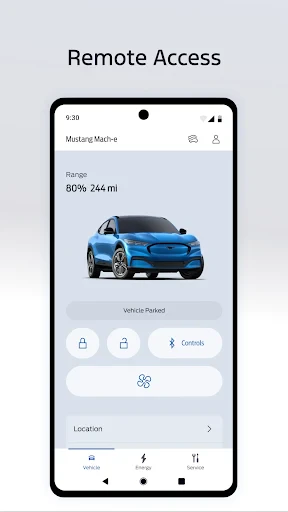
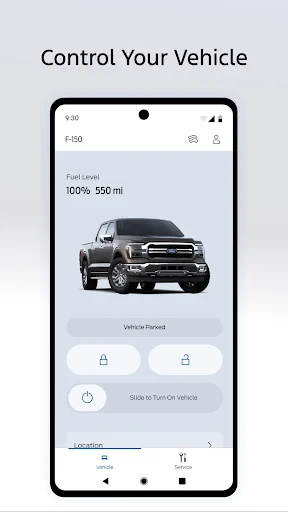
Now, let’s dive into what makes FordPass™ stand out. One of the coolest features is the ability to remote start your vehicle. Yup, you read that right! On a chilly morning, you can start your car from the comfort of your home, say goodbye to sitting in an icebox. Plus, the app lets you lock and unlock your car remotely. Forget where you parked? No worries, the app’s got your back with the vehicle locator feature.
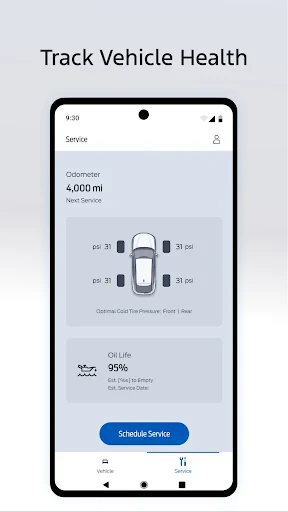
FordPass™ also keeps you in the loop with real-time updates on fuel levels and oil life. It’s like having a personal mechanic in your pocket ensuring everything’s running smoothly. And if you’re hitting the road, the app provides navigation assistance with traffic updates to steer you clear of any jams.
Stay Connected and In Control
In today’s connected world, staying in sync with your vehicle is a game changer. FordPass™ offers seamless integration with Ford SYNC® technology, allowing you to stream your favorite tunes, make calls, and even send texts without taking your eyes off the road. Safety first, folks!
And let’s not forget the FordPass Rewards. Every mile counts, and as you drive, you earn points that can be redeemed for maintenance services or even a new ride. Who doesn’t love rewards?
The Final Drive
To wrap it up, FordPass™ isn’t just an app; it’s like a digital Swiss Army knife for Ford owners. Whether it’s simplifying your daily routine or enhancing your driving experience, this app has something for everyone. Sure, it might take a bit of getting used to, but once you’re in the groove, it’s hard to imagine driving without it. So, if you’re a Ford enthusiast or just someone who loves convenience, give FordPass™ a spin. It might just be your new favorite driving companion.
Happy driving!
- Developer
- Ford Motor Co.
- Version
- Varies With Device
- Installs
- 5,000,000+
- Android Version
- Varies With Device
- Content Rating
- Everyone
- Price
- Free
- User-friendly interface
- Remote vehicle control features
- Vehicle health alerts
- Integrated payment options
- Enhanced security features
- Limited functionality without Ford vehicle
- Occasional connectivity issues
- Subscription required for premium features
- Data privacy concerns
- Complex initial setup