Wireless Reverse Charging
Have you ever been in a situation where your phone is dying, and you can't find a charger, but your friend next to you has a phone with a full battery? Well, welcome to the world of Wireless Reverse Charging. It's like sharing a piece of cake with a friend, only it's battery power instead of dessert!
What is Wireless Reverse Charging?
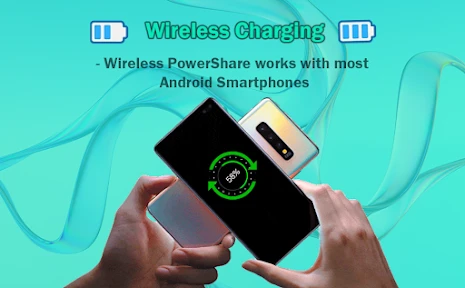
Imagine this: your phone is not just a device for communication, but also a portable charger for other gadgets. That's exactly what Wireless Reverse Charging allows you to do. It's a feature that lets your smartphone act as a power bank for other devices. All you need to do is place a device that supports wireless charging on the back of your phone, and voila, the power starts transferring!
How Does It Work?
Wireless Reverse Charging operates on the same principle as standard wireless charging. It uses electromagnetic fields to transfer energy between two objects. Your phone needs to have the hardware capable of both sending and receiving these signals. Most modern smartphones have this feature built-in, but it's always good to check your phone's specifications.
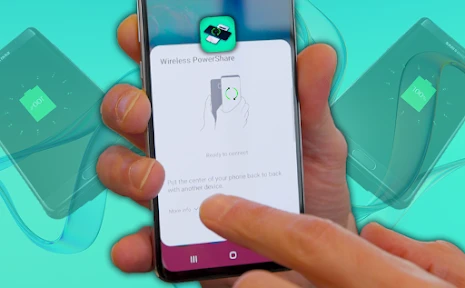
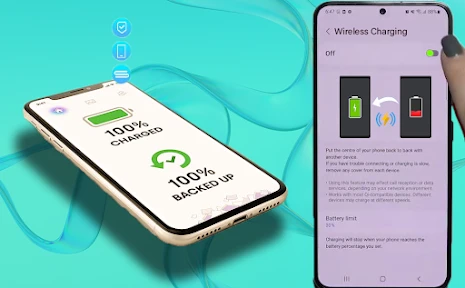
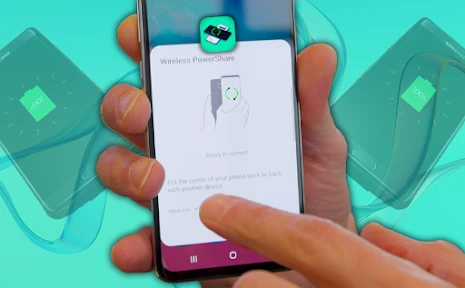
The process is pretty straightforward. Turn on the reverse charging feature on your phone and ensure the device you're charging supports wireless charging. Align the two devices, and you'll see the charging indicator light up. It's as simple as that!
Why Should You Care?
There are plenty of scenarios where Wireless Reverse Charging can be a lifesaver. Picture this: you're out hiking, and your smartwatch is about to die. You can easily borrow some juice from your phone. Or maybe you're at a party, and your friend's phone is about to hit 0%. No worries, you can share some power.
This feature is also incredibly convenient for charging smaller devices like earbuds, smartwatches, or even another phone, without the need for a tangled mess of cables. It's a step towards a more wireless future, where carrying extra cables and chargers becomes a thing of the past.
Considerations
While Wireless Reverse Charging is a fantastic feature, it does come with its quirks. First, it can drain your phone's battery faster, so use it wisely. It's also not the fastest charging method out there, so patience is key. And remember, alignment matters! If the devices aren't aligned properly, charging might not start, which could be frustrating if you're in a hurry.
Additionally, not all devices support wireless charging, so it's essential to check if your gadgets are compatible. Lastly, be mindful of the heat. Wireless charging can generate heat, which can be a concern if you're charging for extended periods.
In conclusion, Wireless Reverse Charging is a nifty feature that adds a layer of convenience to our daily lives. It's not just about keeping your devices powered but also about sharing and helping others stay connected. So, next time your friend's phone is on the brink of dying, you can be the hero of the day with your wireless power-sharing capabilities!

- Developer
- Masivapp
- Version
- 8.0
- Installs
- 100,000+
- Android Version
- 7.0
- Content Rating
- Everyone
- Price
- Free
- Easy to set up and use with various devices.
- No cables required for charging.
- Compatible with most modern smartphones.
- Supports simultaneous charging of multiple devices.
- Eco-friendly alternative to wired chargers.
- May cause device overheating during use.
- Charging speed is slower than wired options.
- Not compatible with older devices.
- High power consumption.
- Limited range for effective charging.