Wireless charge Phone to Phone
Imagine this: You’re out with friends, snapping photos, texting, and Instagramming every moment, and suddenly, your phone screen dims with that dreaded low battery warning. Panic mode? Not anymore with wireless phone-to-phone charging! This nifty feature has rolled into the tech world, and it’s a game-changer for those of us who live on the edge of our battery life. I’ve had the chance to fiddle around with this tech, and here’s my take on it.
What is Wireless Phone-to-Phone Charging?
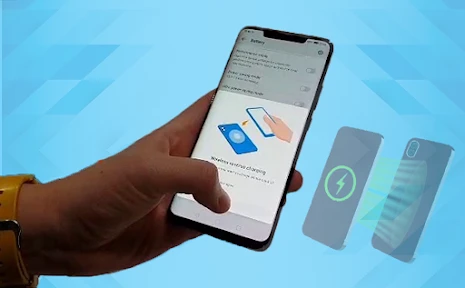
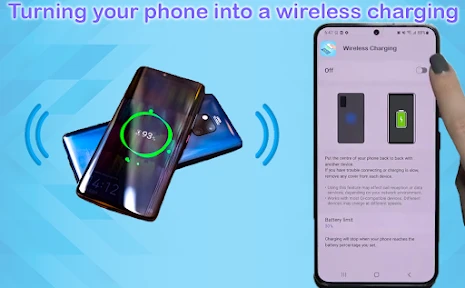
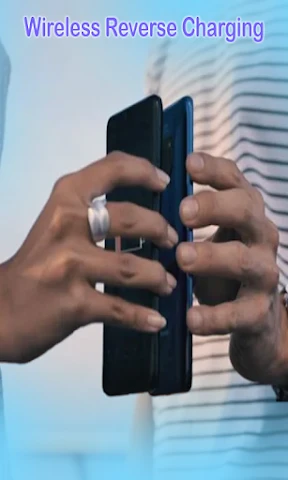
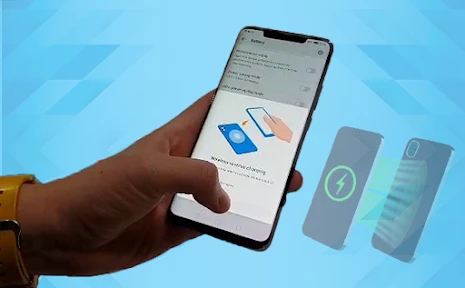
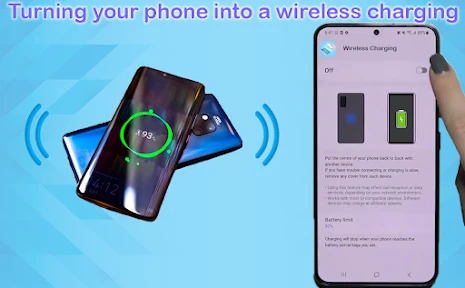
First off, let’s dive into what this actually means. Wireless phone-to-phone charging, or reverse wireless charging, allows you to use your phone to charge another device. It’s like your phone turns into a mini charging pad. All you need to do is enable the feature on your phone and place the device you want to charge on its back. Voila! The power transfer begins. This feature is currently available on some of the latest flagship models from brands like Samsung, Huawei, and Xiaomi.
Setting It Up
Setting up wireless phone-to-phone charging is pretty straightforward. On most phones, you’ll find the option in the settings menu under battery settings or connections. Once you toggle it on, your phone is ready to serve as a charger. However, keep in mind that the device you’re charging also needs to support wireless charging.
How Well Does It Work?
Now, let’s get to the meat of it – how well does this feature actually work? In my experience, it’s a bit of a mixed bag. On the one hand, it’s incredibly convenient. If you’re out and about and a friend’s phone is dying, you can easily lend them some juice. However, don’t expect it to be super-fast. This feature is more of a lifeline than a full charge solution. It’s perfect for emergencies or topping off your earbuds or smartwatch.
Practical Uses
Imagine this scenario: You’re at a concert, and your friend’s phone is about to die, risking the loss of all those epic live videos. Just slap their phone onto yours, and you’re the hero of the night. It’s a great conversation starter, too. Plus, it feels kind of futuristic, like you’re living in a sci-fi movie. However, it’s mainly practical for small devices or short charging boosts.
Battery Drain Concerns
One thing to keep in mind is that using your phone as a charger will drain its battery faster. So, while it’s a great tool in a pinch, you’ll want to make sure your phone has a decent charge before you start sharing power. Otherwise, you might both end up with dead phones, which is the opposite of what you’re trying to achieve.
Is It Worth It?
So, the big question: Is wireless phone-to-phone charging worth it? I’d say yes, but with a caveat. It’s not going to replace your power bank or wall charger anytime soon. But as a backup option for emergencies or for charging smaller gadgets, it’s incredibly handy. Plus, it’s a fun party trick that showcases the latest in tech innovation.
In conclusion, while wireless phone-to-phone charging isn’t perfect, it’s a step forward in making our tech more flexible and adaptable. If you’re considering upgrading to a phone with this feature, it’s definitely a nice bonus to have, especially if you’re someone who’s always on the go. So, next time you’re out and about, try it out and see how it fits into your daily routine.
- Developer
- Masivapp
- Version
- 8.0
- Installs
- 50,000+
- Android Version
- 7.0
- Content Rating
- Everyone
- Price
- Free
- Allows charging without cables
- Convenient for on-the-go charging
- Supports multiple devices
- Reduces need for power outlets
- Eco-friendly charging solution
- Requires close proximity to work
- May slow down charging speed
- Not all devices supported
- Can generate heat during use
- Dependent on device compatibility