Hisense TV Remote
Have you ever found yourself frantically searching for the TV remote, only to find it wedged between couch cushions or mysteriously vanished into thin air? Say goodbye to those frustrating moments with the Hisense TV Remote app! This handy app turns your smartphone into a universal remote for your Hisense TV, making your life a tad bit easier and your TV time a lot more enjoyable.
Setting Up: A Breeze
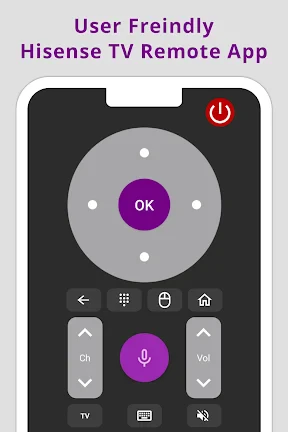
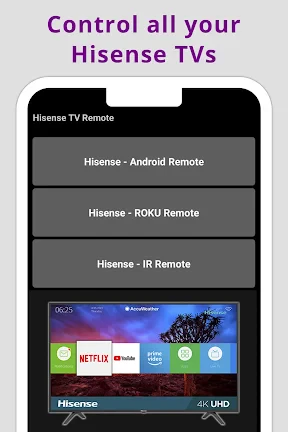
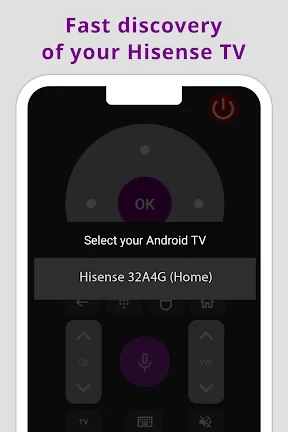
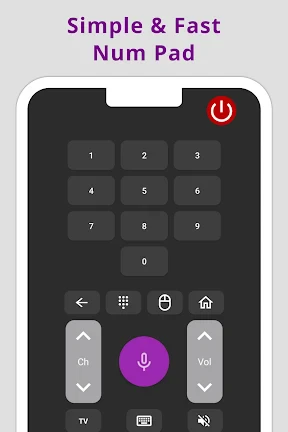
Getting started with the Hisense TV Remote app is as easy as pie. Once you download the app, it guides you through a simple setup process. Make sure your phone and TV are connected to the same Wi-Fi network, and voila! You're ready to take control. The app's interface is intuitive, with large, easy-to-read buttons that mimic the layout of a physical remote. No tech-savvy skills required, just a few taps, and you're good to go.
A Remote with Benefits
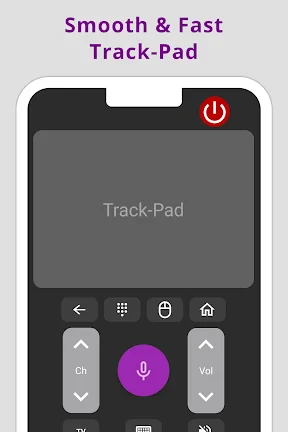
One of the standout features of the Hisense TV Remote app is its ability to do more than just change channels. Imagine adjusting your TV's volume, switching inputs, or even launching your favorite streaming services directly from your phone. The app is responsive, with minimal lag time, ensuring that your commands are executed swiftly. Plus, it supports voice commands! Just say the word, and your TV obeys.
Another cool feature is the ability to create custom remote layouts. You can personalize your remote screen to suit your preferences, placing frequently used buttons at your fingertips. It's like having a remote control on steroids, tailored just for you.
Smooth Sailing or Bumpy Ride?
While the Hisense TV Remote app is packed with features, it does come with a few hiccups. Occasionally, the app might lose connection with the TV, requiring you to reconnect. It's not a deal-breaker, but it can be a minor annoyance, especially during binge-watching sessions.
Also, the app's compatibility is limited to Hisense TVs, so if you own multiple brands, you might need different apps for each. However, for Hisense users, this app is a game-changer.
In terms of design, the app could use a little sprucing up. While functional, a more visually appealing interface would enhance the user experience. Maybe in future updates?
Final Thoughts
All in all, the Hisense TV Remote app is a solid tool for anyone looking to simplify their TV experience. It's convenient, feature-rich, and pretty easy to use. While it may have a few quirks, the convenience it offers far outweighs the occasional hiccup. If you're a proud Hisense TV owner, this app is definitely worth a try. It might just make your lost-remote woes a thing of the past!
- Developer
- Mobile Tools Shop
- Version
- 1.0.7mts
- Installs
- 50,000+
- Android Version
- 6.0
- Content Rating
- Everyone
- Price
- Free
- User-friendly interface
- Quick connectivity
- Comprehensive control features
- Customizable settings
- Compatible with most Hisense models
- Requires stable Wi-Fi
- Limited to Hisense TVs
- Occasional lag
- No voice control
- Ads in free version