Audyssey MultEQ Editor app
Have you ever wished to have the power of a professional sound engineer right in your pocket? Well, the Audyssey MultEQ Editor app might just be the magic wand you've been searching for. Whether you're an audiophile or just someone who likes to tweak their home theater sound to perfection, this app could be your new best friend.
Diving into the Features
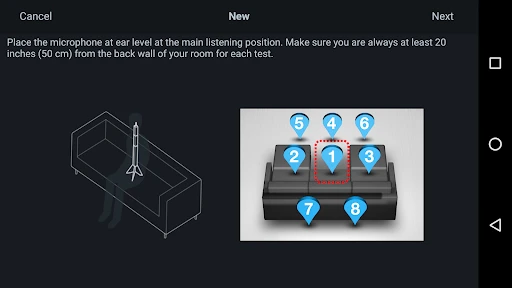
First off, let me tell you, this app is not your run-of-the-mill sound editor. The Audyssey MultEQ Editor app is designed to work hand-in-hand with your home theater receiver, allowing you to fine-tune your audio experience like never before. It's compatible with a variety of Denon and Marantz receivers, making it a versatile choice for many home audio setups.
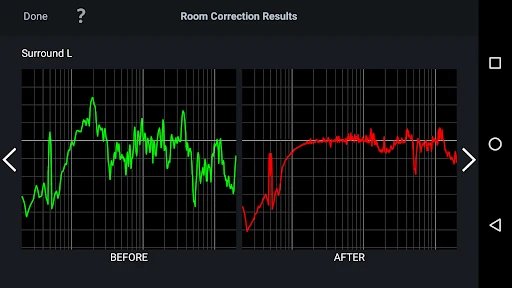
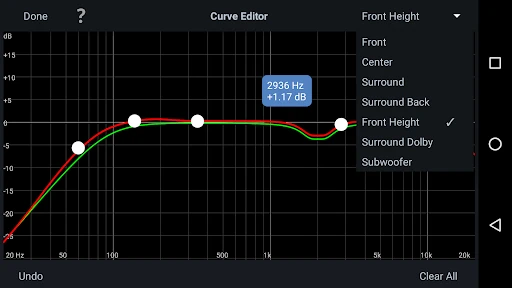
The app gives you access to the MultEQ calibration results, letting you see exactly how your system is performing. You can view the before and after results of Audyssey calibration, which is super cool if you want to know the impact of your tweaks. Plus, it offers the ability to make custom adjustments to the sound curve to suit your personal taste. Now, who doesn't love a little customization?
Get Hands-On with Your Sound
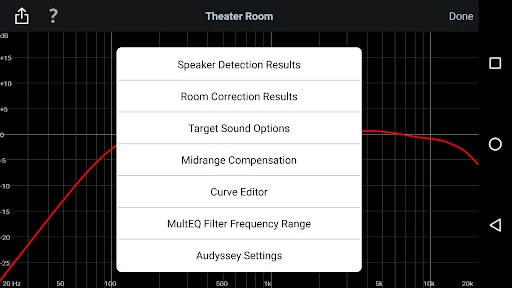
One of the standout features is the ability to adjust the EQ frequency adjustment range. This means you can precisely tailor your sound profile, adjusting the frequency response for each channel in your system. For all the tech-savvy folks out there, you can even use the app to bypass the MultEQ filters on certain speakers. This gives you ultimate control over your audio landscape.
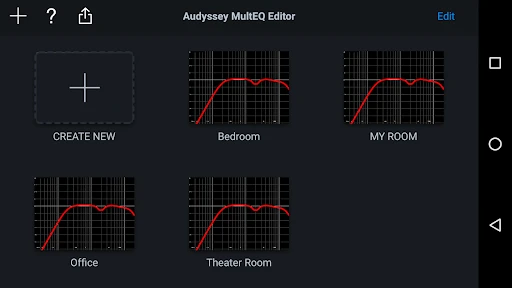
Moreover, the app provides detailed graphs which allow you to visualize your room's acoustics. It's like having a mini sound studio at your fingertips. And for those who love data, you can switch between different MultEQ options like Audyssey Flat and Audyssey Reference, to see which one suits your setup best.
Ease of Use
Now, let’s talk about usability. I won't sugarcoat it; there is a bit of a learning curve. If you're new to audio tuning, it might feel overwhelming at first. But, once you get the hang of it, the interface is quite intuitive. The app is laid out in a way that makes it easy to navigate through different settings without getting lost.
One thing to keep in mind, though, is that the app isn't free. There's a one-time fee, which might be a bummer if you're on a tight budget. However, considering the level of customization and control it offers, I'd say it's worth every penny for serious audio enthusiasts.
Final Thoughts
So, is the Audyssey MultEQ Editor app the right choice for you? If you're someone who loves to dive deep into the world of sound customization, then absolutely. It brings a level of control and precision that’s hard to match. While it might not be for everyone, especially if you're just looking for a simple plug-and-play solution, for those who want to take their home theater experience to the next level, it's a game-changer.
All in all, the app offers a robust set of tools that allow you to get the most out of your audio system. With its detailed calibration options and user-friendly interface, it's a must-have for anyone serious about their sound. So, why not give it a try and unleash the full potential of your home audio system?
- Developer
- D+M Group
- Version
- 1.12.0
- Installs
- 10,000+
- Android Version
- 5.0
- Content Rating
- Everyone
- Price
- $19.99
- Advanced audio tuning capabilities
- Customizable sound profiles
- Intuitive user interface
- Real-time audio adjustments
- Compatible with multiple devices
- Requires compatible hardware
- Steep learning curve for beginners
- Limited free features
- Occasional bugs reported
- Expensive compared to competitors