
Webex Meetings
Ever been stuck in a meeting that could have just been an email? Well, Webex Meetings might just be the app that changes your mind about virtual meetings.
The User Experience
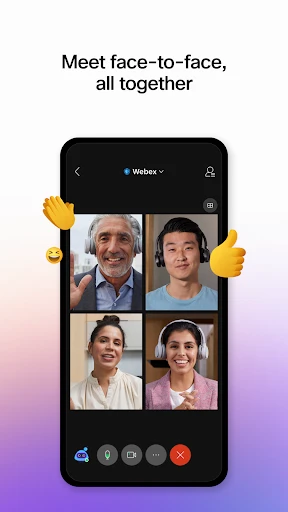
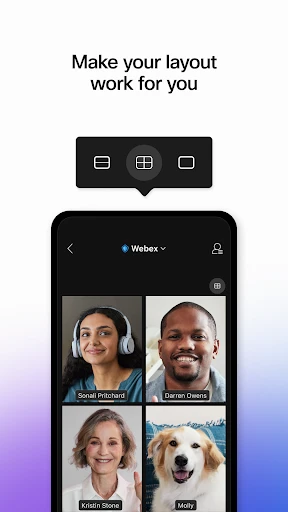
When I first downloaded Webex Meetings, I was a tad skeptical. I mean, how different could it be from the million other video conferencing apps out there? But, boy, was I in for a surprise! The interface is sleek and intuitive, making it super easy for even the least tech-savvy folks to jump right in. From scheduling meetings to screen sharing, every feature is just a tap away.
One thing I absolutely loved is how seamless it is to join a meeting. Gone are the days of fumbling with meeting IDs and passcodes. With Webex, a single click on the link, and voila! You’re in. It’s almost like magic.
Features That Stand Out
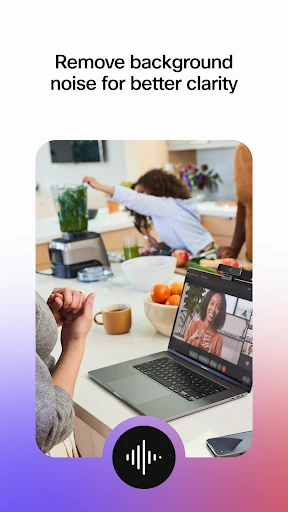
Let’s talk features because Webex isn’t just your run-of-the-mill meeting app. First off, the quality of audio and video is top-notch. Even with my somewhat dodgy internet connection, I didn't experience any major hiccups. The app seems to have some wizardry going on to maintain the quality. And, oh, the background noise cancellation? Game changer! My dog barking in the background was no longer a cause for embarrassment.
Another feature that deserves a shoutout is the in-meeting chat. It’s so convenient to drop a message or a link without interrupting the flow of the meeting. Plus, the digital whiteboard is a nifty tool for brainstorming sessions. It’s like having a virtual notepad that everyone can scribble on.
Security and Privacy
In today’s world, who isn’t a bit paranoid about online security? I’m happy to report that Webex takes this seriously. The app offers end-to-end encryption, so you can be assured that your meetings are private and secure. I also appreciate the host controls which allow you to manage who can join the meeting and what they can do once in. It’s like having a bouncer for your virtual meetings.
Conclusion
All in all, Webex Meetings has managed to convert this meeting-skeptic into a believer. With its user-friendly design, robust features, and top-tier security, it’s a solid choice for anyone looking to up their virtual meeting game. So, whether you’re a solo entrepreneur or part of a large corporation, give Webex a whirl. You might just find yourself looking forward to your next meeting. Crazy, right?

- Developer
- Cisco Systems, Inc.
- Version
- Varies With Device
- Installs
- 100,000,000+
- Android Version
- Varies With Device
- Content Rating
- Everyone
- Price
- Free
- High-quality video conferencing.
- Seamless integration with other tools.
- User-friendly interface.
- Reliable performance with minimal downtime.
- End-to-end encryption for security.
- Can be resource-heavy on devices.
- Occasional connectivity issues.
- Limited features in free version.
- Requires a stable internet connection.
- Complex setup for first-time users.