Google Chat
Let me tell you about my recent experience with Google Chat, Google's messaging platform designed to streamline communication and collaboration. Whether you’re connecting with colleagues or catching up with friends, this app offers a robust set of features that cater to both professional and personal needs.
A New Way to Chat
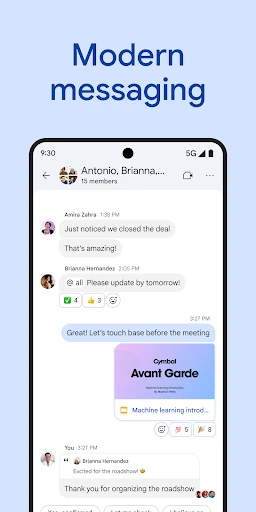
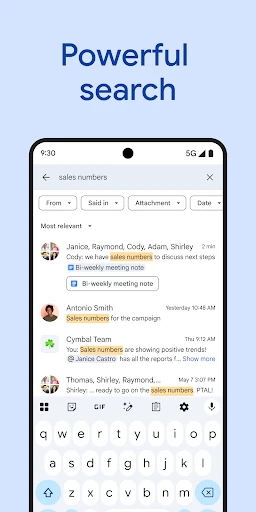
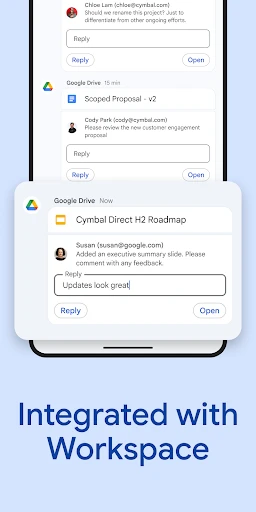
Google Chat is not just another messaging app; it's a comprehensive communication tool. The app integrates seamlessly with Google Workspace, making it a perfect companion for those who are already immersed in Google's ecosystem. From sending quick messages to sharing files directly from Google Drive, Google Chat makes staying connected easier than ever.
Features That Stand Out
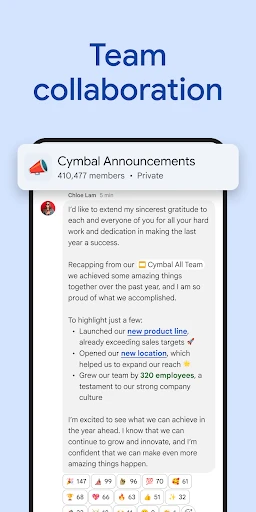
One of the standout features of Google Chat is its ability to create rooms (now called "spaces") for different projects or teams. This allows users to keep conversations organized and focused. Each space can host multiple threads, so you won’t lose track of important discussions amidst the chatter. It's a lifesaver for project managers and teams who need to juggle multiple conversations simultaneously.
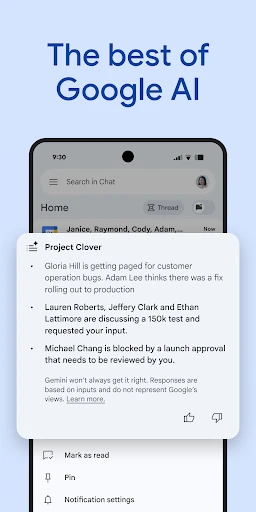
Another feature worth mentioning is the app's integration with Google Meet. With a simple click, you can transition from a chat to a video call, which is incredibly handy for remote teams. Moreover, the smart reply feature, which suggests responses based on the context of the conversation, adds a layer of convenience that can't be overstated.
Easy on the Eyes and Mind
The user interface of Google Chat is clean and intuitive. If you’ve used any Google products before, you’ll feel right at home. The simplicity of its design ensures that users can navigate through the app without any confusion. In addition to this, the app supports both dark and light modes, catering to users' visual preferences and ensuring comfort during long chat sessions.
Notifications are another area where Google Chat excels. They are customizable to a high degree, allowing you to mute certain conversations or set priority notifications for important contacts. This flexibility helps in maintaining a balance between staying informed and avoiding notification overload.
Final Thoughts
Overall, Google Chat shines as a reliable and efficient messaging platform. Whether you’re managing a team or planning a family event, the app provides the necessary tools to streamline communication. Its integration with Google Workspace is particularly beneficial for those who rely heavily on Google's suite of tools. While it might not have the social flair of apps like WhatsApp or Messenger, its focus on productivity and collaboration is where it truly excels.
If you’re looking for a messaging app that combines simplicity with functionality, Google Chat is definitely worth considering. It’s a tool that promises to enhance the way you communicate, making your interactions more organized and effective.
- Developer
- Google LLC
- Version
- Varies With Device
- Installs
- 50,000,000+
- Android Version
- Varies With Device
- Content Rating
- Everyone
- Price
- Free
- Integrates smoothly with Google Workspace.
- Supports threaded conversations for clarity.
- Real-time collaboration with team members.
- Cross-platform availability via web and app.
- Secure with end-to-end encryption.
- Limited third-party integrations.
- Notifications can be overwhelming.
- Interface lacks customization options.
- Requires Google account to use.
- Video call features are basic.