LightMeter
Shedding Light on LightMeter: A Handy Tool for Photography Enthusiasts
Hey there, fellow shutterbugs! If you're anything like me, you're always on the hunt for that next great app to add to your photography toolkit. Well, let me introduce you to LightMeter, an app that's been making waves among photographers, both amateur and professional alike. It's designed to transform your smartphone into a fully-fledged light meter, and trust me, it's more useful than you'd ever imagine!
Why LightMeter? Let’s Break It Down!
First off, let's chat about why you might need a light meter in the first place. If you're shooting in manual mode (which, let's be real, is where the magic happens), nailing the right exposure can be a bit of a guessing game. That's where LightMeter comes in. This app helps you measure the light in your scene, ensuring that your photos are neither overexposed nor underexposed.
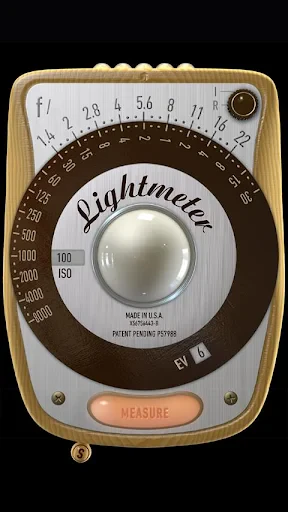
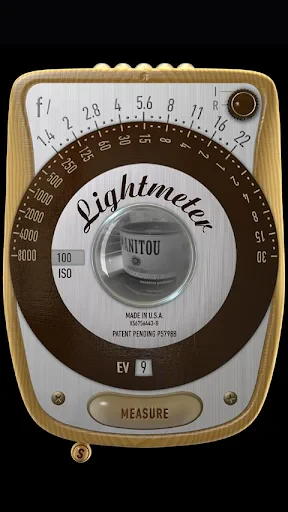
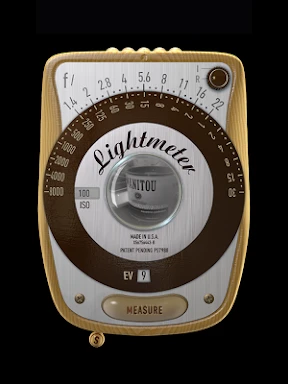
The app interface is pretty straightforward. You open it up, and voilà! You've got a virtual light meter at your fingertips. Just point your phone towards your subject, and the app does the rest. It measures the light and provides you with the readings you need to adjust your camera settings accordingly. It's like having a little photography assistant in your pocket!
Features That Make LightMeter Stand Out
One of the features I love about LightMeter is its spot metering capability. This is particularly handy when you're dealing with tricky lighting situations, like backlit subjects or high-contrast scenes. The app allows you to pinpoint a specific area in your frame and gathers precise light readings from that spot.
Another cool feature is the ability to save your readings. Say you're shooting a series of photos in different lighting conditions; having those readings saved can be a real lifesaver when you're trying to maintain consistency across your shots. Plus, LightMeter supports both incident and reflected light readings, giving you flexibility depending on your needs.
Oh, and let's not forget about the customization options. You can tweak the settings to match your specific camera gear, whether you're shooting with a DSLR, mirrorless, or even vintage film cameras. The app supports a wide range of camera models, so no worries there!
My Experience with LightMeter
So, what's it like using LightMeter in the field? Honestly, it's a game-changer. I took it out for a spin during a recent golden hour shoot, and let me tell you, the results were stunning. It was so easy to use, and the readings were spot on. I loved not having to lug around a separate light meter; everything I needed was right there on my phone.
I also appreciated how the app didn’t drain my phone’s battery. Sometimes, these resource-heavy apps can leave you high and dry, but LightMeter seems to have that under control. It’s efficient, user-friendly, and incredibly reliable.
Final Thoughts
In conclusion, if you’re serious about your photography and want a handy tool to enhance your shooting experience, LightMeter is definitely worth checking out. It’s easy to use, packed with features, and a perfect companion for anyone looking to improve their exposure game. Whether you're capturing landscapes, portraits, or anything in between, having this app in your arsenal can make all the difference. So, give it a whirl, and see how it can illuminate your photography journey!
Download it today and start experimenting with your newfound control over light. Happy shooting!
- Developer
- David Quiles
- Version
- 1.6.3.NA
- Installs
- 50,000+
- Android Version
- 6.0
- Content Rating
- Everyone
- Price
- $1.99
- User-friendly interface for quick operation.
- Accurate light readings for photographers.
- Supports multiple measurement modes.
- Customizable settings for precision.
- No internet connection required to use.
- Limited features in free version.
- Interface may seem outdated to some users.
- Occasional lag in older devices.
- Lacks tutorial for beginners.
- Requires manual calibration for accuracy.