Volume Bass Booster, Equalizer
When it comes to cranking up the audio experience on your phone, the Volume Bass Booster, Equalizer app might just be the perfect companion for all the audiophiles out there. This nifty app promises to elevate your sound experience, making it richer, deeper, and more vibrant. But does it really live up to the hype? Let’s dive into the nuances of this app and see what it offers.
First Impressions: Easy on the Eyes
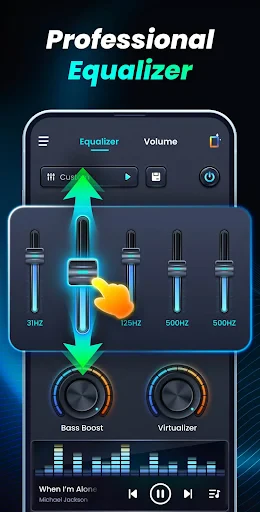
Right off the bat, this app greets you with a clean, user-friendly interface. It's not cluttered with unnecessary buttons or settings, which is a breath of fresh air. The layout is intuitive, making it a breeze to navigate even if you’re not tech-savvy. The icons are self-explanatory, so you don’t have to play a guessing game every time you tap something.
Boosting the Bass: Feel the Beat
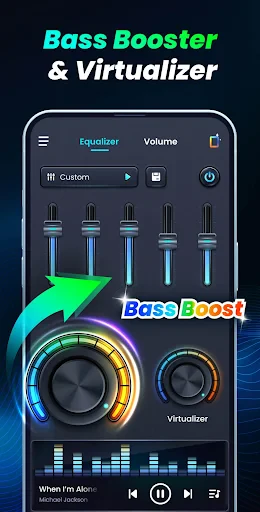
The bass booster feature is truly the star of the show. Whether you’re a fan of EDM, hip-hop, or just love a good bass drop, this feature lets you feel the music pulsating through your veins. I tried cranking up some bass-heavy tracks, and boy, did they sound phenomenal! The app allows you to customize the bass levels according to your preference, giving you control over how intense you want the experience to be.
Equalizer: Tailor-Made Sound
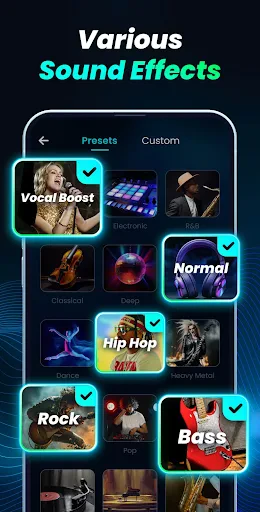
If you're someone who likes their music a certain way, the equalizer function is your playground. It comes with several presets like classical, dance, flat, folk, heavy metal, hip hop, jazz, pop, and rock, catering to all kinds of musical tastes. But if you’re the kind who likes to tweak things to perfection, you can manually adjust the settings and save your custom presets.
Additional Features Worth Mentioning
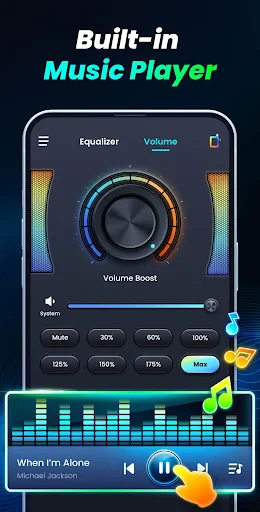
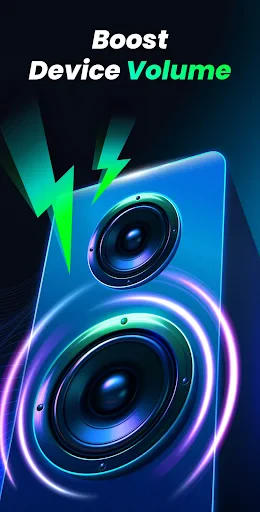
Aside from the core features, the app offers some neat extras. It supports 3D surround sound, which adds a layer of depth to your audio. There's also a volume amplifier that boosts the overall sound of your device, handy for when your favorite track just doesn’t sound loud enough. Plus, the app works offline, meaning you can enjoy enhanced audio without worrying about data usage.
Performance: Does It Deliver?
In terms of performance, the app is pretty solid. It doesn’t hog your phone’s resources, so you don’t have to worry about it slowing down other apps or draining your battery. During my testing, I didn’t experience any crashes or glitches, which is always a plus. The audio enhancements were consistent across different music apps, podcasts, and even video streaming platforms.
Overall, the Volume Bass Booster, Equalizer app is a powerful tool for anyone looking to enhance their audio experience. It’s easy to use, packed with features, and most importantly, it delivers on its promise of boosting your sound. If you’re tired of lackluster audio on your phone, give this app a try. Your ears will thank you!
- Developer
- ZANKHANA PTE LTD
- Version
- 1.0.6
- Installs
- 5,000,000+
- Android Version
- 6.0
- Content Rating
- Everyone
- Price
- Free
- Enhances audio clarity efficiently.
- User-friendly interface.
- Features customizable presets.
- Improves overall sound quality.
- Compact size with robust features.
- May drain battery quickly.
- Ads can be intrusive.
- Limited free version features.
- Occasional bugs reported.
- Requires Android 5.0 and up.