
djay - DJ App & Mixer
Let’s dive into the world of music mixing with the app that’s turning tables in the digital DJ scene, djay - DJ App & Mixer. If you've ever fantasized about being a DJ, spinning tracks at the hottest clubs, or just want to have a little fun mixing your favorite tunes, this app might just be your new best friend. It’s available on both Android and iOS, making it accessible for almost everyone. Now, let’s dig into what makes djay - DJ App & Mixer a must-try for music lovers.
Getting the Groove On
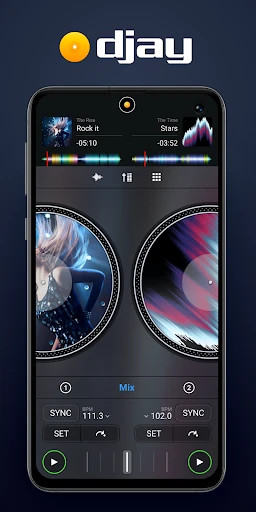
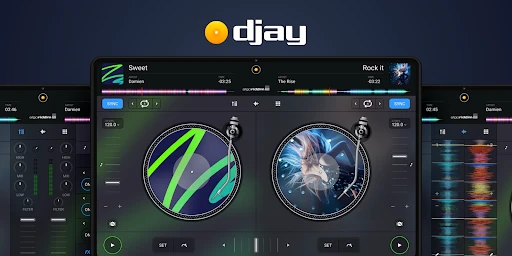
First off, the user interface is sleek and incredibly intuitive. I was genuinely surprised at how easy it was to get started. The app greets you with a virtual turntable setup that’s both visually appealing and functional. You don’t have to be a professional DJ to get the hang of it; the app offers a tutorial mode for beginners, which I found super helpful. It feels like having a DJ mentor right in your pocket.
Features That Hit the High Notes
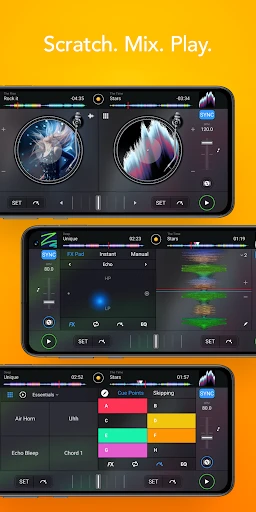
One of the standout features is its seamless integration with Spotify and other music libraries. This means you can mix and mash up any tracks from your playlists. How cool is that? The app also boasts an impressive range of effects and filters that you can use to tweak your tracks. From echo and reverb to flanger and phaser, the creative possibilities are practically endless.
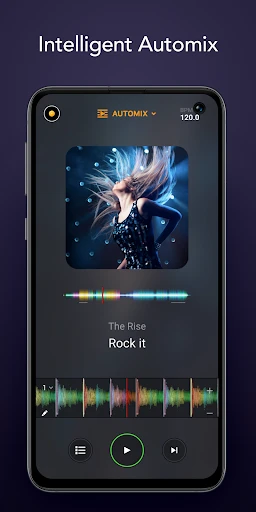
Another feature that deserves a shoutout is the Automix AI. This nifty tool allows the app to automatically mix songs for you, which is perfect for parties or when you’re just too lazy to do it yourself. I tried it out at a small gathering and it was like having a personal DJ taking care of the music, giving me more time to enjoy with friends.
What About the Performance?
Performance-wise, the app runs smoothly on both Android and iOS devices. I tested it on a mid-range Android phone and an iPad, and the experience was consistently solid. There was no lag or crashing, which is a big plus when you’re in the middle of a killer set. The sound quality is top-notch, preserving the richness of the tracks even after heavy mixing and effects application.
One thing to note, though, is that some of the more advanced features require an in-app purchase. While the basic version is pretty robust, if you’re serious about your DJing game, you might want to consider investing in the full package.
Final Thoughts
In a nutshell, djay - DJ App & Mixer is a fantastic tool whether you’re a seasoned DJ or just someone who loves to experiment with music. It’s easy to use, packed with features, and offers high-quality performance across devices. For anyone looking to dabble in DJing or simply looking to liven up their music sessions, this app is definitely worth a spin.
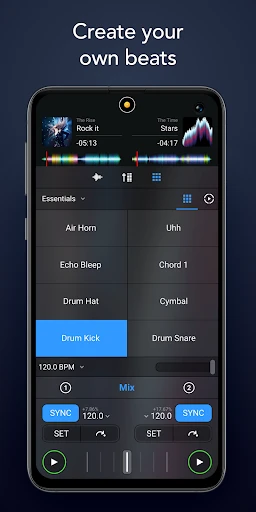
So, if you’re ready to mix, scratch, and create some epic playlists, give this app a shot. It might just be the start of your DJing journey!
- Developer
- Algoriddim
- Version
- 5.3.1
- Installs
- 10,000,000+
- Android Version
- 10
- Content Rating
- Everyone
- Price
- Free
- Intuitive interface for beginners.
- Wide range of music integration options.
- Real-time audio effects available.
- Seamless cross-platform experience.
- Supports multiple audio formats.
- Limited features in free version.
- Occasional latency issues.
- High resource consumption.
- Some features require in-app purchases.
- Complex for non-tech users.