YouCam Perfect - Photo Editor
Ever found yourself scrolling through your camera roll, wishing your selfies had that extra pop or your landscape shots were just a bit more dramatic? Well, folks, YouCam Perfect might just be the magic wand your photos have been waiting for. This versatile photo editing app, available on both Android and iOS, promises to turn your ordinary snaps into stunning masterpieces with just a few taps.
Transforming Your Photos
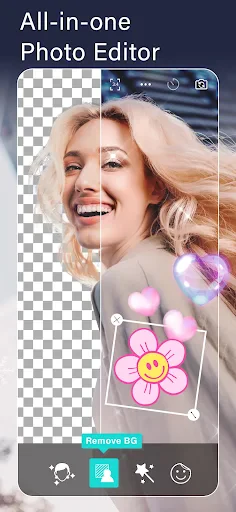
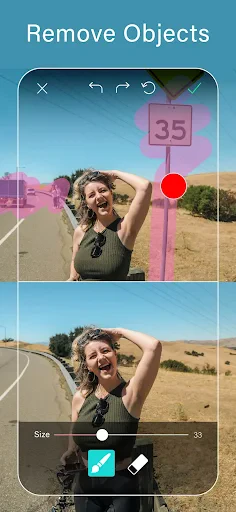
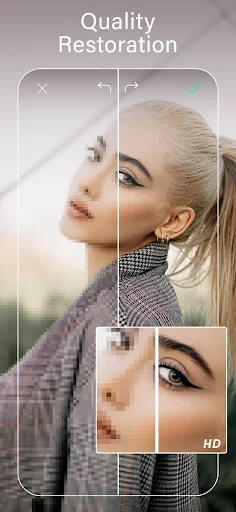
Right off the bat, YouCam Perfect impresses with its user-friendly interface. Even if you’re someone who usually breaks into a sweat at the thought of editing photos, this app makes the process a breeze. You’ve got a whole arsenal of editing tools at your fingertips—everything from basic cropping and rotating to more advanced options like object removal and background changing. And let’s not forget the plethora of filters and effects that can give any photo a professional touch.
Beauty at Your Fingertips
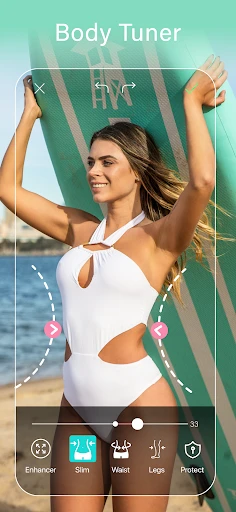
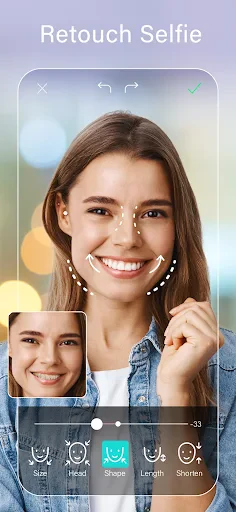
Let’s talk about the Beauty Camera. If you’re into selfies, this is where YouCam Perfect truly shines. The app offers real-time beautifying effects that can smooth out your skin, brighten your eyes, and even reshape facial features if you’re feeling adventurous. It’s like having a personal glam squad right in your pocket.
Creative Collages and Frames
Feeling artistic? The app’s collage maker and frames section lets you mix and match your photos to create eye-catching layouts. Whether you’re documenting a trip or just want to share multiple memories in one go, the collage feature is both fun and easy to use. Plus, with seasonal and themed frames, your photos are always ready for any occasion.
Sharing is Caring
Once you’ve achieved photo perfection, sharing your creations is a snap. YouCam Perfect integrates seamlessly with social media platforms, so you can post your edited photos directly to Instagram, Facebook, or wherever your heart desires. The app even offers customizable watermarks to add a personal touch to your shared images.
Final Thoughts
All in all, YouCam Perfect is a solid choice for anyone looking to enhance their photo game without diving into the complexities of professional editing software. It’s packed with features that cater to both casual users and photography enthusiasts. So, if you’re on the hunt for an app that can both beautify and amplify your photos, give YouCam Perfect a whirl. You might just find yourself snapping—and smiling—a whole lot more.
- Developer
- Perfect Mobile Corp.
- Version
- Varies With Device
- Installs
- 100,000,000+
- Android Version
- Varies With Device
- Content Rating
- Teen
- Price
- Free
- User-friendly interface for easy editing.
- Wide range of filters and effects.
- High-quality photo retouching tools.
- Supports background removal and object removal.
- Regular updates with new features.
- Contains in-app purchases for advanced features.
- Free version includes ads.
- May require internet for certain features.
- Large app size could affect device storage.
- Some features need premium subscription.