AI Photo Editor - PhotoArt
AI Photo Editor - PhotoArt is a creative app that transforms your ordinary photos into extraordinary works of art using the power of artificial intelligence. With a variety of filters and tools, it promises to enhance your photos and bring out the artist in you. Let’s dive into what makes this app stand out, and whether it lives up to the hype.
First Impressions
Upon launching AI Photo Editor - PhotoArt, I was greeted with a sleek and intuitive interface. The design is user-friendly, making it easy even for beginners to navigate through the app. It's available on both Android and iOS, which is a big plus for accessibility. The app offers a quick tutorial when you first open it, ensuring that you get the hang of its features without any hassle.
Features Galore
One of the standout features of AI Photo Editor - PhotoArt is its wide range of filters. These aren’t just ordinary filters; they’re AI-powered, meaning they adapt to the specific nuances of each photo. Whether you’re looking to add a vintage touch or a vibrant pop, there’s something for everyone. I particularly enjoyed playing around with the artistic filters, which can turn a simple selfie into a masterpiece reminiscent of famous art styles.
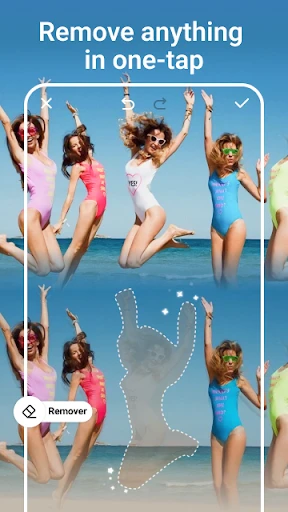
Besides filters, the app also offers advanced editing tools. You can adjust lighting, contrast, and saturation manually, giving you full control over the editing process. There’s also a handy tool for removing blemishes and unwanted objects, which works surprisingly well. The AI does a commendable job in understanding what areas to keep and what to edit out.
Performance and Usability
Performance-wise, AI Photo Editor - PhotoArt runs smoothly on most devices. I tested it on a mid-range smartphone, and it handled the edits without any noticeable lag. The edits were quick, and the final render didn’t take ages, which is essential if you’re on the go and need to edit photos quickly.
The app allows you to save your edited photos in high resolution, which is perfect for printing or sharing on social media. There’s also a direct sharing feature, making it easy to post your creations on platforms like Instagram or Facebook with just a tap.
Room for Improvement
While AI Photo Editor - PhotoArt is packed with features, there are a few areas where it could improve. For one, the free version is quite limited, and to unlock its full potential, you need to subscribe to the premium version. While the subscription isn’t overly expensive, it might be a turn-off for casual users who are not willing to invest in a photo editing app.
Another minor gripe is the occasional ad pop-up, which can interrupt the editing flow. However, this is somewhat expected in free versions of apps these days, and it’s not overly intrusive.
Final Thoughts
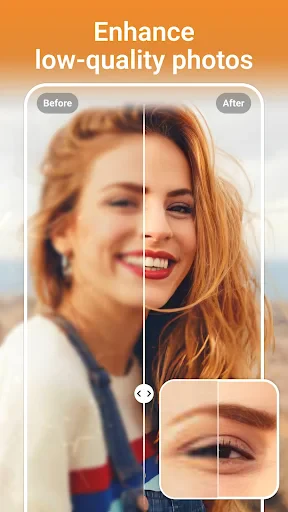
Overall, AI Photo Editor - PhotoArt is a fantastic tool for anyone looking to enhance their photos with ease. Its AI-powered features make editing a breeze, and the results are often impressive. Whether you’re a professional photographer or just someone who loves taking pictures, this app offers something for everyone.
If you’re willing to invest in the premium version, the added features and ad-free experience make it worthwhile. AI Photo Editor - PhotoArt is more than just a photo editor; it’s a creative platform that encourages you to explore and redefine your artistic boundaries. Give it a try, and you might just discover a new passion for photo editing.


- Developer
- Magic Photo Collage & Photo Editor - CollageArt
- Version
- 1.6.77
- Installs
- 500,000+
- Android Version
- 7.0
- Content Rating
- Everyone
- Price
- Free
- User-friendly interface
- High-quality editing tools
- Wide range of filters
- Fast processing speed
- Supports multiple formats
- Requires internet connection
- Subscription-based premium features
- Occasional ads
- Large file size
- Limited free version features