TradingView: Track All Markets
Have you ever wondered how those savvy traders keep a close eye on multiple markets without breaking a sweat? Well, let me introduce you to TradingView: Track All Markets, a fantastic app that brings the world of trading right to your fingertips. Whether you’re a seasoned trader or just dipping your toes into the world of stocks, this app promises to be your trusty sidekick. Let’s dive in and see what makes it tick!
All-in-One Market Tracking
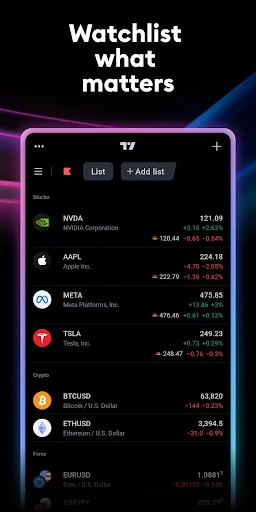
First off, TradingView is like having a superpower to keep tabs on a variety of markets, all from your smartphone. From stocks and cryptocurrencies to commodities and forex, this app has got you covered. The interface is sleek and intuitive, making it a breeze to navigate through different sections. You can easily customize your watchlists and set alerts for your favorite assets, ensuring you never miss a beat. I mean, who doesn’t want to be on top of their trading game?
Charting Like a Pro
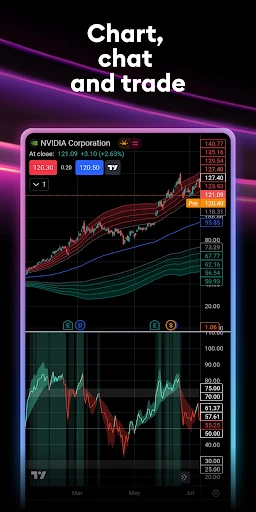
Now, let’s talk about the charting capabilities. TradingView is renowned for its robust charting tools. You can access a plethora of indicators and drawing tools to analyze market trends like a pro. Whether you’re into technical analysis or prefer a more simplistic approach, the app caters to all. The charts are interactive and can be adjusted to different time frames, helping you make informed decisions on the go. It’s like having a personal trading desk in your pocket!
Community and Social Integration
One of the coolest features of TradingView is its community aspect. You’re not just trading; you’re part of a vibrant community of traders from around the globe. You can share ideas, discuss strategies, and even follow other traders to see what they’re up to. The social integration is seamless, with the ability to comment on trade ideas and engage in discussions. It’s like having a chat with your trading buddies anytime, anywhere!
Alerts and Notifications
Imagine getting a notification the moment your stock hits a critical price level. That’s the kind of service TradingView provides. The alert system is quite comprehensive, allowing you to set up custom alerts based on price, indicators, or even drawing tools. It’s an absolute game-changer for those who want to stay ahead of the curve without constantly staring at their screens.
Accessibility and Usability
Whether you’re on Android or iOS, TradingView is easily accessible, ensuring you stay connected to the markets at all times. The app’s performance is smooth, and it doesn’t hog your phone’s resources. Plus, it syncs seamlessly with the desktop version, so you can switch between devices without missing a beat. It’s perfect for traders who are always on the move.
Final Thoughts
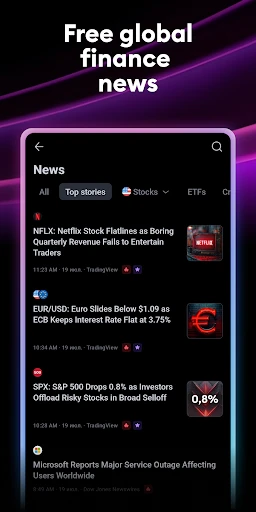
In conclusion, TradingView: Track All Markets is a must-have for anyone interested in the world of trading. Its comprehensive features, combined with a user-friendly interface and strong community support, make it a standout choice for traders of all levels. Whether you’re analyzing charts, setting up alerts, or simply browsing market news, this app has something for everyone. So why not give it a try and see how it can enhance your trading journey? Happy trading!

- Developer
- TradingView Inc.
- Version
- Varies With Device
- Installs
- 10,000,000+
- Android Version
- Varies With Device
- Content Rating
- Everyone
- Price
- Free
- Comprehensive market analysis tools
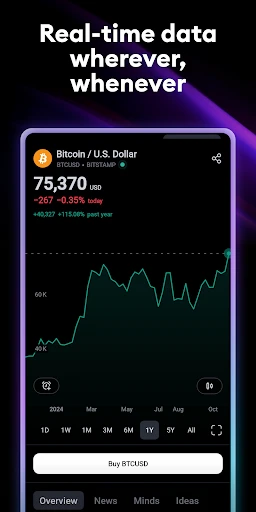
- Real-time data updates
- User-friendly interface
- Customizable charts
- Wide range of supported markets
- Requires stable internet connection
- Can be overwhelming for beginners
- Some features require subscription
- Occasional app lags
- Limited offline functionality