HD Camera for Android
If you're anything like me, you've probably had moments where you wished your smartphone camera could do just a little bit more. Enter the HD Camera app for Android, a nifty tool that promises to elevate your photography game without requiring a degree in photography. Let's dive into what makes this app a must-have for photography enthusiasts.
First Impressions: A User-Friendly Interface
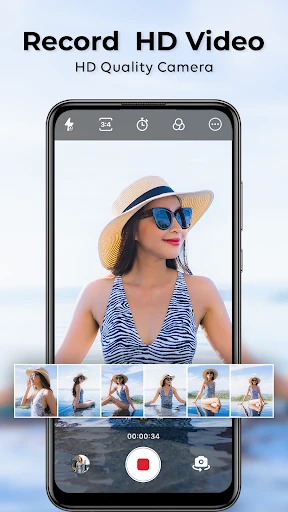
Upon launching the HD Camera app, I was immediately struck by its sleek and straightforward interface. It doesn’t bombard you with too many options at once, which is a relief. Everything is laid out in a way that even the most novice user can easily navigate. The buttons are intuitive, and the settings menu is comprehensive without being overwhelming. It’s clear that the developers put a lot of thought into making this app accessible for everyone.
Features That Stand Out
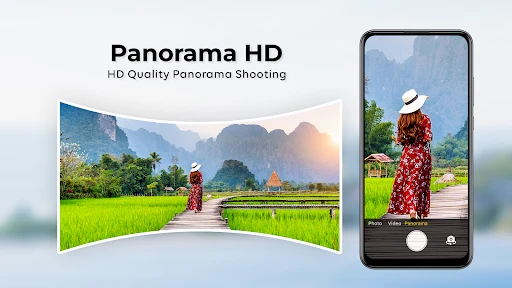
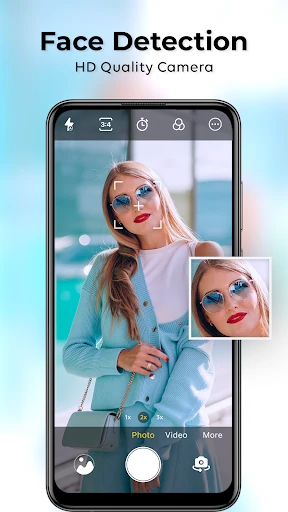
Now, let's talk about the features. One of the first things I noticed is the variety of shooting modes available. Whether you're snapping a quick selfie, capturing the perfect landscape, or trying to immortalize a night out with friends, there's a mode for that. The HD Camera app offers modes like Panorama, Night, and even a Beauty mode for those flawless selfies.
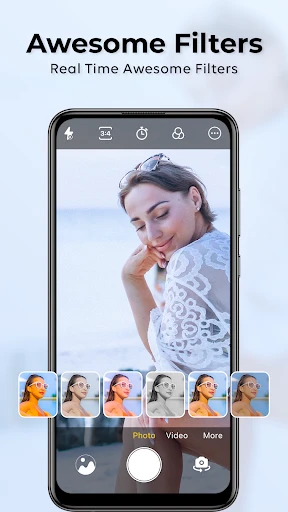
Another feature that deserves a shout-out is the Pro mode, which allows you to take full control of your photography settings. You can tweak the ISO, exposure, white balance, and more. It’s like having a mini DSLR in your pocket! And for those who love a good filter, the app doesn’t disappoint. With a range of filters to choose from, you can easily find one that suits your style.
Performance: Does It Deliver?
Performance-wise, the HD Camera app is impressive. Photos come out crisp and clear, with vibrant colors and excellent detail. The app processes images quickly, so you won’t be left waiting around for your photo to save. I also appreciated the app's low-light performance, which is often a challenge for smartphone cameras. The Night mode really shines here, reducing noise and capturing more detail than the standard camera app.
Battery usage is another critical area where the HD Camera app excels. Despite its powerful features, it doesn’t drain your battery like some other camera apps do. This is a huge plus for anyone who loves spending the day out and about, snapping photos without constantly worrying about finding the nearest charger.
Final Thoughts
In conclusion, the HD Camera app for Android is a fantastic tool for anyone looking to enhance their mobile photography without breaking the bank on expensive equipment. Its user-friendly interface, robust features, and excellent performance make it a standout choice in a crowded market. Whether you're a seasoned photographer or just someone who loves to capture everyday moments, this app is well worth a download. So go ahead, give it a try, and watch your photos come to life in HD!
- Developer
- One Music Player
- Version
- 1.46
- Installs
- 5,000,000+
- Android Version
- 5.0
- Content Rating
- Everyone
- Price
- Free
- High-resolution photo quality
- User-friendly interface
- Multiple shooting modes
- Fast autofocus feature
- Integrated photo editor
- Ads can be intrusive
- Limited advanced settings
- Consumes a lot of battery
- Requires frequent updates
- Some features need payment