TP-LINK tpCamera
Have you ever wished you could turn your smartphone into a surveillance camera control center? Well, TP-LINK’s tpCamera app might just be the solution you've been waiting for. This app is designed to give you remote access to your TP-LINK cameras, allowing you to monitor your home, office, or any other space directly from your iOS or Android device. Let’s dive into what makes this app tick and whether it delivers on its promises.
Setting Up Your Virtual Security Hub
Getting started with tpCamera is pretty straightforward. Once you've installed the app, you're prompted to create a TP-LINK Cloud account, which is a breeze. You just need to follow a few simple steps, and voila, you’re in! The app then lets you add your cameras by scanning a QR code or entering the device ID manually. It’s as simple as pie, and within minutes, your cameras are connected and ready to go.
Features that Stand Out
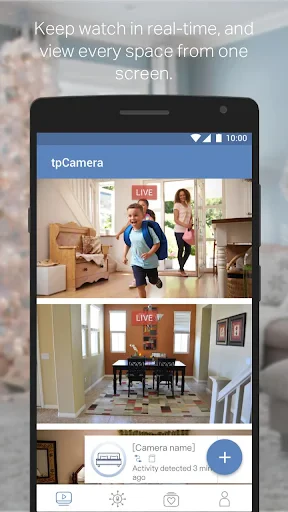
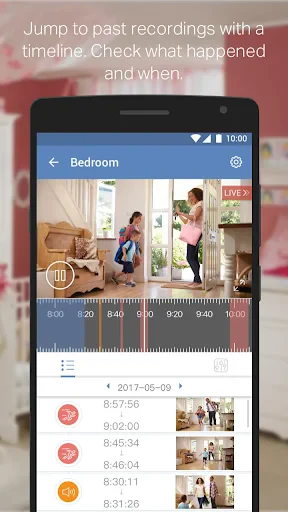
One of the most impressive features of the tpCamera app is its live video streaming capability. The video quality is surprisingly good, even on a less-than-ideal internet connection. You can view your cameras in real-time, which is perfect for keeping an eye on things while you’re away. Moreover, the app supports two-way audio, so you can communicate through your camera. It’s like having a walkie-talkie with a view!
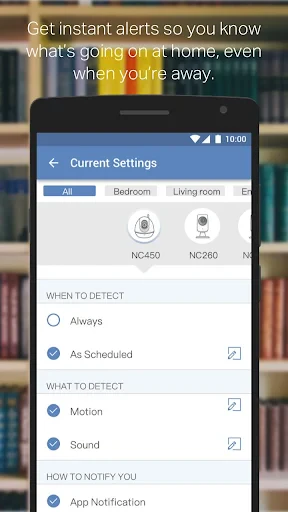
Another nice touch is the motion detection alerts. Whenever the camera catches any movement, you get a notification on your phone. This feature ensures that you’re always in the loop, no matter where you are. Plus, the app allows you to customize the sensitivity of these alerts, so you don’t end up getting notified every time a leaf blows by.
Usability and Interface
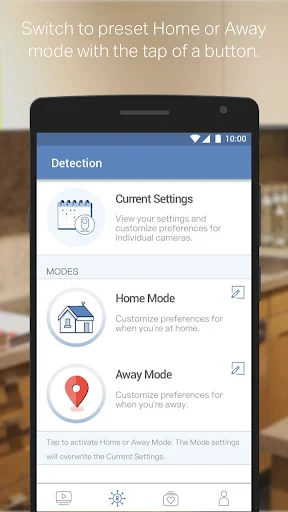
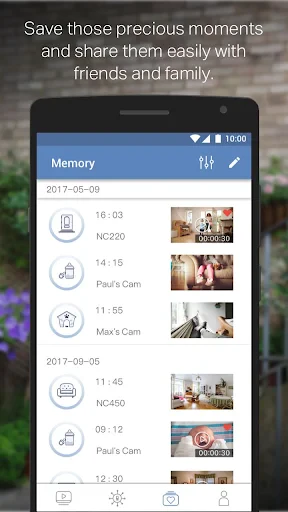
When it comes to usability, tpCamera scores quite high. The interface is clean and intuitive, making navigation a breeze. Even if you’re not particularly tech-savvy, you’ll find it easy to access the app’s features. The main dashboard gives you a quick overview of your connected cameras and their status. A few taps and you can switch between different camera views or dive into the settings.
However, I did encounter a slight hiccup while using the app. Occasionally, there’s a slight lag or delay when switching between camera feeds. It's not a deal-breaker, but it’s something to keep in mind if you're planning on monitoring multiple cameras simultaneously.
Final Thoughts
Overall, TP-LINK’s tpCamera app is a robust tool for anyone looking to monitor their premises remotely. It combines ease of use with a solid set of features that make it a worthwhile addition to your home security setup. While it’s not without its minor quirks, the app's functionality overshadows these small issues.
Whether you’re using it for home security, monitoring a baby’s room, or just keeping an eye on your pets, tpCamera offers peace of mind right at your fingertips. So go ahead, give it a try, and transform your smartphone into a powerful surveillance tool. You might just find yourself wondering how you ever managed without it!
- Developer
- TP-LINK SYSTEMS INC.
- Version
- 3.2.12
- Installs
- 1,000,000+
- Android Version
- 7.0
- Content Rating
- Everyone
- Price
- Free
- Easy to use interface
- High-quality video streaming
- Remote access capabilities
- Motion detection alerts
- Affordable pricing
- Limited cloud storage
- Occasional connectivity issues
- No advanced customization
- Basic free plan features
- Requires TP-Link account