Headunit Reloaded Emulator HUR
Imagine transforming your Android device into a full-fledged car infotainment system. Intrigued? That's exactly what Headunit Reloaded Emulator (HUR) promises to do. Let’s dive into what this app has to offer and see if it lives up to the hype.
Getting Started with Headunit Reloaded Emulator
First off, installing HUR is a breeze. You can grab it from the Google Play Store, and before you know it, your Android phone or tablet is ready to mimic a car's head unit. Pretty nifty, right? The app is designed to work with Android Auto, so you can experience all those handy driving features like navigation, music, and phone calls, right on your device.
Setting Up the Magic
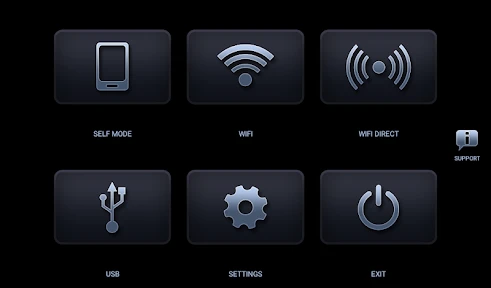
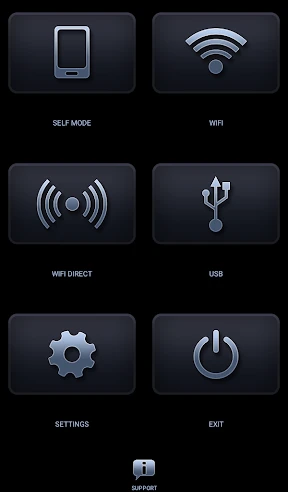
Once installed, the setup is quite straightforward. You'll need to connect your device to the car's head unit via USB or Wi-Fi. Yes, you heard that right, Wi-Fi! This is a game-changer because it means fewer cables cluttering your dashboard. The connection process is relatively seamless, although a bit of tinkering might be required to get everything running smoothly. The app provides a friendly interface that guides you through the setup, which is great for those of us who aren’t exactly tech-savvy.
User Experience: Does It Deliver?
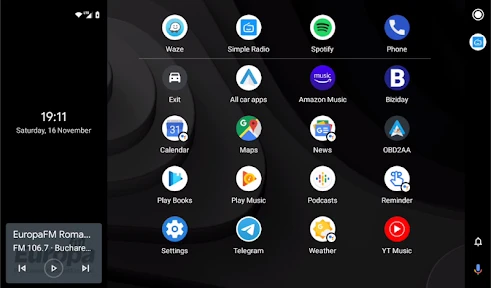
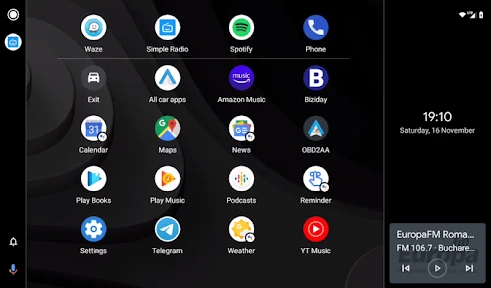
Using HUR is like having a mini computer in your car. The app mirrors Android Auto’s interface, which is both intuitive and user-friendly. The icons are large and easy to tap, even when you're on the move. Plus, the voice command feature is quite responsive, making it safer and easier to control your apps while driving.
However, like any app, it’s not without its quirks. Some users have reported occasional lagging, especially when using resource-intensive apps like Google Maps or Spotify. It’s nothing too drastic, but it’s something to be aware of if you plan on using those features heavily.
Compatibility and Customization
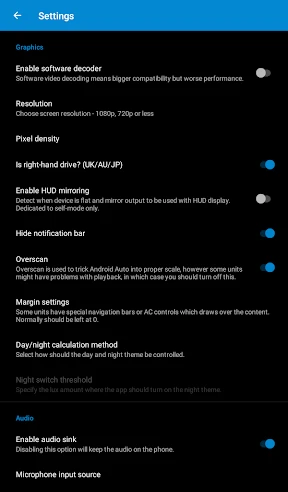
HUR supports a wide range of Android devices, which is a huge plus. Whether you have the latest flagship phone or an older model, you should be able to get the app up and running without too much hassle. The app also offers some customization options, allowing you to tweak the interface to suit your preferences. You can adjust the DPI, screen resolution, and even the orientation, giving you full control over how the app looks and feels.
Final Thoughts
So, is Headunit Reloaded Emulator worth checking out? Absolutely, especially if you're looking to bring some smart functionality to your car without breaking the bank on a new head unit. The ability to use your phone as a car infotainment system is not only cost-effective but also incredibly convenient. Just remember that while the app is packed with features, it might take a bit of patience to get everything working perfectly. But once you do, you'll wonder how you ever drove without it.
In conclusion, HUR is a solid option for Android users wanting to enhance their driving experience. It’s practical, innovative, and most importantly, it brings a touch of modern tech to any car. So, if you're ready to take your driving experience to the next level, give Headunit Reloaded Emulator a spin. You might just find it's the upgrade you never knew you needed.
- Developer
- AAWireless
- Version
- Headunit Reloaded V7.2.3
- Installs
- 100,000+
- Android Version
- 4.1
- Content Rating
- Everyone
- Price
- $4.99
- Transforms Android device to car head unit
- Supports Android Auto integration
- Customizable interface options
- Works with various car models
- Offline mode available
- Requires additional hardware for full use
- Complex setup process for beginners
- Limited customer support
- May drain battery quickly
- Compatibility issues with older devices







![Navigation [Huawei watches]](https://appnexuszone.com/wp-content/uploads/2025/11/image166304831526595115.webp)